For equipment businesses, the next competitive advantage is how fast you can launch new ways to earn from the same asset.
For many equipment businesses, the same machine is a sale, a rental, a service contract, and eventually a resale. Too often, each of those lives in a different system. Maintenance and rental schedules compete for the same unit, availability is hard to confirm, and finance teams reconcile data across systems just to see what an asset earned.
That problem is growing as manufacturers and distributors move beyond one-time equipment sales toward Asset-as-a-Service models, generating recurring revenue through rental, maintenance, services, and, over time, outcome-based offerings. Each new offering creates a new way to earn from the same asset. On disconnected systems, it also creates a new place to lose track of it. That’s why we’re expanding Dynamics 365 to support Asset-as-a-Service business models, starting today with Rental Management in Dynamics 365 Supply Chain Management, now in public preview, and new rental capabilities in Dynamics 365 Field Service and Dynamics 365 Commerce.
Rental Management brings core rental processes into Dynamics 365 Finance and Supply Chain Management and connects them with Field Service, Project Operations, and Commerce, so rental activity can run on the same asset, customer, and financial data as the rest of the business.
Build business model velocity with connected ERP
Business agility has traditionally meant operating efficiently and responding quickly to change. We believe another dimension now matters just as much: how quickly an organization can introduce, adapt, and scale new ways of generating revenue. We call this business model velocity.
The constraint on a new business model is rarely the idea. It’s the operating model behind it. Take an equipment manufacturer that sells machines, rents them for short-term projects, offers rent-to-own agreements, and provides ongoing maintenance. These offerings serve the same customers and depend on the same equipment and people, yet each carries different contract terms, billing schedules, and cost structures. When those offerings run on disconnected systems, every new offering can add integration work, reconciliation, and blind spots before it adds revenue.
The challenge isn’t supporting more offerings. It’s running them together without adding cost and overhead. We believe core rental processes belong in ERP, connected to the finance, service, and supply chain processes they depend on.
Rental operations also vary widely, from short-term equipment hire to long-term leases and specialty rental. Rental Management provides a connected foundation that organizations can extend with solutions from our partner ecosystem to meet specialized or industry-specific requirements.
Connect the rental lifecycle from availability to billing
Rental Management supports core processes across the rental lifecycle, from the first customer inquiry through reservation, fulfillment, return, and billing.
Consider a customer who needs equipment for a six-week project, with the option to buy one machine at the end. Before quoting, the rental coordinator needs to know what’s available, which units are due back, and what terms the business can offer. With Rental Management, the coordinator can check fleet item availability across prime equipment, attachments, and bulk items, reserve what the customer needs, and build the quotation from rental rates in a guided rental cart before converting it into a contract with a rental purchase option.
Pricing is where rental margin is won or lost. Suggested rates can adjust based on inventory levels, utilization, reservations, and customer history, while discount override limits help protect margins. A dedicated rental management workspace gives coordinators a current view of active contracts, sent quotations, scheduled fleet item movements, and units due back.
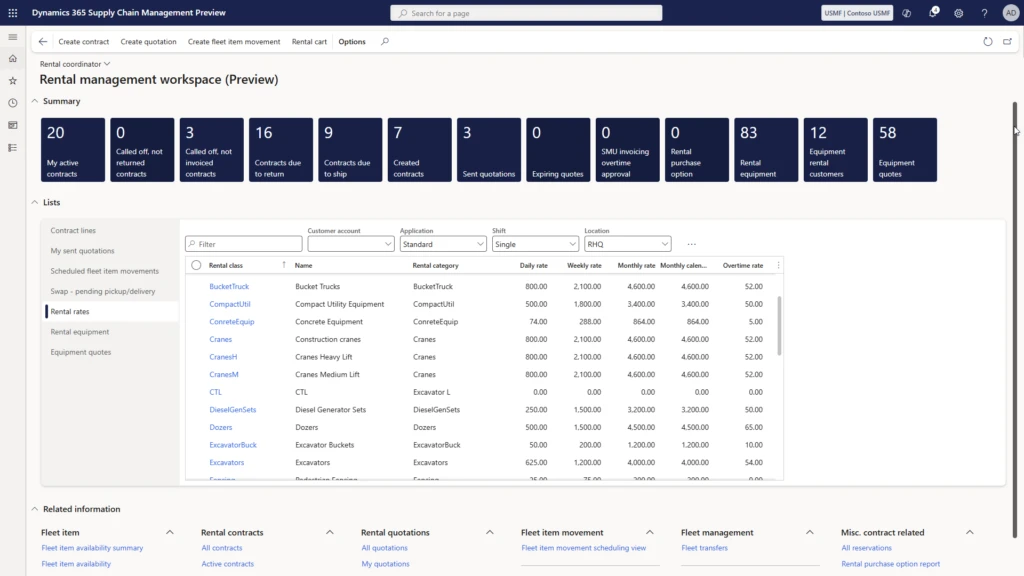
Once equipment is on rent, the priority shifts to fleet utilization: keeping units earning, not waiting. Fleet item movements document each shipment and return, with inspection checklists, photos, and damage tracking. When a customer is finished with a unit, a call-off stops rental charges, and a return-to-ready process helps get the unit back on rent sooner. Coordinators can also swap units on site and transfer equipment between locations as demand shifts.
Billing follows the contract. Rental invoices are generated on the billing cycle defined in the rental template. When a contract closes, best rate calculation determines the rate for the rental duration and adds any overtime or other charges.
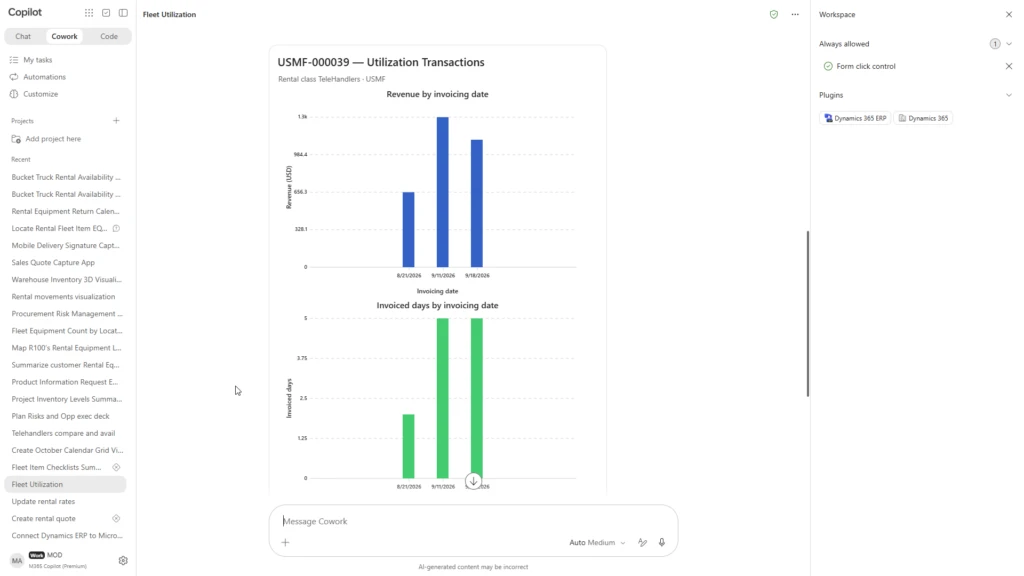
For finance, the bigger change is where the numbers land. Because rental transactions post to the general ledger, fixed assets, and accounts receivable in Dynamics 365 Finance, rental revenue and revenue-based depreciation flow through standard financial processes, and fleet utilization can be tracked down to the individual unit. Finance leaders can gain visibility into how the rental fleet performs, with less reconciliation across systems.
That’s business model velocity in practice: adding a rental offering by extending your ERP rather than starting from scratch.
Connect assets across rental, service, and sales
The same unit rarely stays in one role for long. In Rental Management, a fleet item moves from new inventory into the rental fleet, where it’s tracked as a fixed asset, and then into the used fleet when it’s marketed for sale. When it’s sold, it transfers to the customer fleet automatically, and the business can continue to track and service it. Ownership changes. The relationship doesn’t have to.
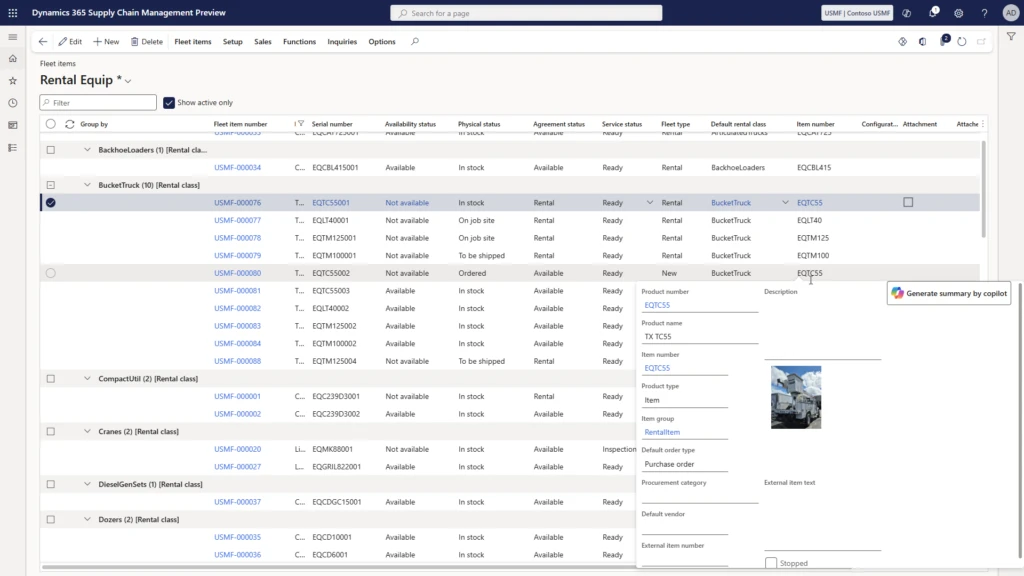
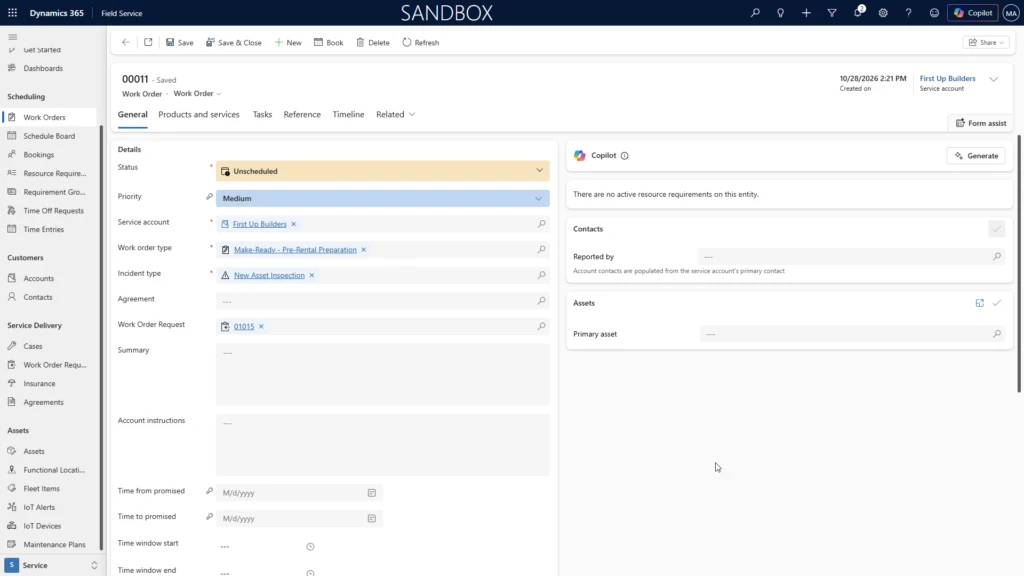
Service is a big part of that relationship. When equipment comes back needing repair, the rental coordinator can send a request to Dynamics 365 Field Service directly from the rental process, and the work order carries the rental context with it.
For a rental business, timing matters as much as the repair itself. Managing rental fleet items as serviceable assets in Dynamics 365 Field Service takes that connection further, into more complex maintenance scenarios. Teams can more easily manage preventive maintenance with reusable plans, schedule service by calendar interval or actual usage, and generate work orders as maintenance comes due. Because the unit’s service history captures both planned and completed work, rental teams can anticipate downtime and time service around fleet demand, keeping more equipment ready to rent.
Rental profitability also depends on what happens around the rental. A contractor renting equipment for a construction project may also need parts or supplies. Trade Counter point-of-sale (POS) capabilities in Dynamics 365 Commerce help counter associates build large orders for business accounts, check inventory across branches, and release orders to the warehouse for fulfillment, so the business can serve the same customer for both rental and sales.
When rental, service, and finance run disconnected, each of those handoffs can mean another integration to build and another record to reconcile. Connected in Dynamics 365, operations and finance teams can work from a shared view of equipment availability, service status, and financial performance.
Bringing Copilot Cowork and agents into rental operations
Connected processes also change what agents can do. A single customer email may require a coordinator to interpret equipment specifications, check availability, review pricing, and prepare a quotation, drawing on several parts of the business. The information is already in ERP. Assembling it still takes time.
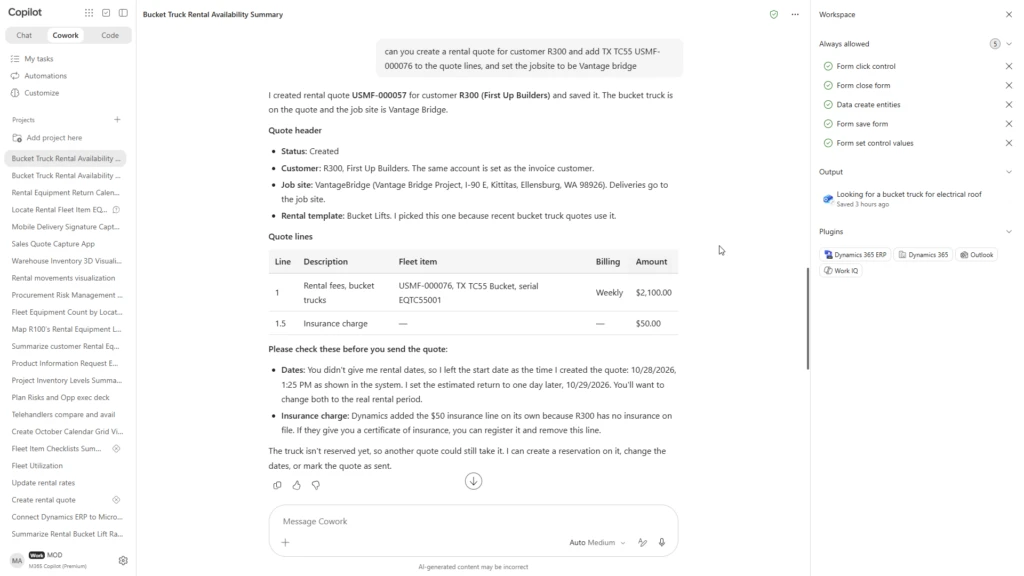
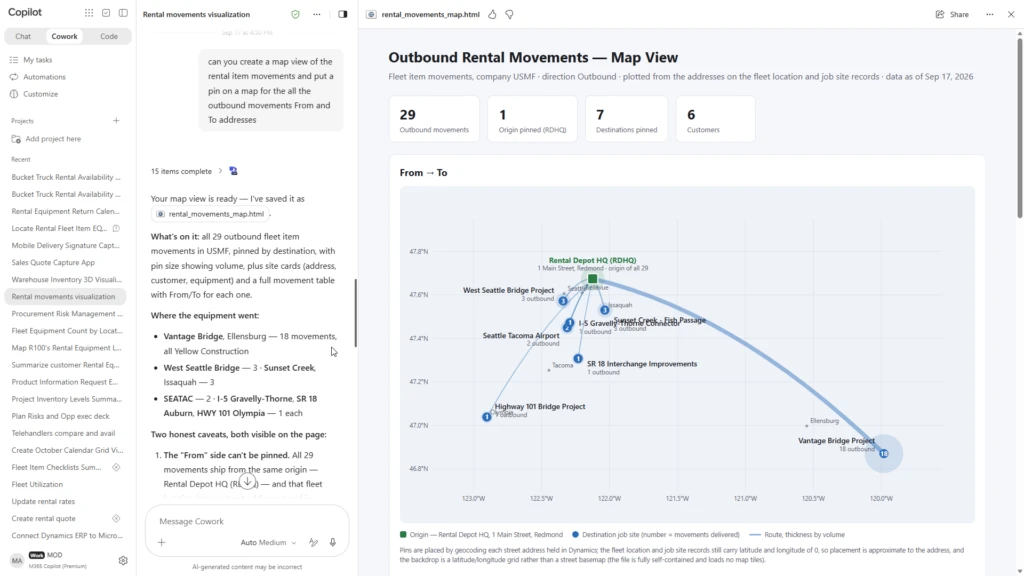
We’re demonstrating how the Dynamics 365 ERP apps plugin for Copilot Cowork can take on much of that work. In the demonstration, a customer emails a request with specific requirements and rental dates, and Copilot Cowork identifies suitable equipment, checks availability, drafts a response, and initiates a rental quotation for the coordinator to review. The coordinator stays in control; the agent does the assembly. Because the plugin respects existing security roles and data access permissions, people can reach only the ERP data they’re already allowed to see.
This is part of our broader vision for agentic ERP: bringing together Dynamics 365, Microsoft Copilot, Copilot Cowork, agents, and business skills to help people coordinate work across applications while maintaining enterprise security, business logic, and human oversight. It’s also why connection matters. An agent is only as useful as the processes and data it can reach.
Building ERP for the business models of tomorrow
Rental is often where Asset-as-a-Service begins. The lines between product sales, rental, subscriptions, services, and outcome-based offerings will continue to blur. We believe the organizations that move fastest won’t necessarily be the ones that replace their systems. They’ll be the ones whose systems are connected well enough to launch a new offering without starting over.
That’s business model velocity. It’s the principle behind our investments in Dynamics 365, and Rental Management is the latest example.
If your organization runs rental, service, and sales on separate systems today, start by mapping where a single asset crosses from one system to another. Those handoffs show where a connected model can matter most.
Explore what’s next for agentic ERP
Join us at Convergence to learn how connected ERP can support evolving business models, including Asset-as-a-Service.