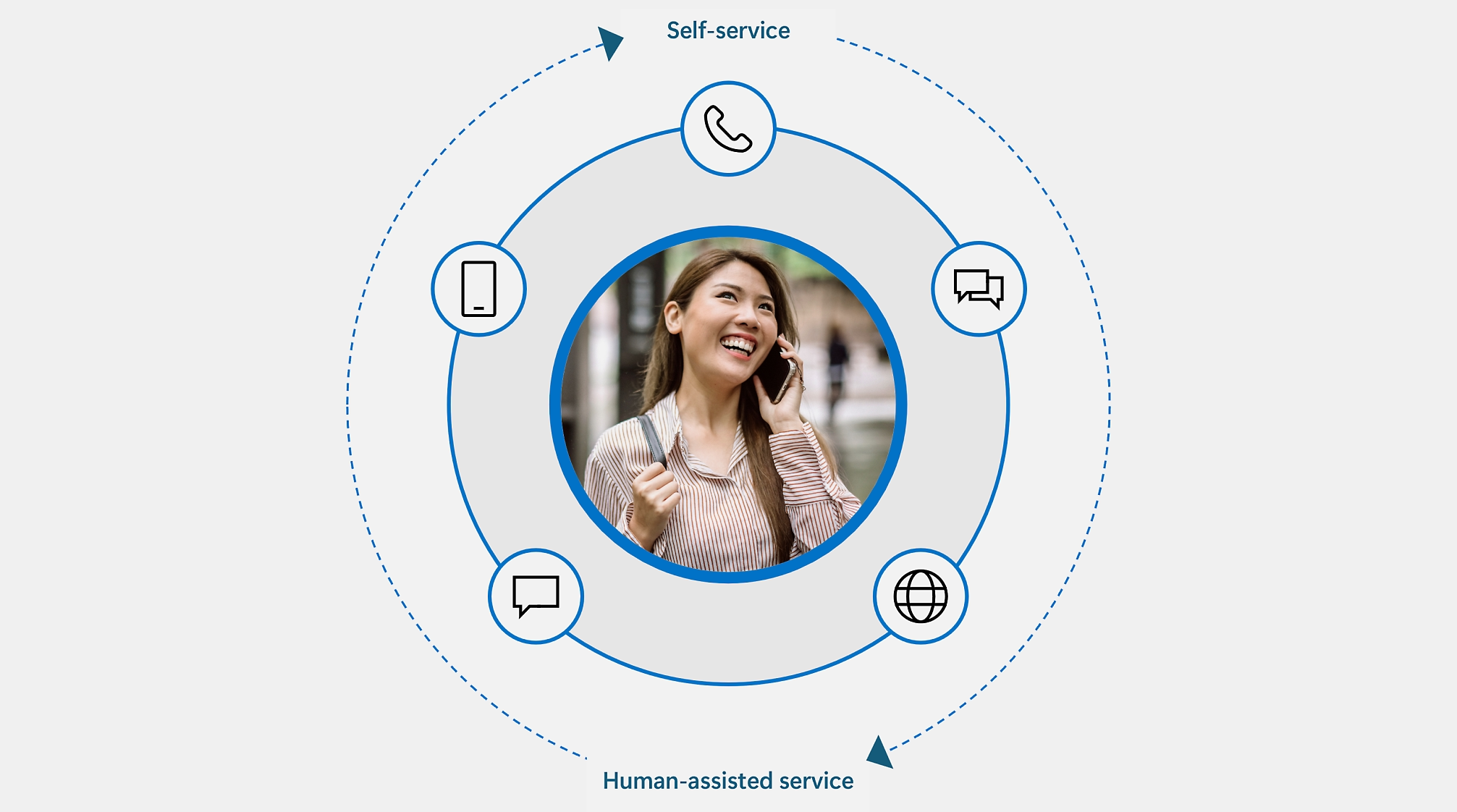
Summary Dynamics 365 CX MCP Server – Sales is now generally available, giving supported AI agents and seller experiences access to trusted Dynamics 365 Sales data, business logic, and actions without requiring sellers to work inside a single CRM interface. The server provides 59 governed tools spanning opportunity, lead, account, activity, pricing, quote, and order scenarios, while existing Dataverse roles and permissions continue to control access. This approach moves CRM toward a system of action, allowing Microsoft and customer-built AI experiences to reuse Dynamics 365 Sales capabilities across the tools sellers already use.
Sellers don’t live in one place. They work across chat, email, agent-driven workflows, and the tools closest to the deal, so CRM needs to meet them there. The Dynamics 365 CX MCP Server – Sales is now generally available, marking a foundational step toward headless CRM: supported AI agents and seller experiences can use your trusted sales data, intelligence, business logic, and actions without confining you to a single CRM interface.
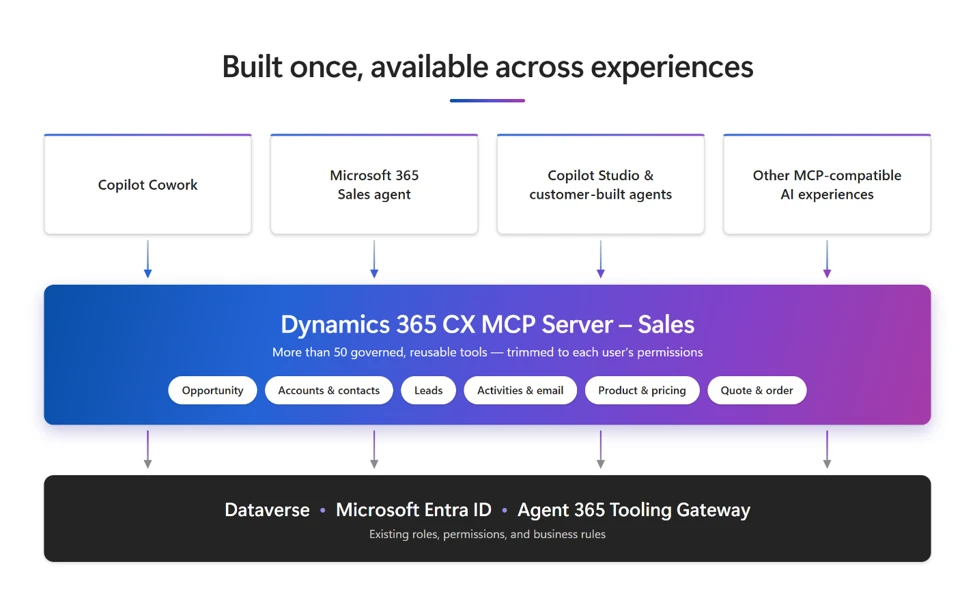
To enable this shift, the server exposes sales capabilities as governed, reusable tools that AI agents and assistants can discover and invoke. Clients connect over HTTP-based MCP to a single Microsoft-hosted endpoint per environment. The Agent 365 Tooling Gateway brokers the connection, Microsoft Entra ID authenticates users through an OAuth 2.0 on-behalf-of exchange to Dataverse, and clients discover the available tool catalog at connect time.
From a destination application to a system of action
For decades, CRM has been a place users go to find information, update records, and manage processes. Now, AI is changing that model: users express an intent rather than navigating an application, and agents can retrieve context, reason across it, and take actions on the user’s behalf within the permissions and experience that the agent defines.
In this model, headless CRM goes beyond exposing CRM APIs to AI. Instead, supported AI experiences reuse CRM capability, business context, and enterprise controls, so sellers can work through the interface that fits the task. Meanwhile, Microsoft Dynamics 365 Sales continues to provide the customer data, sales processes, security, and business rules—without requiring each consuming experience to maintain its own integration.
59 tools supporting core seller jobs-to-be-done
To support these seller workflows, the server includes 59 tools at general availability across the domains below.
| Domain | Representative tools | Example outcome |
| Opportunity management | Retrieve summaries, manage stakeholders and competitors, update, advance stages, close, reopen, clone | Advance a deal stage and record competitive position without opening a form |
| Accounts and contacts | Retrieve and maintain accounts and contacts, relationships, stakeholders | Assemble current customer context ahead of a call |
| Lead management | Retrieve, update, search, qualify, disqualify, assign | Qualify an inbound lead and route it to the right seller |
| Activities and email | Review timelines, create and complete activities, notes, draft and send email, schedule meetings | Draft a follow-up email and log it against the right record |
| Product and pricing | Find products and price lists, manage product lines, recalculate pricing | Update a product line and recalculate the opportunity total against its price list |
| Quote and order management | Create quotes from opportunities, revise or activate, convert to orders | Turn an approved quote into an order |
These tools serve as reusable building blocks rather than fixed experiences. For example, a quote-to-order request can compose several calls in sequence—retrieve the opportunity, find products and the price list, recalculate pricing, create the quote, and convert it to an order—while the applicable Dataverse roles and permissions govern access.
To understand how these building blocks work together, think of tools and skills as ingredients and recipes. Each tool performs a single governed action, like qualifying a lead or recalculating a price. A skill then combines several tools with instructions to complete a seller job, such as preparing for a customer call or turning a quote into an order. The server provides the tools, while Cowork, Sales Agent, or a customer-built agent can compose them into skills.
Built once, available across experiences
Building on this approach, the server provides a shared capability layer for Microsoft experiences such as Cowork and Sales Agent, as well as compatible customer-built agents and other MCP-compatible AI experiences. Each can package the tools into a focused seller scenario without rebuilding a CRM integration. As a result, organizations can extend their existing investments in sales data, processes, customizations, and controls to supported agents and interfaces.
Governance remains part of the CRM foundation
Manage connections through the Microsoft-hosted Agent 365 Tooling Gateway, which brokers authentication to your Dataverse environment. Access continues to follow existing Dataverse roles and permissions, so organizations can extend sales capabilities to AI experiences while retaining their established security, visibility, and governance controls.
Available now
The Dynamics 365 CX MCP Server – Sales is generally available today, and there are several ways to put it to work. Spin up your own agent in Copilot Studio that preps sellers for customer calls. Build skills for your team’s own sales motion, such as deal reviews, lead triage, or quote-to-order. Or bring Sales data and actions into the AI tools your teams already use, including GitHub Copilot CLI, Visual Studio Code, Cowork, and other MCP-compatible clients. Start here: Connect Dynamics 365 CX MCP Server – Sales through Agent 365 Tooling Gateway
With the Sales MCP Server, CRM becomes a system of action whose capability, context, and control can extend to supported seller and agent experiences.