Every organization has processes that live in people’s heads — the steps to qualify a lead, the rules for approving a discount, the checklist for onboarding a new vendor. This undocumented institutional knowledge drives consistent outcomes when experienced employees follow it, but it’s never been available to AI agents. Until now.
Business skills: Process knowledge that agents can follow
Business skills in Dataverse are now in public preview! You can capture your organization’s processes, policies, and domain expertise as natural-language instructions that AI agents discover and follow at runtime.
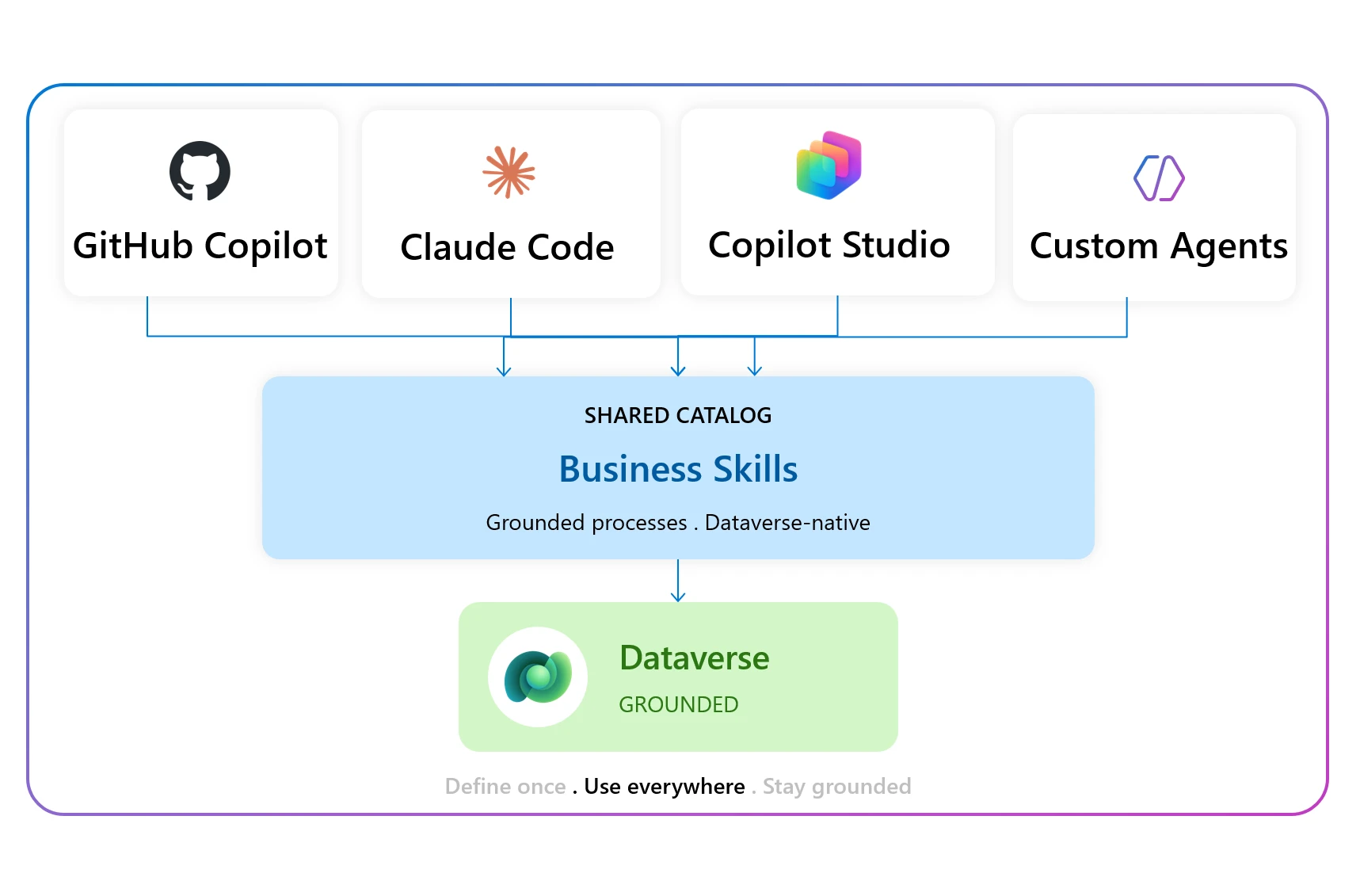
Each business skill describes a specific process — the detailed steps-by-step instructions involved, the information required, and the business rules that apply. Agents connected to the Dataverse MCP server discover relevant skills automatically and use them to complete tasks according to your organization’s standards.
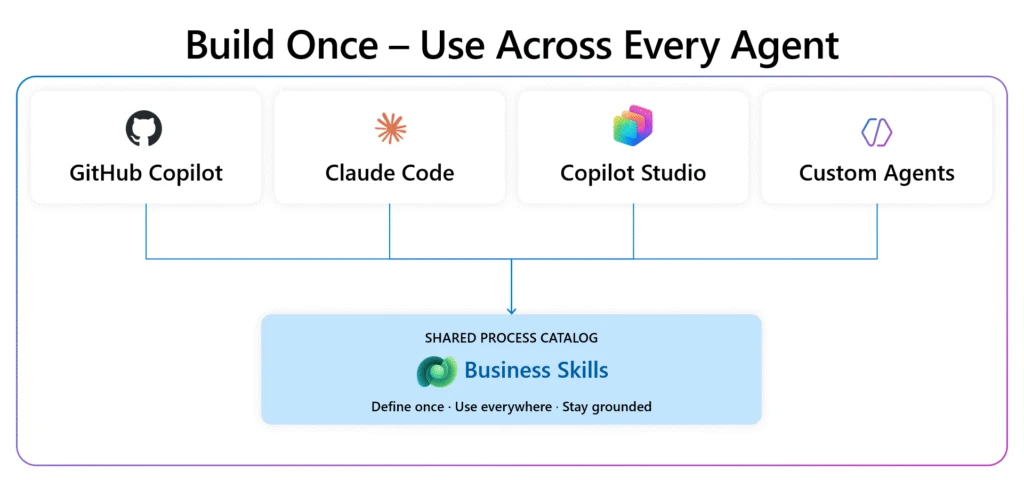
Because skills are defined once and stored centrally in Dataverse, any agent can use them — whether it’s running in Copilot Studio, GitHub Copilot, VS Code, Azure AI Foundry, or any MCP-compatible client. When multiple agents reference the same skill, they follow the same process. Update the skill, and the change applies everywhere — no need to track down and patch individual agent configurations.
Skills are fully governed with built-in sharing and visibility controls, and they’re solution-aware — which means you can add them to your power platform solutions and move them across environments as part of your existing ALM process.
Seeing it in action
Previously, asking an agent to follow a multi-step business process — like assigning vendors to open issues — meant the agent had no context for how your team actually handles that work. The result was generic at best and unable to adapt to the changing processes.
With business skills, the same request produces a precise, grounded result. The agent discovers the relevant business skill, follows your documented process step by step, and completes the task across your Dataverse data — no custom code, no workflow builder, no app switching.
Create, share, and govern — all from Power Apps
Business skills live in Dataverse and you can manage them from make.powerapps.com. Write your process in natural language or upload existing documentation, share it with the right people, control who can see and edit it, and deploy it across environments through solutions — all without leaving Power Apps. Update a skill and every connected agent picks up the change immediately, no republishing required.
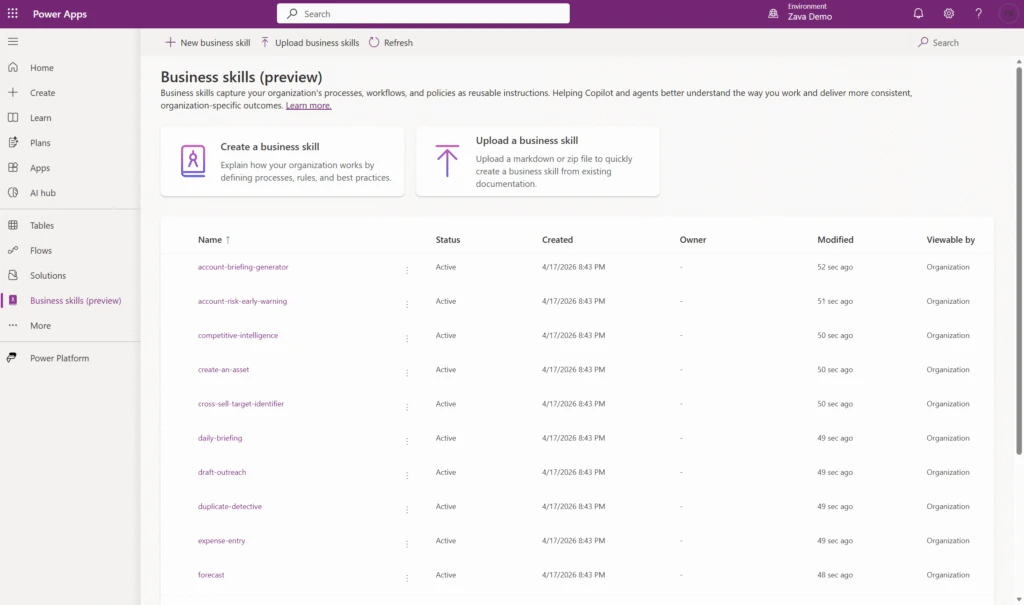
Prefer to work conversationally? The Dataverse MCP server lets you create and update skills by simply asking an agent.
Who should use business skills?
Business skills capture domain specific tasks from existing business workflows as context to further inform Copilot and agents. Whether you’re a maker codifying how your team operates, an agent builder who needs agents to follow real processes instead of generic instructions, or an admin who needs governance over how business knowledge is shared and deployed — business skills are built for you.
Velrada enables consistent process execution for equipment inspections
Matthew Pontel, General Manager of Applied AI at Velrada remarks that “Velrada built Inspection Agent to help worksite supervisors and field workers track the maintenance status of their equipment – so they can trust the tools used to get the job done.
The Inspection Agent uses business skills to perform an equipment inspection with the user. For an onsite HVAC inspection, the Inspection Agent will invoke the business skill to determine the questions to ask based on equipment class, checks the last inspection outcomes, and pull in context of any historic issues. The result: a conversational assessment that produces a consolidated inspection report on the HVAC unit’s condition and follow-up guidance for maintenance.”
Get started
Business skills bring your organization’s expertise to every agent — no code, no complex tooling, just your processes written in plain language and available wherever agents run. We invite you to:
- Enable Dataverse intelligence in the Power Platform admin center.
- Navigate to the Business skills page in Power Apps from the left pane.
- Create your first skill or upload an existing skill.
- Connect an agent to the Dataverse MCP server and see it in action.
Want a head start? The sample business skills repository on GitHub includes production-ready examples you can install directly in your environment.
Try the preview today — we can’t wait to see what you build. Learn more with additional resources: