Skip to main content What is Dynamics 365? Guided tours Customer stories Try our products Build your own agents CRM ERP Sales Service Sales Customer Insights Customer Service Contact Center Field Service Supply Chain Management Commerce Finance Project Operations Human Resources Business Central Pricing Business application topics Training & certifications Migrate to the cloud Documentation Events Dynamics 365 Blog Product updates Onboarding and implementation Community Find a partner Software Development Companies Partner resources Microsoft Marketplace Product documentation Technical support On-premises product support Contact us Try for free Sign in
  • 1 min read

Data Management Framework: Export fails with no apparent details on the cause


In a recent issue, a customer was reporting a problem exporting data using the data management framework. The issue was that during the export they were leaving the “Skip staging” option to “Yes”, which is the default option.

SkipStaging

When the export of the entity was run, it reported that it had failed and there seemed to be no apparent reason why. However, the error was reported but it just wasn’t that obvious where to find it. If you have similar issues, then follow these points below:

Click “View execution log”
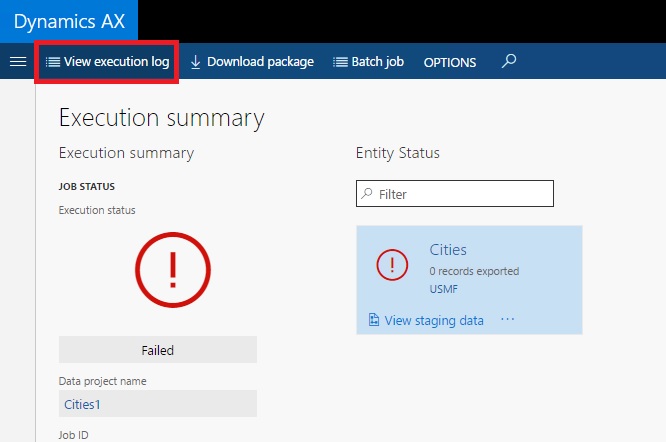
ViewExecutionLog

After selecting the execution log, you will not see any further details at this point. The key is to click “Staging log details”, even though on the export you selected the option “Skip staging” 
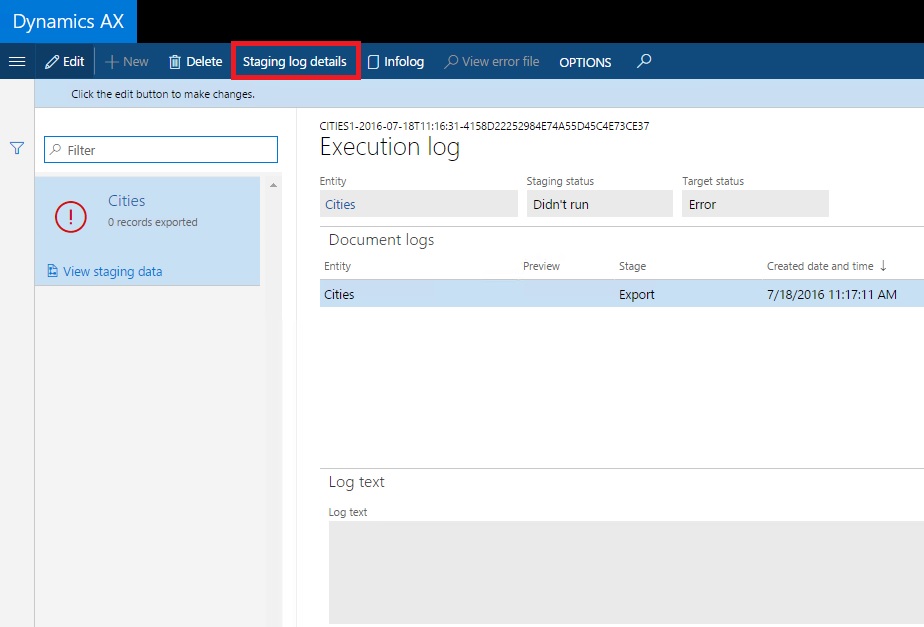
StagingLogDetails

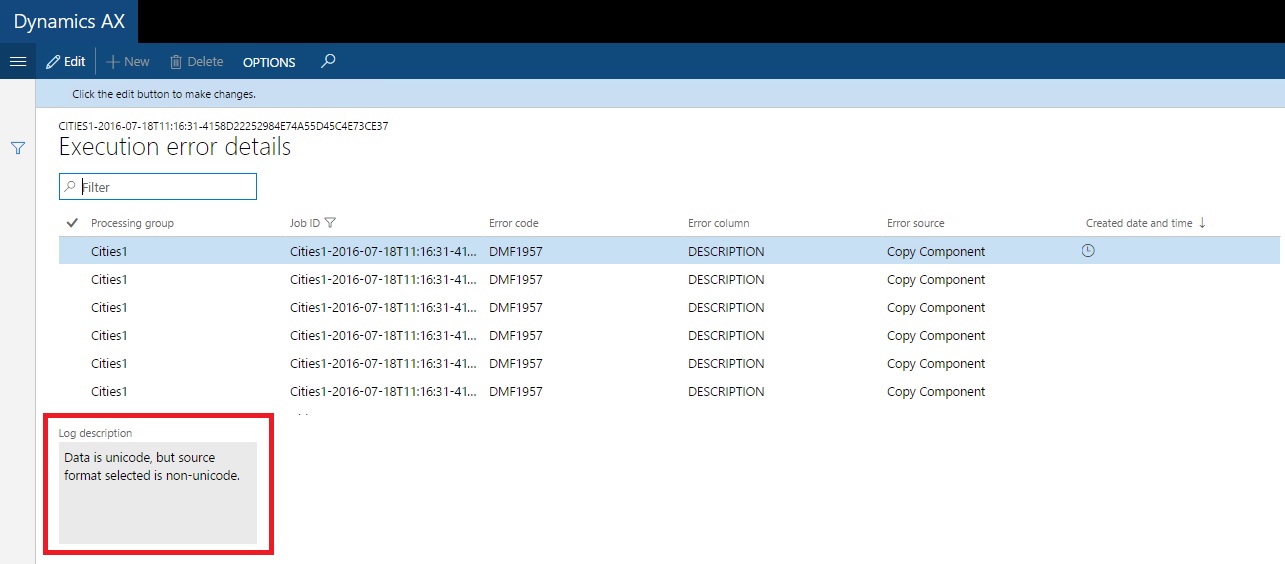
You will then see the error messages

ErrorDetails

Get started with Dynamics 365

Drive more efficiency, reduce costs, and create a hyperconnected business that links people, data, and processes across your organization—enabling every team to quickly adapt and innovate.