Hello Flow Fans!
With the increasing number of code repositories it was getting difficult to keep track of Pull Requests (PRs) that need to be reviewed. As an effort to improve dev productivity and reduce PR wait times we created a simple flow using the Visual Studio Team Services (VSTS) connector to consolidate all PR links and send reminders to reviewers. Now, having a single email in their inbox every week with PRs to be reviewed saves everyone the hassle of navigating to each repository.
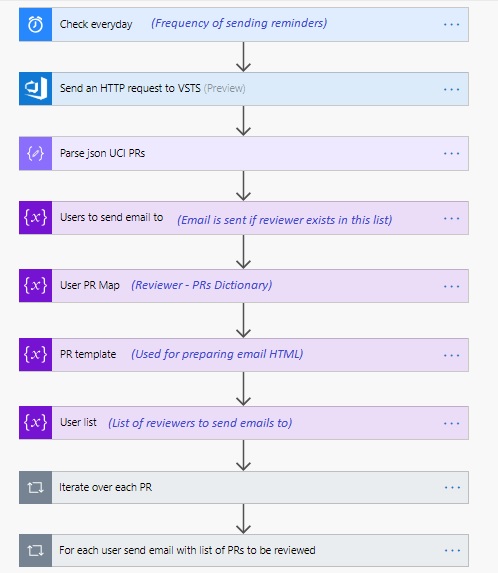
Overview of the flow
- Trigger the flow through Recurrence
- Get the desired PRs using VSTS REST APIs
- Parse response JSON
- Iterate over reviewers list for each PR and prepare a dictionary of reviewer-PRs
- Send emails to the reviewers with the list of PRs they need to review
The Flow in this article, sends emails to a filtered list of users to not spam members from other teams. This can be enhanced to send emails to users in an alias (not in scope of this article).
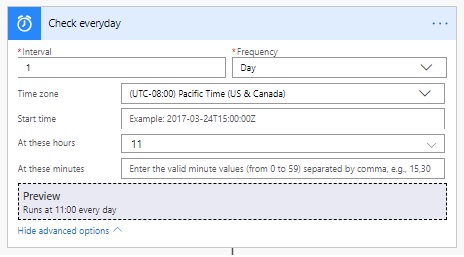
First choose your Trigger
A recurrence trigger can be used as the aim is to send an email at regular intervals. /you can set yours up like mine, or choose a schedule of your own.
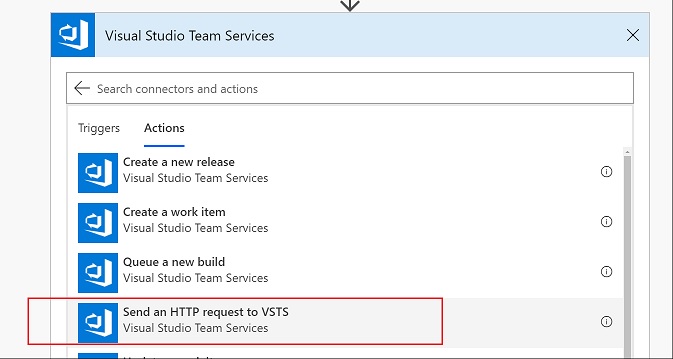
Now add an action to get Pull Requests from VSTS
The VSTS connector supports multiple actions; the one we used is called ‘Send an HTTP request to VSTS’. VSTS exposes hundreds of REST APIs https://docs.microsoft.com/en-us/rest/api/vsts/?view=vsts-rest-4.1 at our disposal. We will leverage the Pull Requests APIs here.
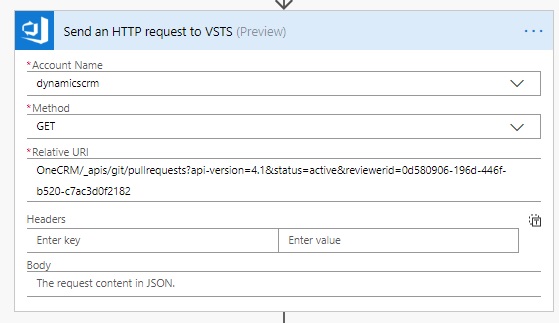
We use HTTP GET method to retrieve all active PRs where a particular reviewer was added. Account name is the Azure DevOps organization name (e.g. for jorg.visualstudio.com account name is jorg). Here, the query gets all the active pull requests where a particular reviewer has been added.
Next we will add an action to Parse the JSON
The output is then parsed using the ‘Parse JSON’ connector. You can use a sample payload to generate schema as the response json structure could be complicated.
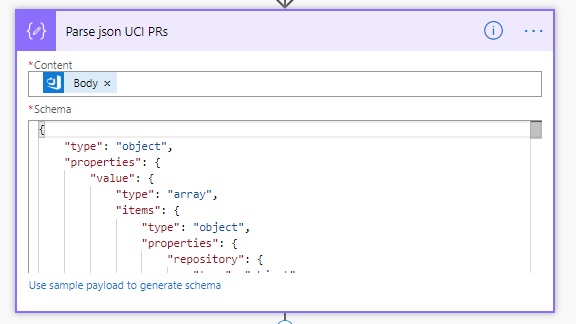
Iterate over PRs
After which we iterate over all the PRs and reviewers to prepare a dictionary of Users and PRs.
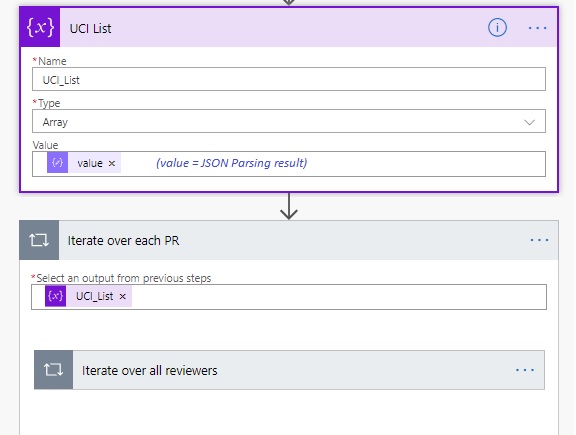
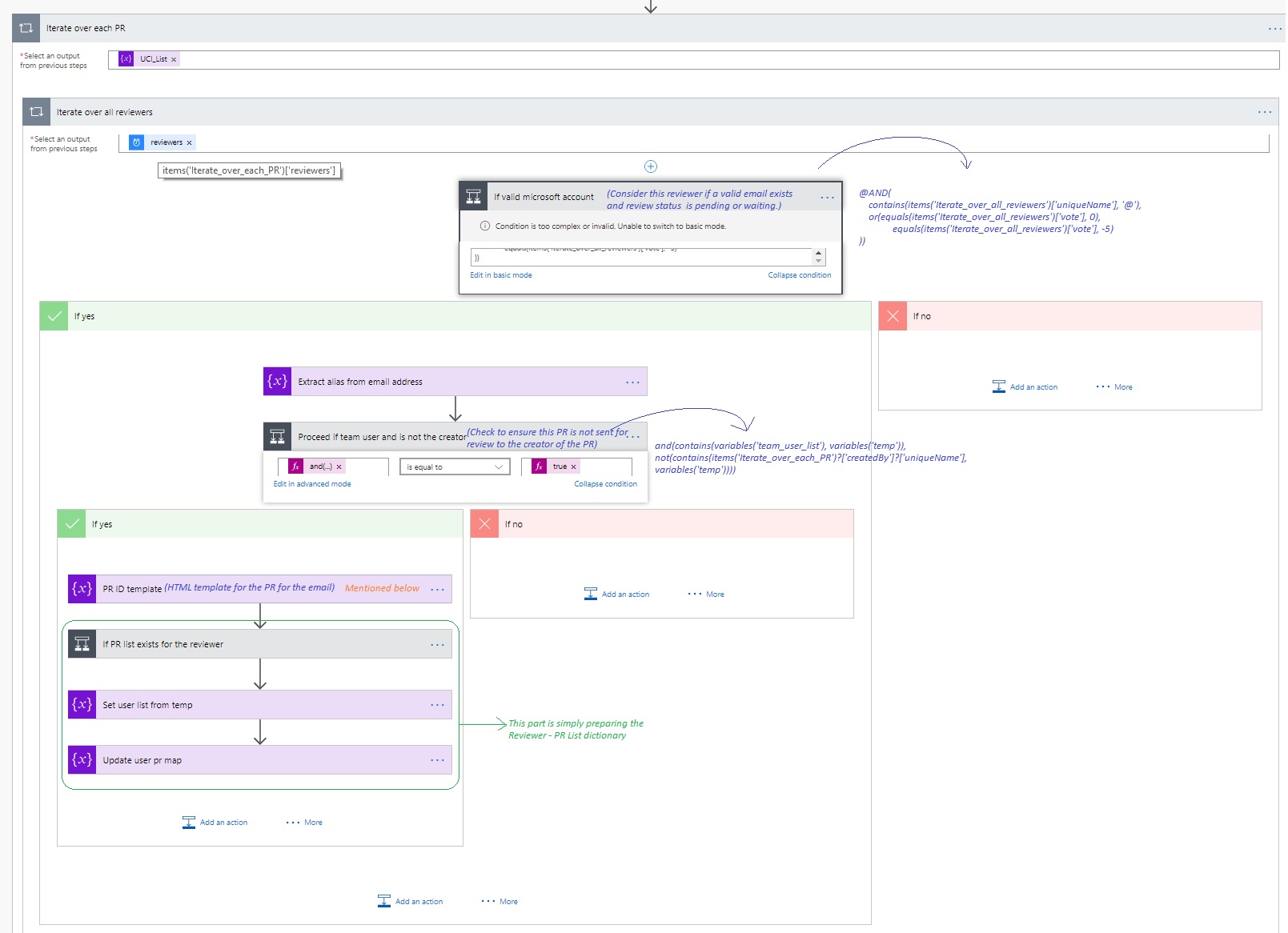
Iterate over reviewers for each PR
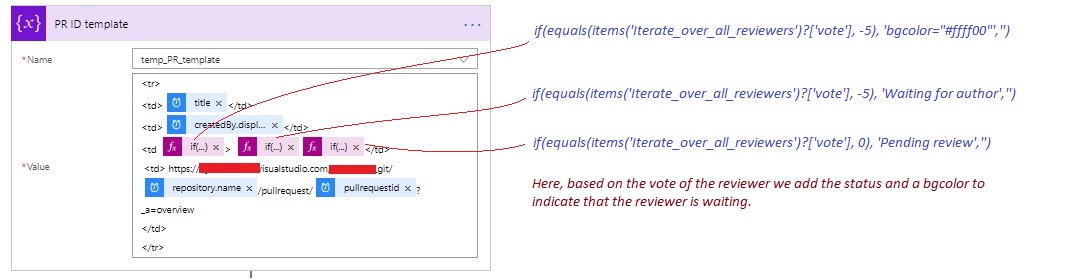
At this step, the reviewer list for each PR it iterated through and we prepare a Reviewer-PR map. E.g.
{
“reviewer1_alias”: [
“<tr>\n<td>PR Title 1 </td>\n<td>requester1</td>\n<td > Pending review</td>\n <td> https://url1\n</td>\n</tr> ”
],
“reviewer2_alias”: [
“<tr>\n<td>PR Title 2 </td>\n<td>requester2</td>\n<td > Waiting for author</td>\n <td> https://url2\n</td>\n</tr> “,
“<tr>\n<td>PR Title 3 </td>\n<td>requester2</td>\n<td > Pending review</td>\n <td> https://url3\n</td>\n</tr> ”
]
}

An extension here could be to check if the comments from the reviewer have been resolved or not.
Send email
To each of the above reviewers in the dictionary, we can use the ‘Send an email’ action with the outlook connector and pass in our parsed items. The email looks as follows.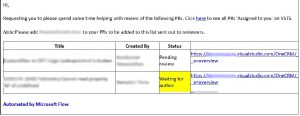
Thanks for reading! Hope this helps improve dev productivity in your team as well. Please leave comments for any improvements or enhancements or questions you may have!