In this post, Joao Lucindo, a Microsoft TSP hailing from Brazil shows you how to develop a Microsoft Flow Custom Connector to get audit logs from Office 365. This solution is based on the Search-UnifiedAuditLog cmdlet.
Step-by-Step
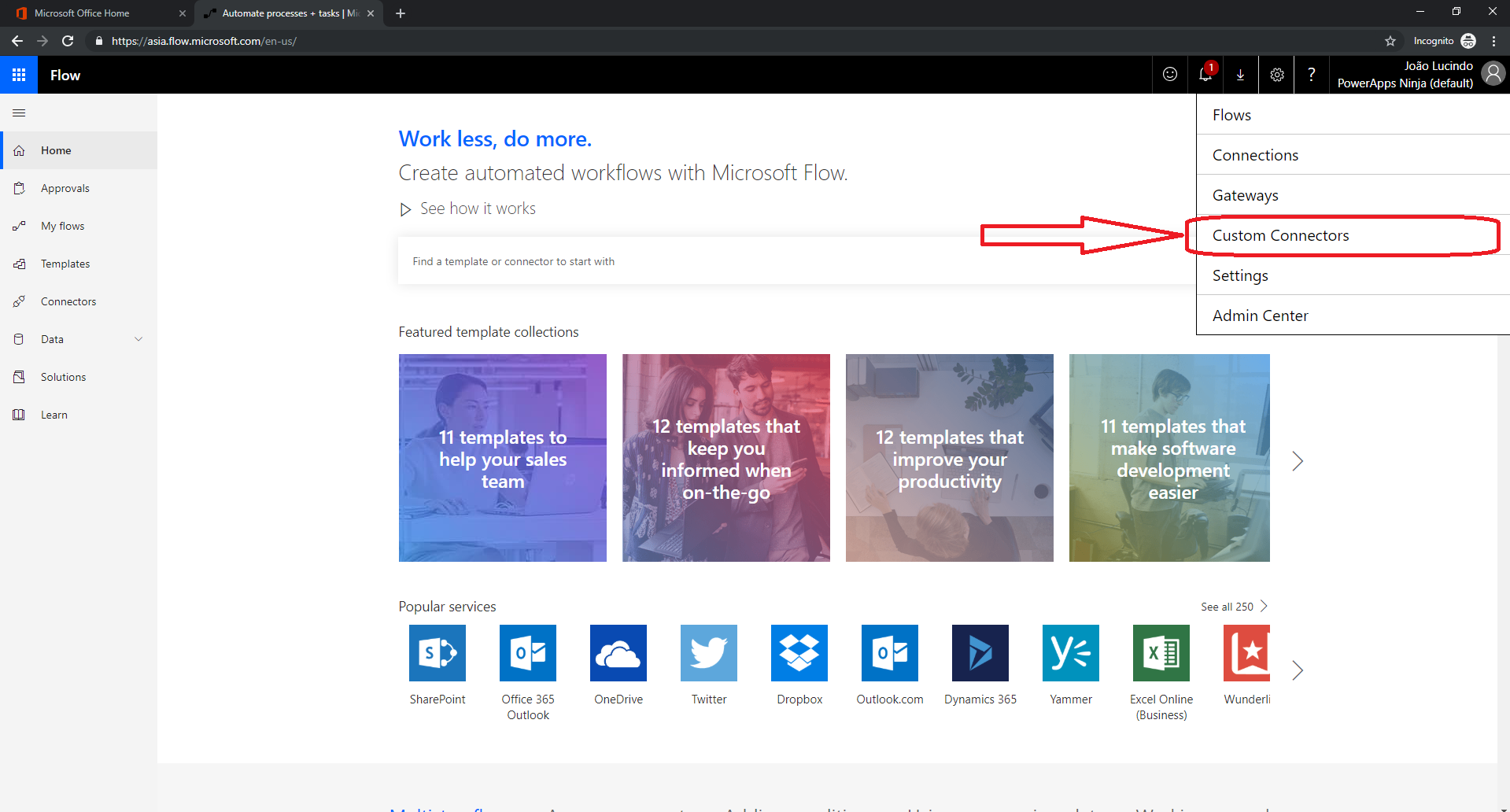
1) Access Microsoft Flow, log in and select the gear icon in the top right-hand corner and then click “Custom Connectors”.
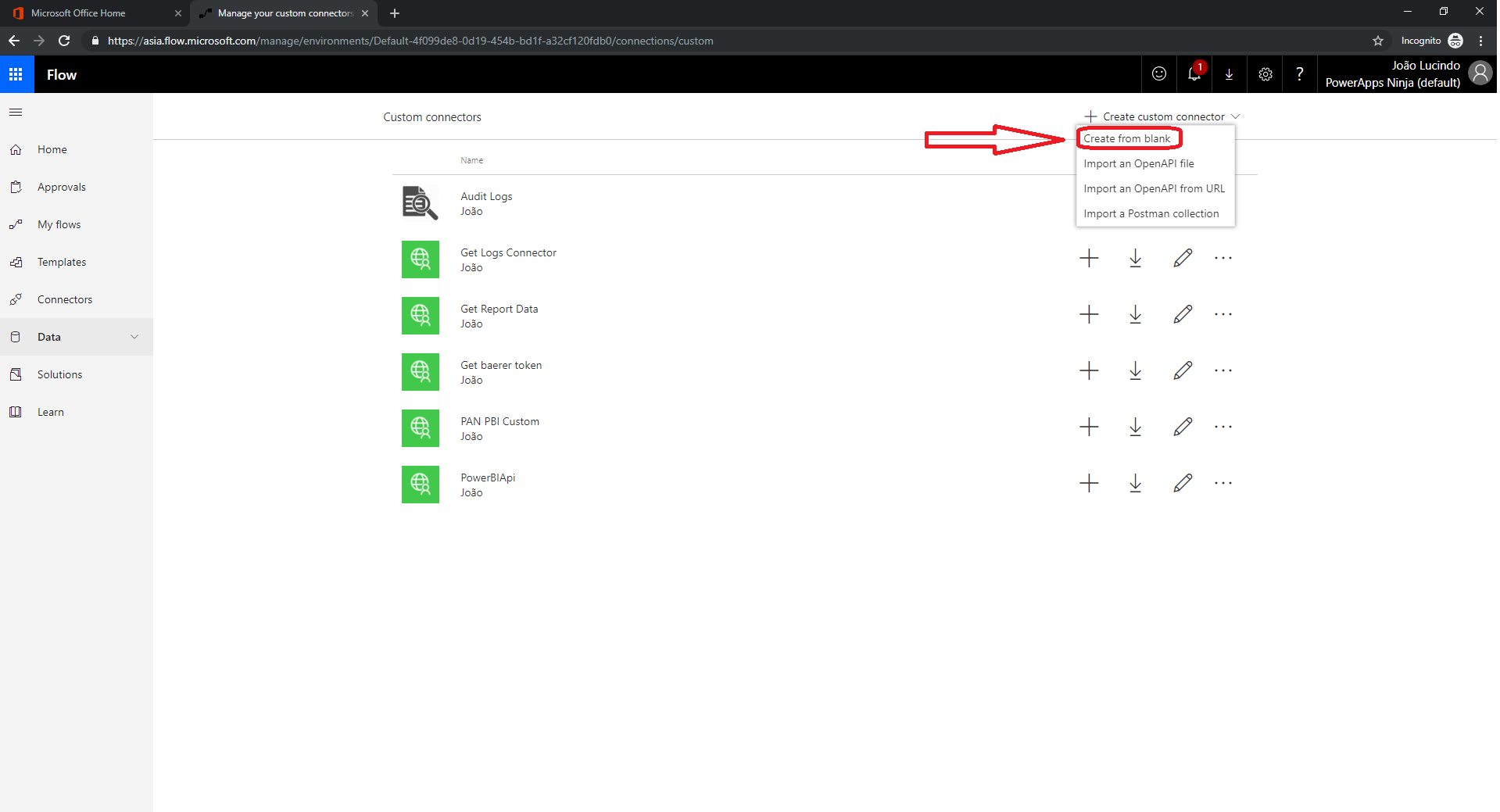
2) Click “+Create custom Connector” and choose “Create from blank”
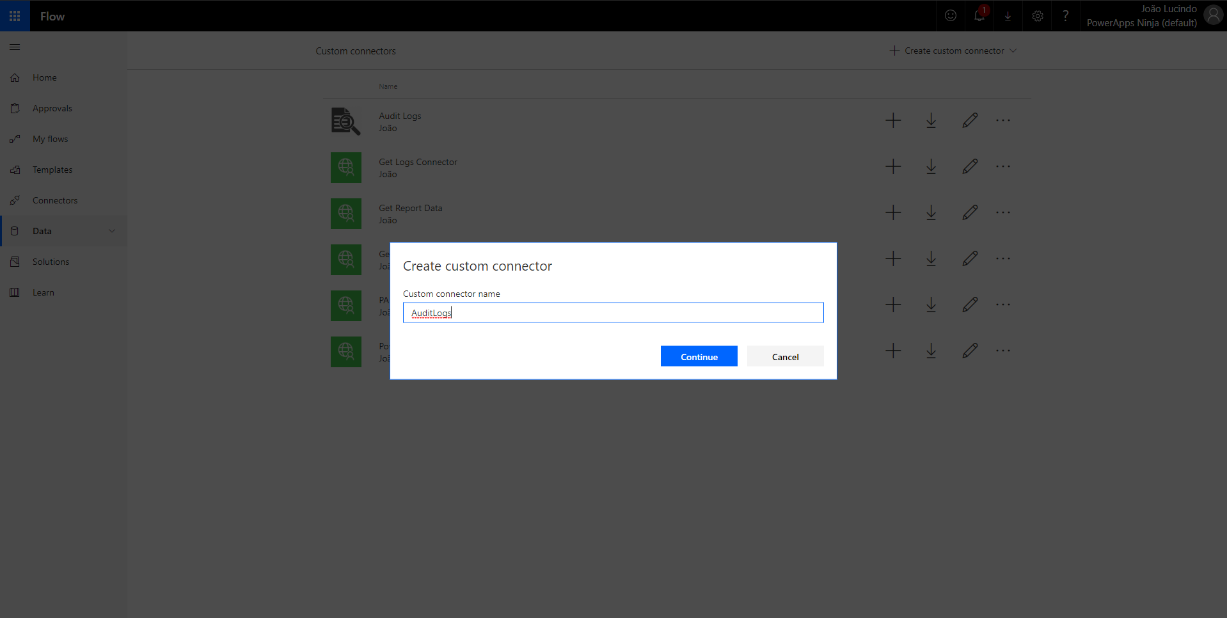
3) Choose a name for your custom connector
4)Fill the fields like the print screen below, and then click “Security”:
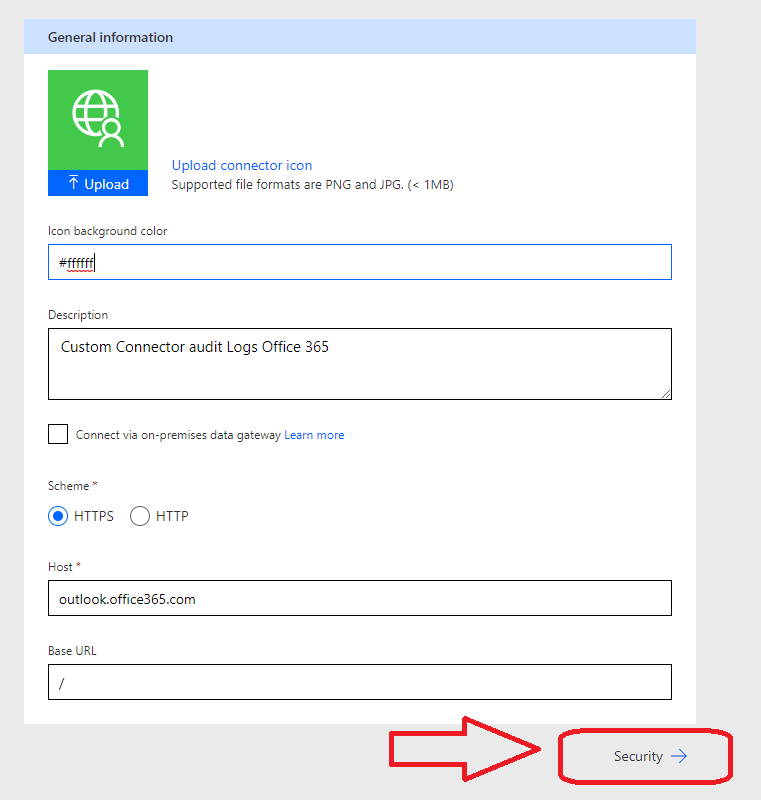
Icon background color: choose a color in hex format
Description: give a description for your custom connector
Host: outlook.office365.co
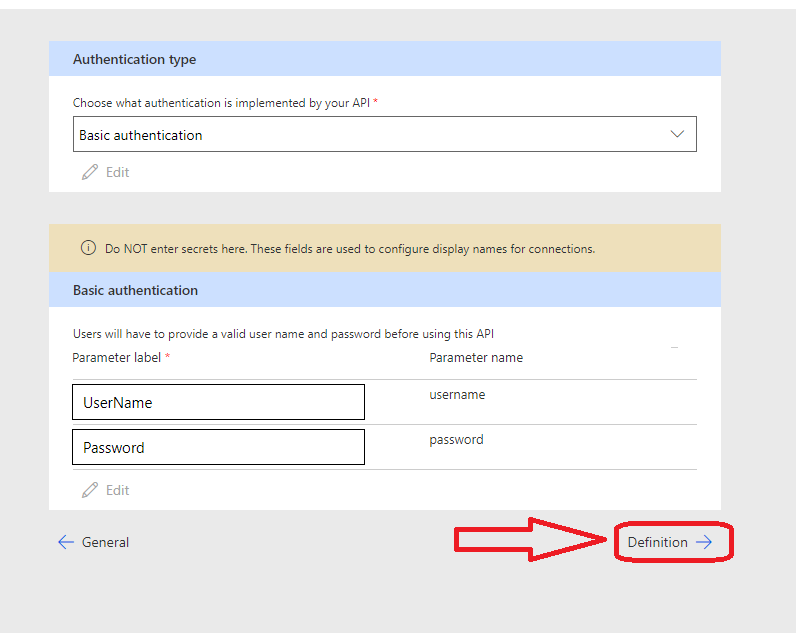
5) Choose “Basic authentication” for the Authentication Type, and fill the Parameter label field with “UserName” and “Password” like the print screen below (Do NOT enter secrets here. These fields are used to configure display names for connections). Finally click “Definition”
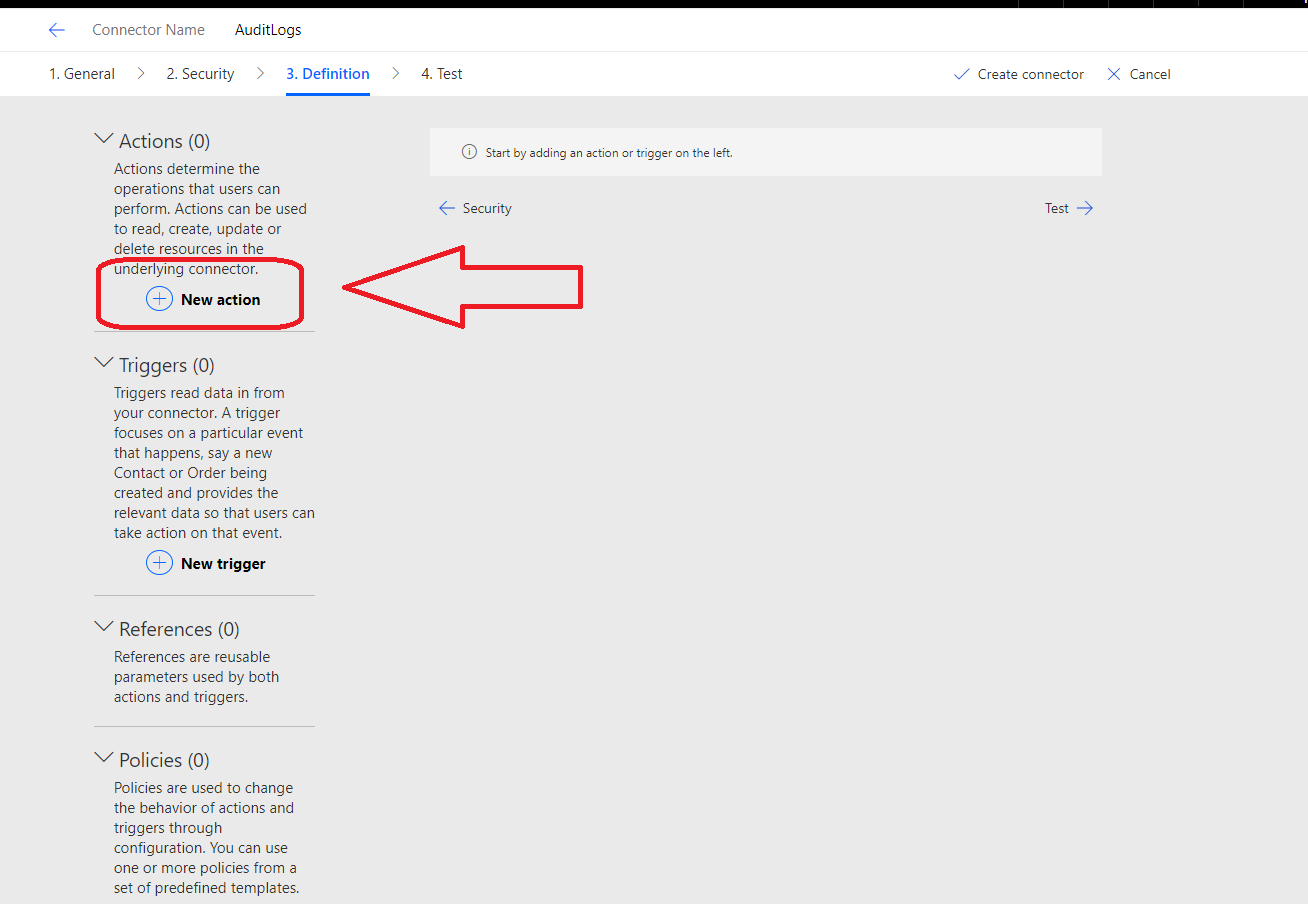
6) In the “Definition” step, click “New Action”
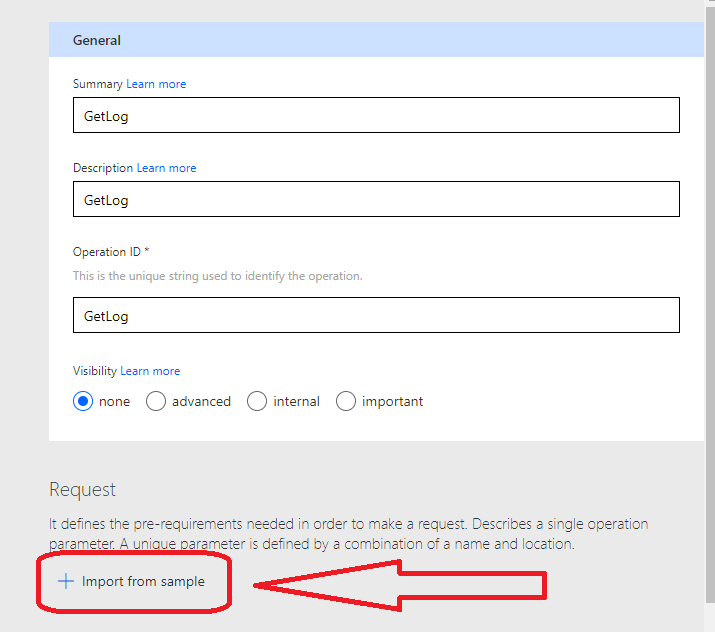
7) Fill all the field with “GetLogs”, like the image below, and then select “+ Import From sample”
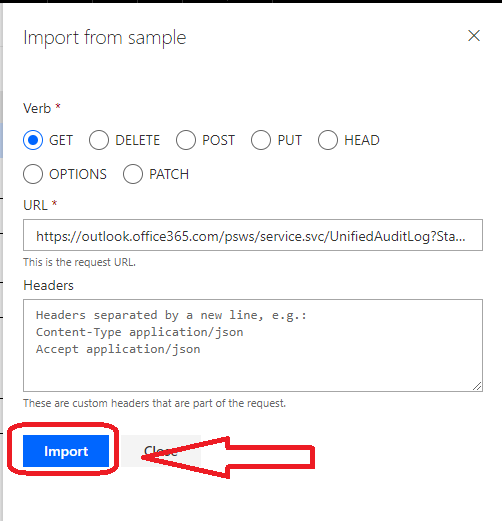
8) Choose the verb “Get”. In the field URL paste: <https://outlook.office365.com/psws/service.svc/UnifiedAuditLog?StartDate={STARTDATE}&EndDate={ENDDATE}&RecordType={RECORDTYPE}&ResultSize={RESULTSIZE}>. Finally click “Import”
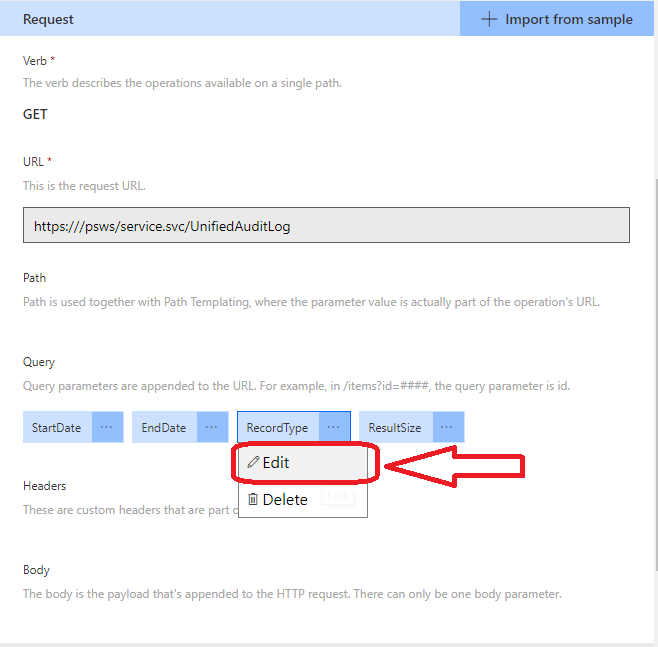
9) In the query parameter “RecordType” click “Edit”
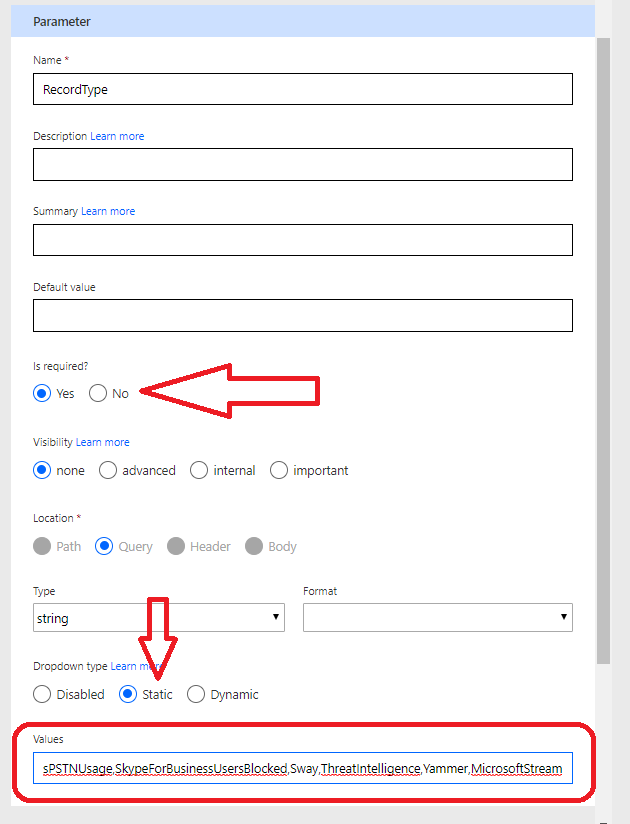
10) Change the “Is required” option to “Yes”; The “Dropdown type” to “Static”; and then paste <AzureActiveDirectory, AzureActiveDirectoryAccountLogon, AzureActiveDirectoryStsLogon, ComplianceDLPExchange, ComplianceDLPSharePoint, Discovery, ExchangeAdmin, ExchangeAggregatedOperation, ExchangeItem, ExchangeItemGroup, MicrosoftTeams, MicrosoftTeamsAddOns, MicrosoftTeamsSettingsOperation, OneDrive, PowerBIAudit, SecurityComplianceAlerts, SecurityComplianceCenterEOPCmdlet, SecurityComplianceInsights, SharePoint, SharePointFileOperation, SharePointSharingOperation, SkypeForBusinessCmdlets, SkypeForBusinessPSTNUsage, SkypeForBusinessUsersBlocked, Sway, ThreatIntelligence, Yammer, MicrosoftStream> in the field “Values”
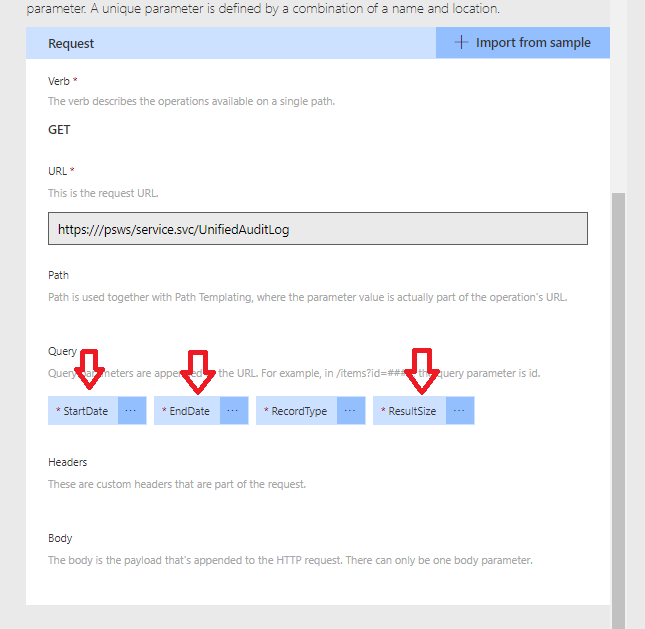
11) Repeat the same for the others Query parameters (StartDate,EndDate,ResultSize), but this time only change the “Is required” field to “Yes”
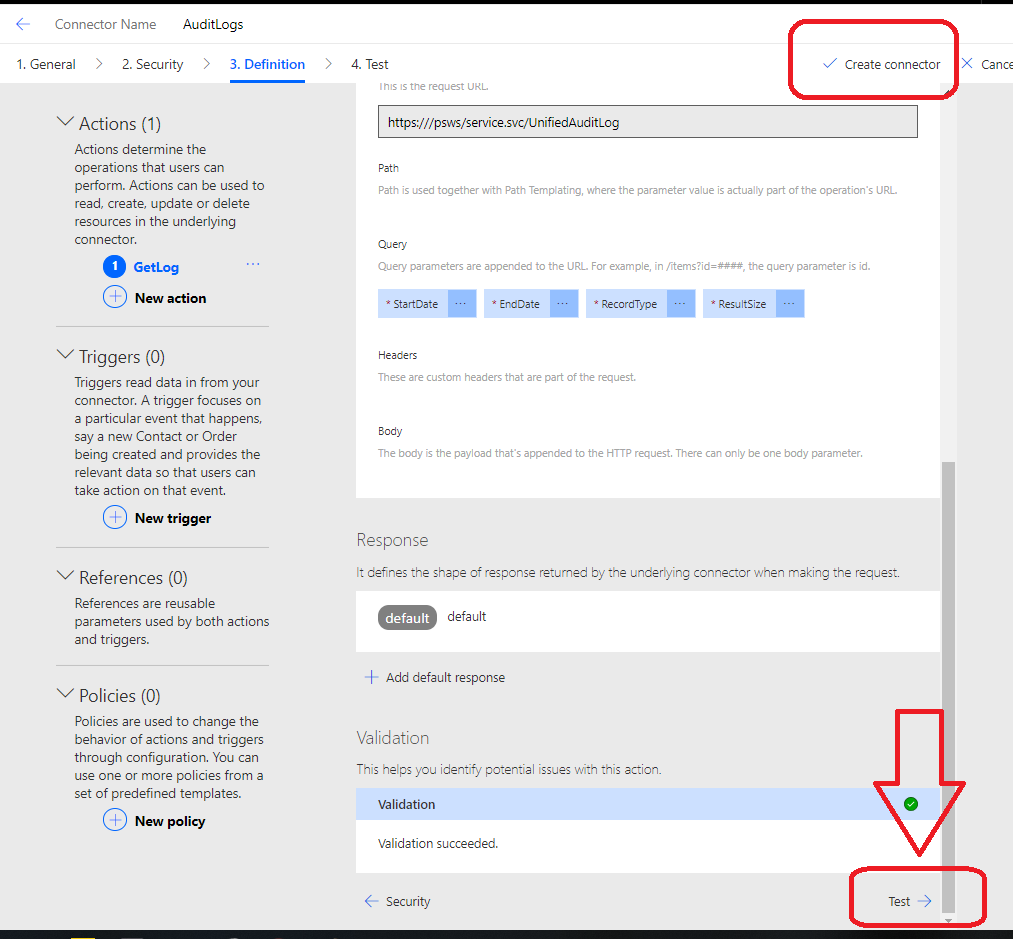
12) Select “Create connector”, wait for a few seconds to conclude the creation connector process, and then click “Test”
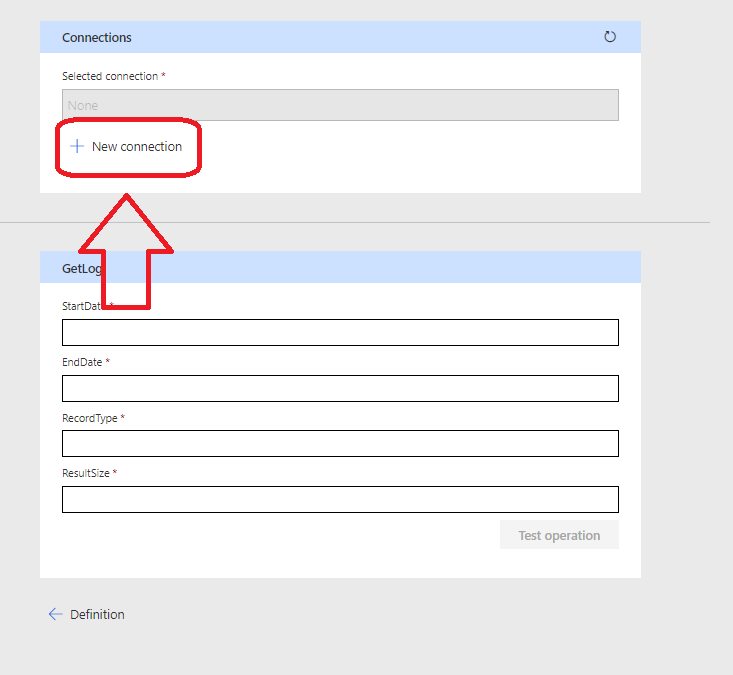
13) Select “New connection”
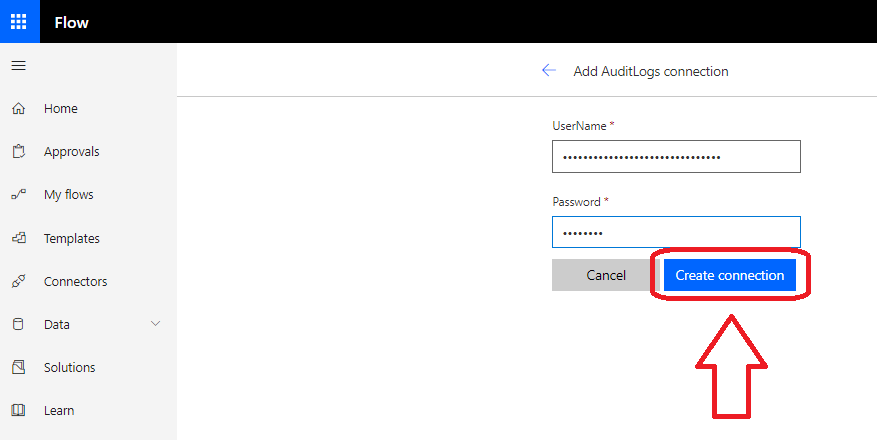
14) Type the email and password for the Global admin account, and then select “Create connection”
15) If necessary, click in the refresh icon to activate the new connection that we just created. Fill the fields “StartDate” and “EndDate” (YYYY-MM-DD)*. For the “RecordType” field choose one of the options from the step 10. For the “ResultSize” field fill with 5000. Finally click “Test operation”
*Audit record is generated and stored in the Office 365 audit log for your organization. The length of time that an audit record is retained (and searchable in the audit log) depends on your Office 365 subscription, and specifically the type of the license that is assigned to a specific user.
- Office 365 E3 – Audit records are retained for 90 days. That means you can search the audit log for activities that were performed within the last 90 days.
- Office 365 E5 – Audit records are retained for 365 days (one year). That means you can search the audit log for activities that were performed within the last year. Retaining audit records for one year is also available for users that are assigned an E3/Exchange Online Plan 1 license and have an Office 365 Advanced Compliance add-on license.
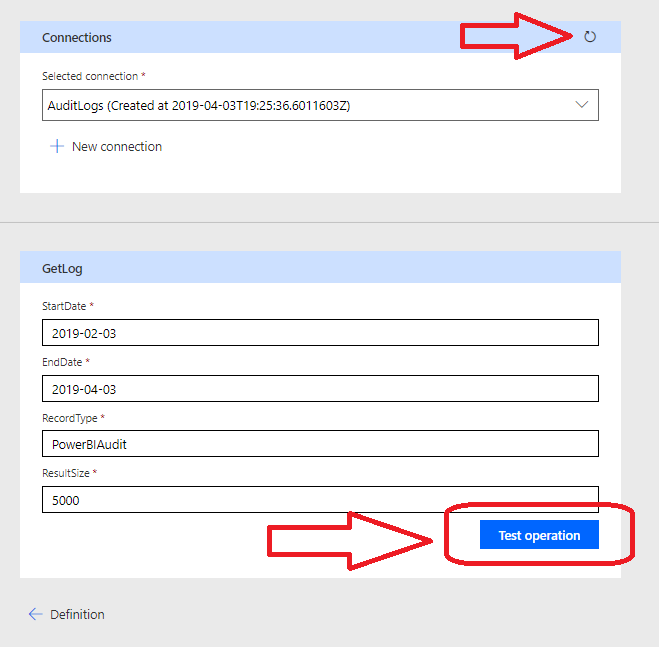
16) You should receive a Response Status 200, if not please review all the steps.
Now you can build a schedule-based Flow to save logs in a Sharepoint List or SQL table, for example:
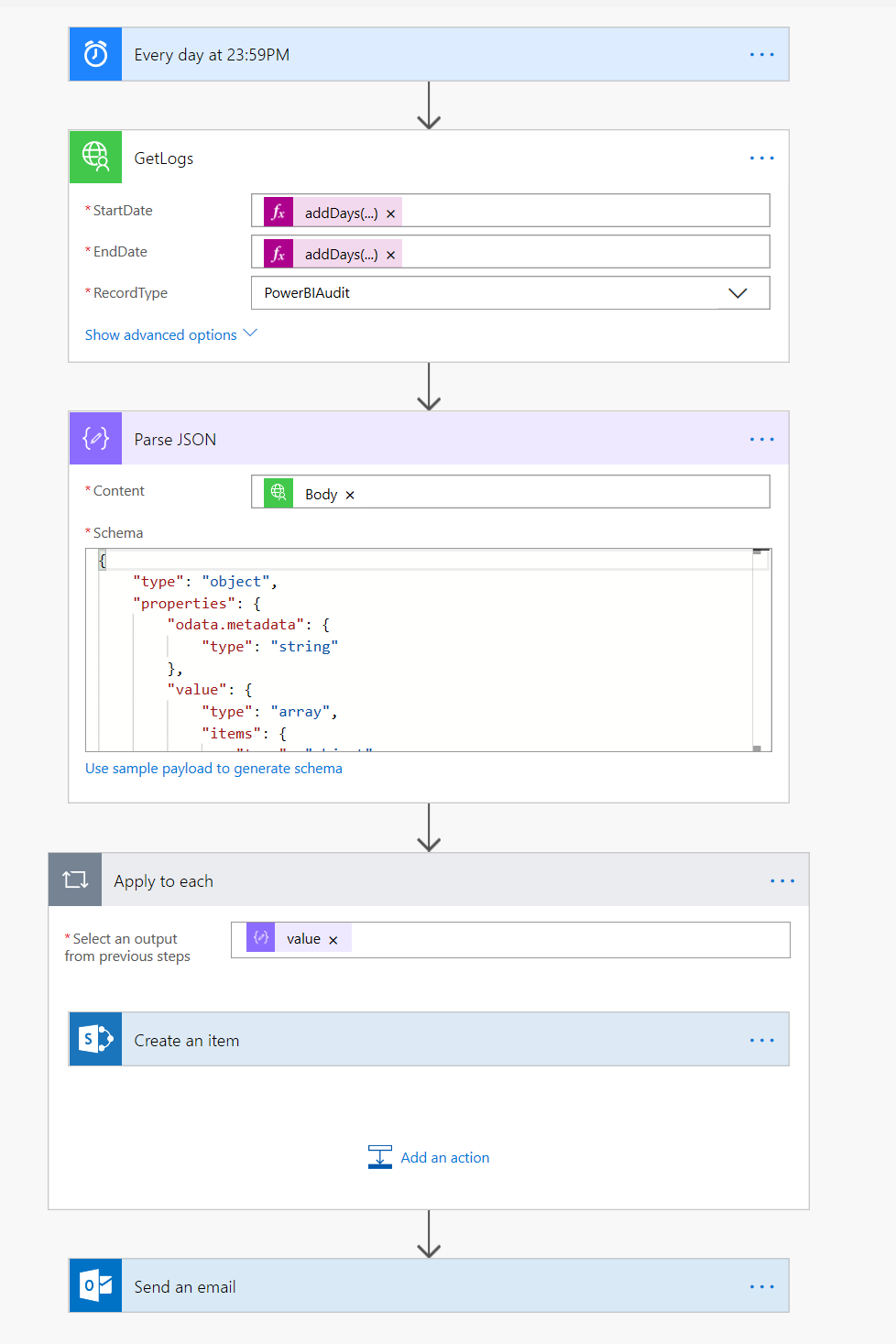
For the Parse Json Action, you can you the follow Schema:
{

"type": "object",

"properties": {

"odata.metadata": {

"type": "string"

},

"value": {

"type": "array",

"items": {

"type": "object",

"properties": {

"Identity": {

"type": "string"

},

"AuditData": {

"type": "string"

},

"CreationDate": {

"type": "string"

},

"IsValid": {

"type": "boolean"

},

"ObjectState": {

"type": "string"

},

"Operations": {

"type": "string"

},

"RecordType": {

"type": "string"

},

"ResultCount": {

"type": "number"

},

"ResultIndex": {

"type": "number"

},

"UserIds": {

"type": "string"

},

"ObjectIds": {},

"IPAddresses": {},

"SiteIds": {}

},

"required": [

"Identity",

"AuditData",

"CreationDate",

"IsValid",

"ObjectState",

"Operations",

"RecordType",

"ResultCount",

"ResultIndex",

"UserIds",

"ObjectIds",

"IPAddresses"

]

}

}

}

}
|