We are happy to announce the Public Preview of runtime localization for code components on custom page and standalone canvas applications.
Inline with the model-driven application behavior, custom pages and standalone canvas applications can now dynamically display themselves in user preferred language. This not just enables all code components to align seamlessly with the host application language but also provides significant runtime performance optimizations. OOB control’s now have their localization data hosted and served via CDN. 3rd party code components can have localization support added via existing resx approach and Power Apps will pre-create payload for optimized runtime rendering via blob – eliminating the need for downloading and parsing larger files.
This release enables end to end localization support for custom pages which is in Public Preview.
- Code component localization for Custom page
Following steps outline the process of adding a code component with localization support to custom page.
1. Create and import a code component which has localized resx files added to them, you can use one of the OOB sample component for localization APIs.
2. Add code component to custom page and publish the page and parent model-driven application.
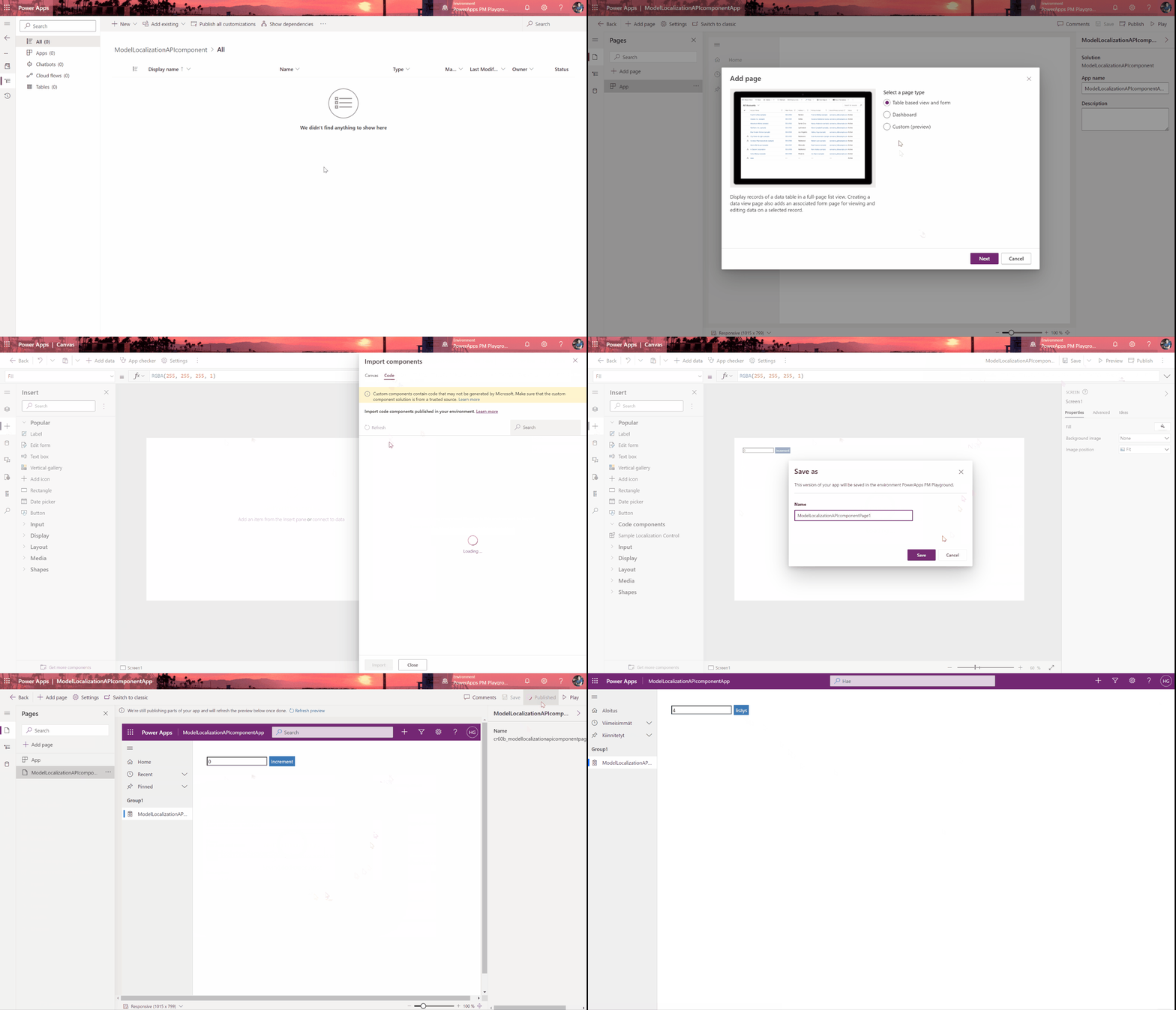
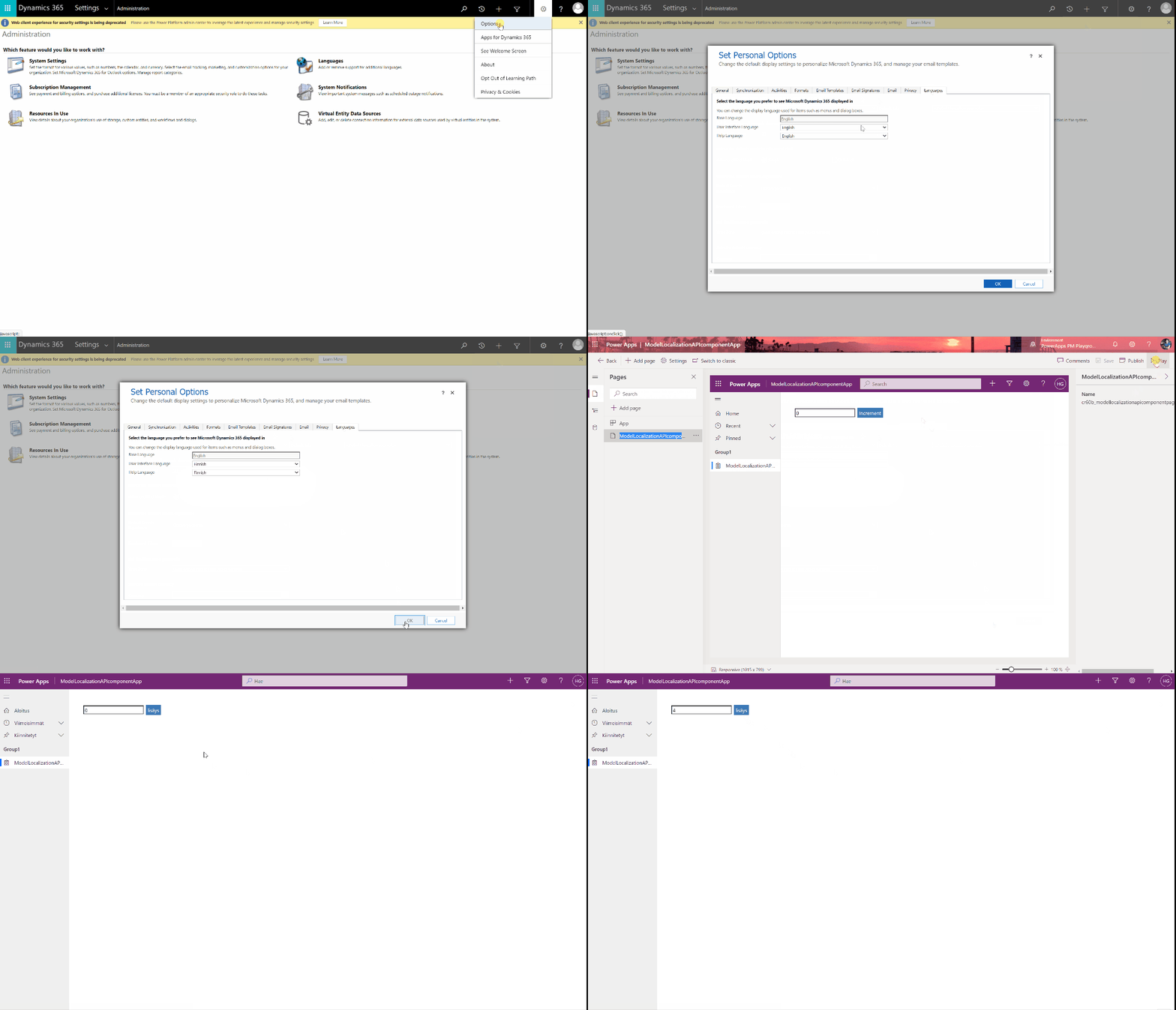
3. That’s it, code component is ready to use. One can now switch the user interface language via user settings to desired language and re-launch the application. All users for this app will now be able to see the code component using the same language as their user settings. Please note that right language translations need to be added to code components.
- Code component localization for canvas apps
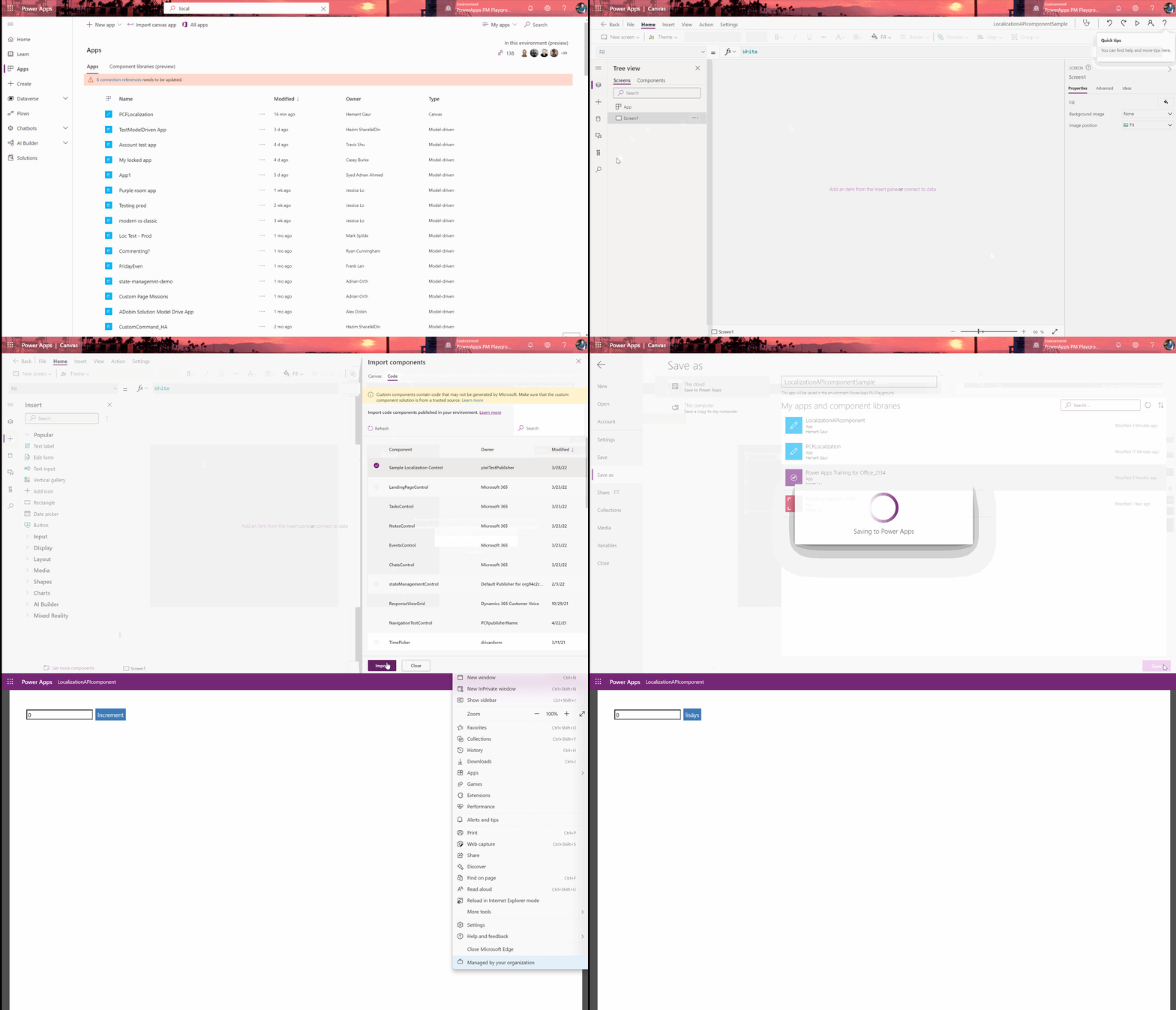
You can follow the standard steps for canvas applications too, see details instructions on how to enable and add code components to canvas apps.
Once the canvas app is published, users can change their browser language to view app in desired language. With this feature code components inside the apps will also show content in the app language.
We look forward to your continued feedback! Let us know your thoughts and suggestions within this community post Feedback on Custom Page and Code components.