The Dynamics 365 Customer Insights team is happy to announce new updates made available in the last month!
NEW FEATURES
- Triggers now available in Microsoft Flow
- Better performance for our connector in Power BI
- Match rules reordering and duplication
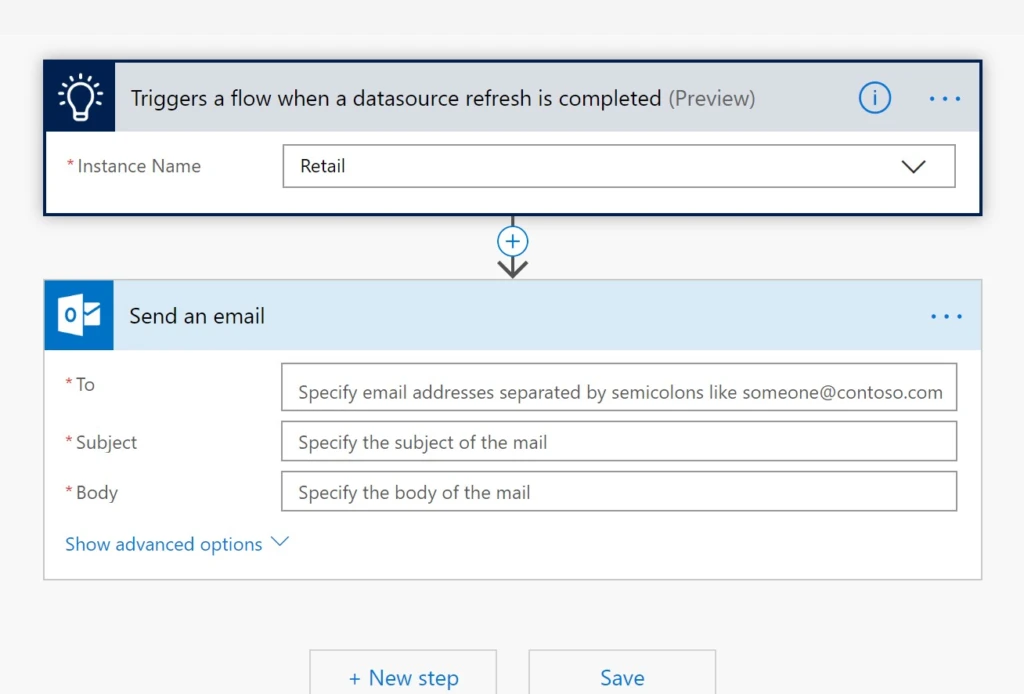
Triggers now available in Microsoft Flow
Dynamics 365 Customer Insights connector now has two triggers that can be used in Microsoft Flow. You can use Microsoft Flow’s extensive set of connectors to perform actions whenever a datasource refresh in your environment succeeds or fails. For more information, see Dynamics 365 Customer Insights connector
Better performance for our connector in Power BI
We’ve improved the performance of Dynamics 365 Customer Insights connector in Power BI to make it faster to import your unified customer and activity data into Power BI.
Reorder or duplicate match rules
On the match page, we’ve added two new capabilities:
- You can reorder the match rules by using the up and down arrows on the left side of the page
- You can duplicate a rule if you want to use an existing rule as the start of another rule