I recently ran across the need to expand fields that automatically sync from Dynamics AX 2012 R2 to Outlook contact records. It is a very time consuming and labor intense process to manually map fields on each Contact record selected for Outlook Synchronization.
Here is the scenario:
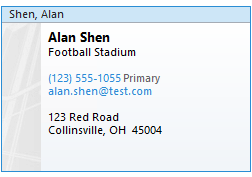
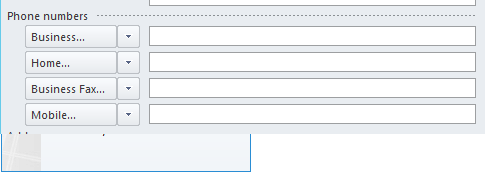
1. Business Fax is not a field synchronized from AX to Outlook through standard out-of-the-box mapping.
2. By default, the Outlook Contact card displays the Primary Number selected in AX but the Business Telephone Number field is not populated on the Outlook contact form. I want the Primary Telephone to show both on the Outlook Contact card and form as the Business Telephone Number.
Solution:
The automatic field mapping can be customized by modifying the createFieldMapping method under the smmContactPersonSynchronizationFieldMapping table.
// Primary phone – modified so Primary Phone field in AX syncs to the Business Telephone on the Outlook record
if (syncDirectionValid(smmOutlookContactFields::PrimaryTelephoneNumber))
{
contactInfo = DirParty::primaryElectronicAddress(contactPersonEntity.getPartyRecId(), LogisticsElectronicAddressMethodType::Phone);
if (contactInfo)
{
_contactFieldRecordMap.insert(smmOutlookContactFields::BusinessTelephoneNumber, contactInfo);
}
}
// Business Fax – this section added so Business Fax will automatically sync with the corresponding Outlook contact field
if (syncDirectionValid(smmOutlookContactFields::BusinessFaxNumber))
{
contactInfo = DirParty::primaryElectronicAddress(contactPersonEntity.getPartyRecId(), LogisticsElectronicAddressMethodType::Fax);
if (contactInfo)
{
_contactFieldRecordMap.insert(smmOutlookContactFields::BusinessFaxNumber, contactInfo);
}
}
End Result:
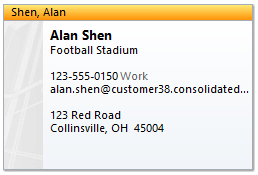
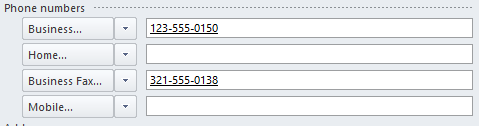
Of course, this may not meet your specific needs but it provides an example of what is possible through a little customization.
![Avatar of James Wang [MSFT]](https://secure.gravatar.com/avatar/2af85e9946694b4a50ad4a076b19b509d3ca055e5d4c019f4f2898a0e72dd1a2?s=212&d=mm&r=g)