


As cybercriminals continue to exploit unpatched on-premises versions of Exchange Server 2013, 2016, and 2019, we continue to actively work with customers and partners to help them secure their environments and respond to associated threats. To date, we have released a comprehensive Security Update, a one-click interim Exchange On-Premises Mitigation Tool for both current and out-of-support versions of on-premises Exchange Servers, and step-by-step guidance to help address these attacks.
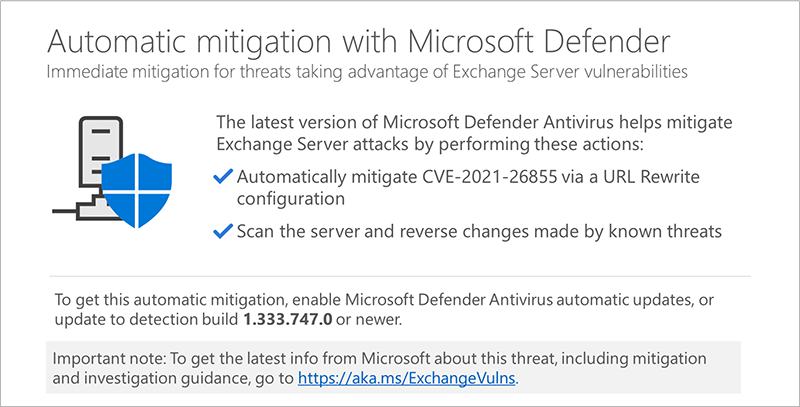
Today, we have taken an additional step to further support our customers who are still vulnerable and have not yet implemented the complete security update. With the latest security intelligence update, Microsoft Defender Antivirus and System Center Endpoint Protection will automatically mitigate CVE-2021-26855 on any vulnerable Exchange Server on which it is deployed. Customers do not need to take action beyond ensuring they have installed the latest security intelligence update (build 1.333.747.0 or newer), if they do not already have automatic updates turned on.
The Exchange security update is still the most comprehensive way to protect your servers from these attacks and others fixed in earlier releases. This interim mitigation is designed to help protect customers while they take the time to implement the latest Exchange Cumulative Update for their version of Exchange.
Microsoft will provide guidance to our security partners so that they have the option to make available similar, simple mitigations in their products as well.
We are deeply committed to protecting our customers. To stay up to date please continue to review the content posted at https://aka.ms/exchangevulns.
Frequently Asked Questions
Q: If I have Microsoft Defender Antivirus installed on my Exchange Server do I need to take any further action to get this mitigation?
A: Customers that install Microsoft Defender Antivirus and have automatic definition updates enabled (default setting) do not have to take further action to receive the mitigation.
Q: My organization manages Microsoft Defender Antivirus definition updates. What do I need to do to ensure I have this mitigation?
A: Customers that manage Microsoft Defender Antivirus definition updates need to select the new detection build (1.333.747.0 or newer) and deploy that to the Exchange Server.
Q: After this mitigation, do I still need to install the security update?
A: Yes. This automatic mitigation breaks the attack chain by mitigating CVE-2021-26855. Customers should still prioritize getting current on security updates for Exchange Server to comprehensively address the vulnerabilities.
Q: When does Microsoft Defender Antivirus apply the mitigation?
A: Microsoft Defender Antivirus will automatically identify if a vulnerable version of Exchange Server is installed and apply the mitigations the first time the security intelligence update is deployed. The mitigation is deployed once per machine.
Q: Is cloud protection required to receive the mitigation?
A: No. However, enabling cloud protection is a best practice that will keep you with the most current protections against the ever-changing threat environment. Customers are encouraged to enable cloud protection.
Q: What can I do if I don’t have Microsoft Defender Antivirus?
A: Use the One-Click Microsoft Exchange On-Premises Mitigation Tool found here.