Skip to main content What is Dynamics 365? Guided tours Customer stories Try our products Build your own agents CRM ERP Sales Service Sales Customer Insights Customer Service Contact Center Field Service Supply Chain Management Commerce Finance Project Operations Human Resources Business Central Pricing Business application topics Training & certifications Documentation Migrate to the cloud Private equity Migrate to Dynamics 365 Events Dynamics 365 Blog Product updates Onboarding and implementation Community Find a partner Software Development Companies Partner resources Microsoft Marketplace Product documentation Technical support On-premises product support Contact us Try for free Sign in
1 min read

Timesheet periods have not been created for employee..


Occasionally when you want to add a new Project Timesheet you might run into the following error message

‘Timesheet periods have not been created for:employee’
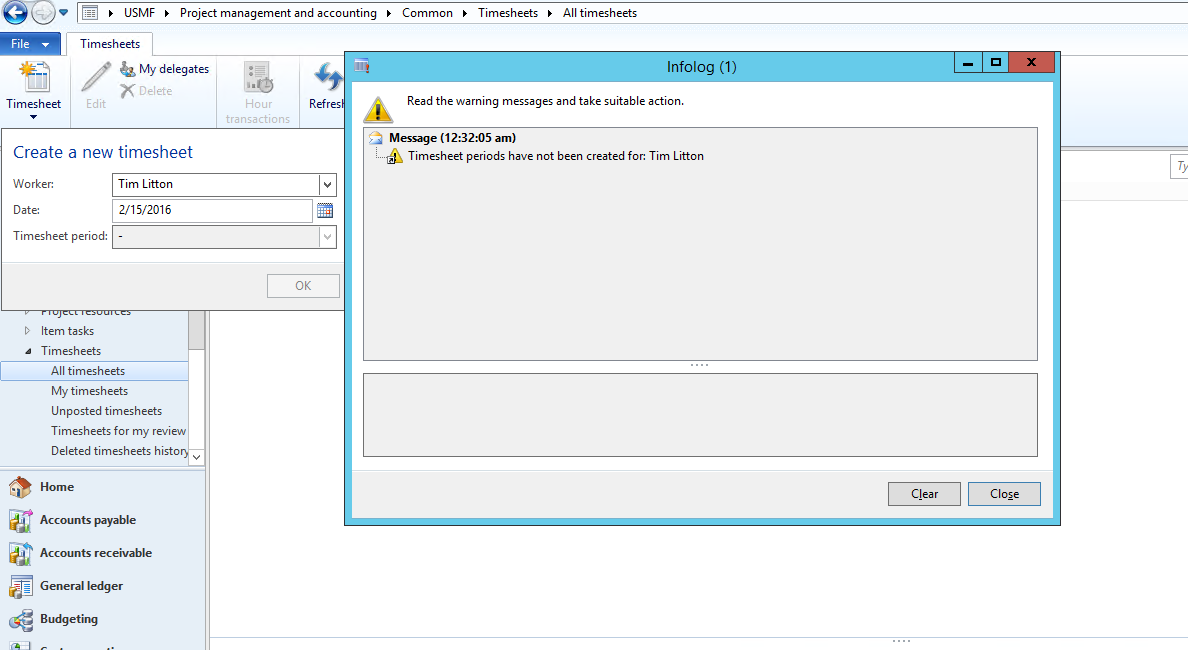
TimeSheetPeriods1

To overcome this message and create the timesheet you can apply this procedure

In this case I will assign Tim Litton to the period type ‘EmplWeekly’. In Human Resources\Workers\ I go to the Worker and then the ‘Project management’ tab and select ‘Project setup’
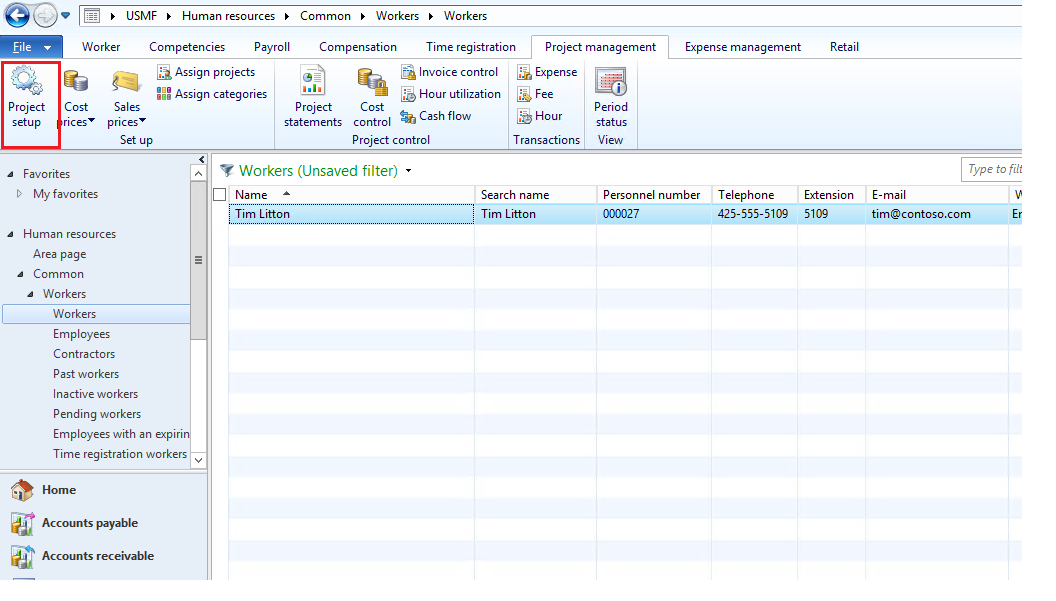
TimeSheetPeriods2

I fill out the setup and make sure I have defined the Period code
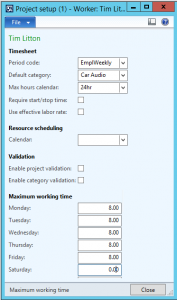
TimeSheetPeriods3

I then go to Project Management and accounting\Setup\Timesheets and select ‘Timesheet period types’. In here standing on the period type ‘EmplWeekly’ I press ‘Generate periods’ . I this case I define I want to create the period for 20 weeks and press OK
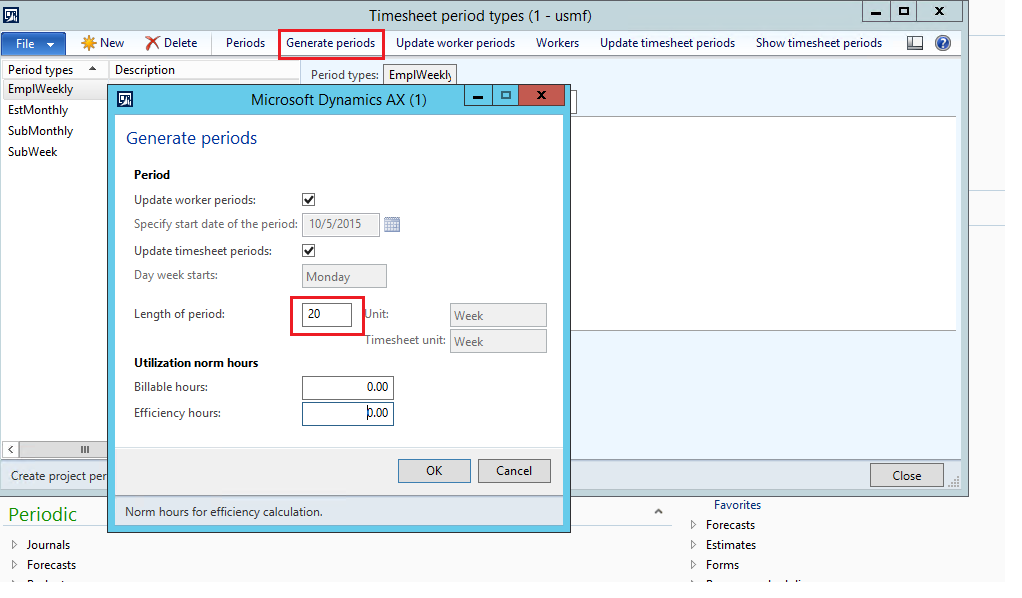
TimeSheetPeriods4

I then go back to the worker in Human Resources module and the Project management tab of the worker I press ‘Period status view’ to verify the periods have been defined
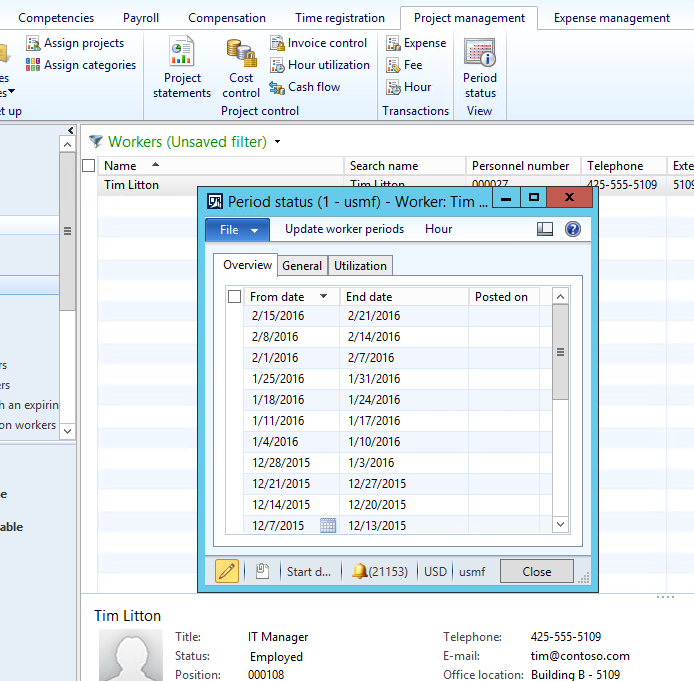
TimeSheetPeriods5

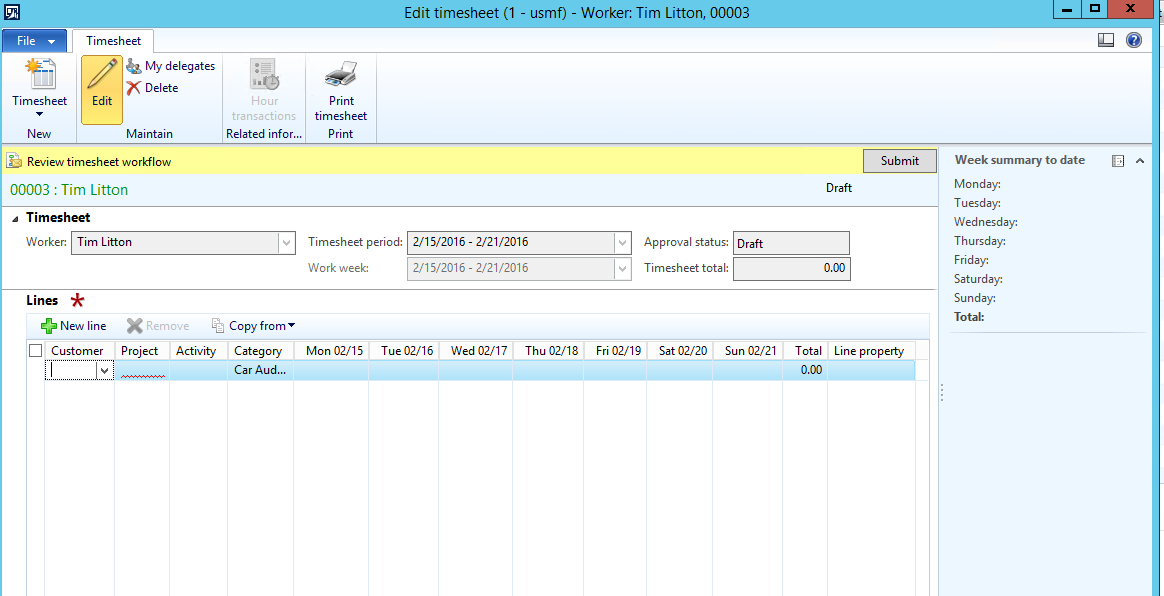
I go to Project Management and I can now add the Timesheet
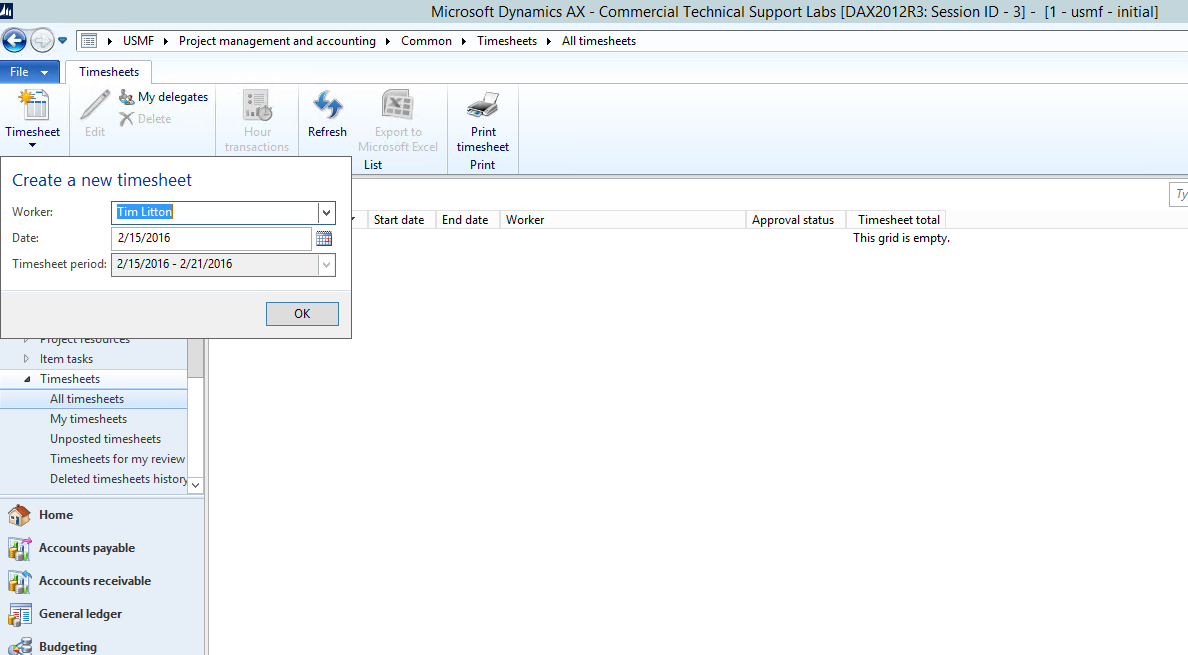
TimeSheetPeriods6a

 TimeSheetPeriods6

Get started with Dynamics 365

Drive more efficiency, reduce costs, and create a hyperconnected business that links people, data, and processes across your organization—enabling every team to quickly adapt and innovate.