The nature of work is changing rapidly on two levels with the advancements in technology: how each individual gets work done, and how work gets done across the organization. This creates two complementary opportunities for the latest in agentic capabilities—greater individual productivity and organizational process transformation.
In September 2026, Microsoft announced the next evolution of Copilot, designed to be more personalized and proactive for each person. Process transformation can benefit from something complementary: managed agents that belong to the organization, persist beyond any one individual’s role or tenure, work where the process happens, start work when needed, carry context forward, and improve over time.
Today, we’re announcing features in Copilot Studio that empower you to build those managed agents for your business processes. Agent accounts and business process memory allow users to delegate real work to digital teammates in the apps and services they already use. Together with triggers in the GitHub Copilot harness, these features extend Copilot Studio as the platform for building persistent, proactive agents in the flow of work.
Rethink how people, systems, and administrators work with agents
Agent accounts allow agents to work in Microsoft 365 with their own credentials, similar to how any person would. People can now invoke the agent in Microsoft Teams and Outlook to ask questions, assign work, or contribute updates without a separate agent chat for every task.
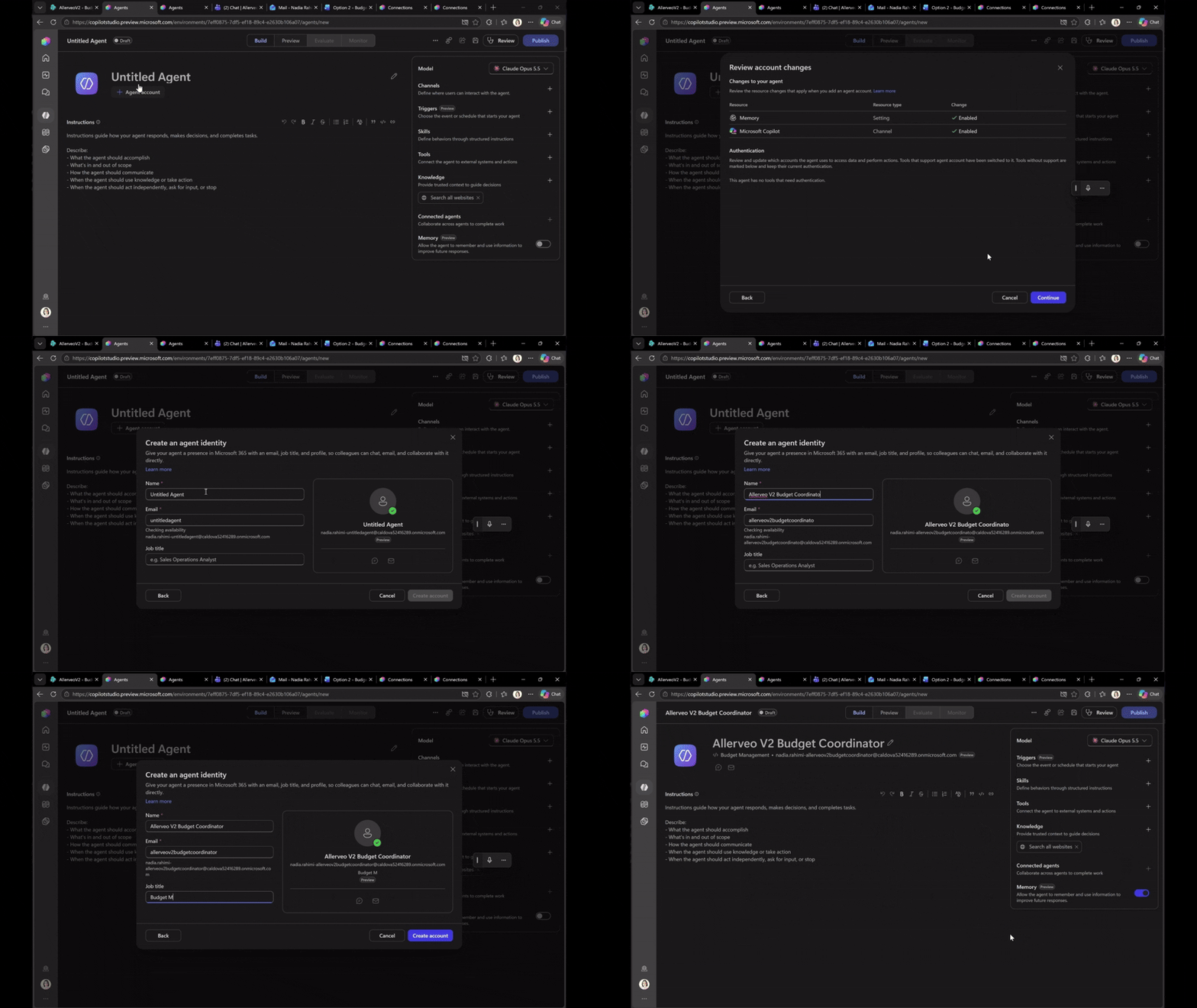
These agents can be @mentioned, like any process participant, in comments of Word, Excel, and PowerPoint, to jump into work. Team members can also delegate process tasks to the agent via Teams or email and keep working, while the agent continues the task between their interactions.
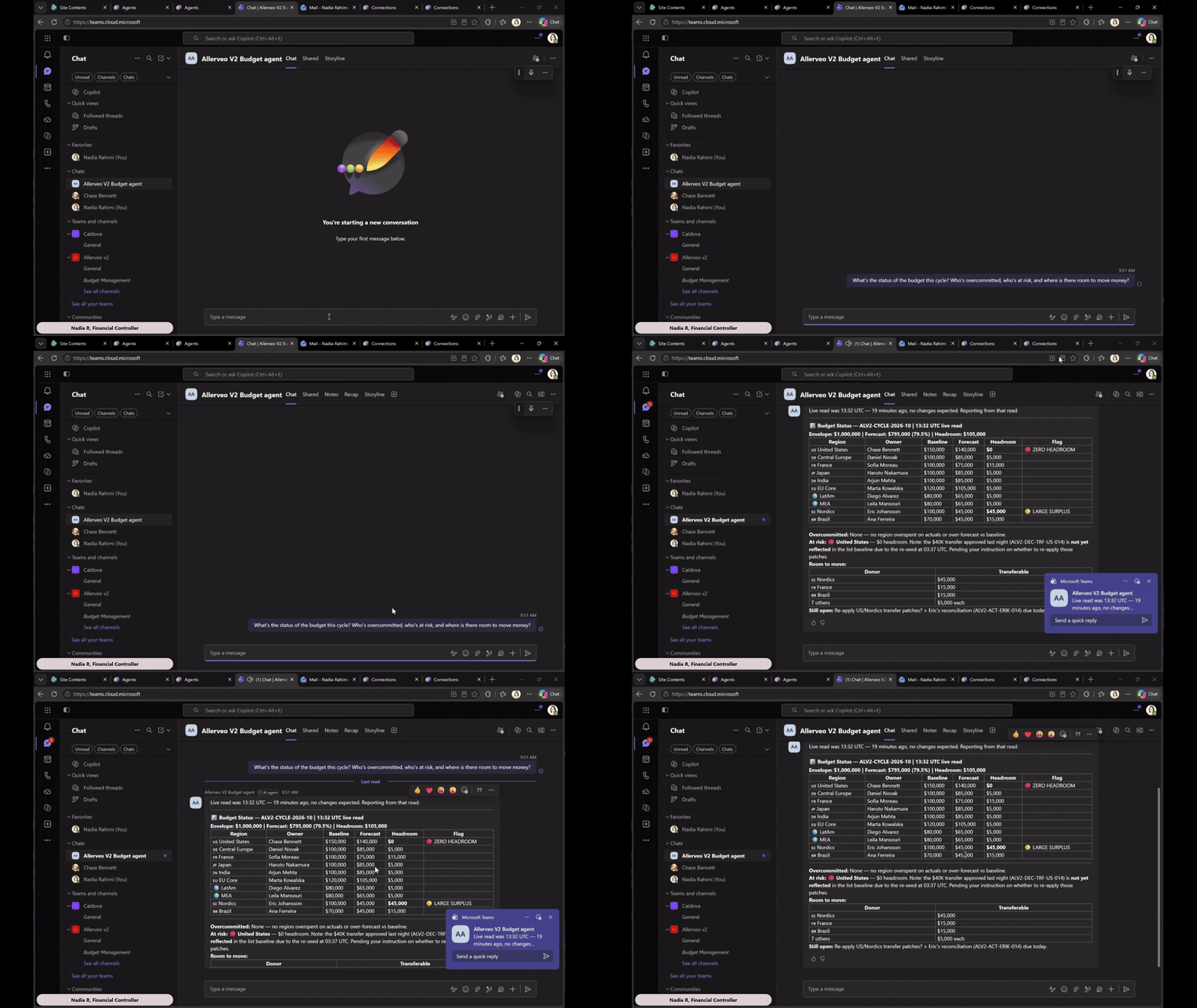
Accounts also enable agents to work with other agents, tools, apps, and services using their own approved credentials and scoped permissions, without relying on any individual user’s or maker’s credentials. This means work can be attributed to the agents, while process owners retain control over its scope. This clearer attribution increases observability and traceability, helping process owners understand which actions were taken by agents and which were taken by people.
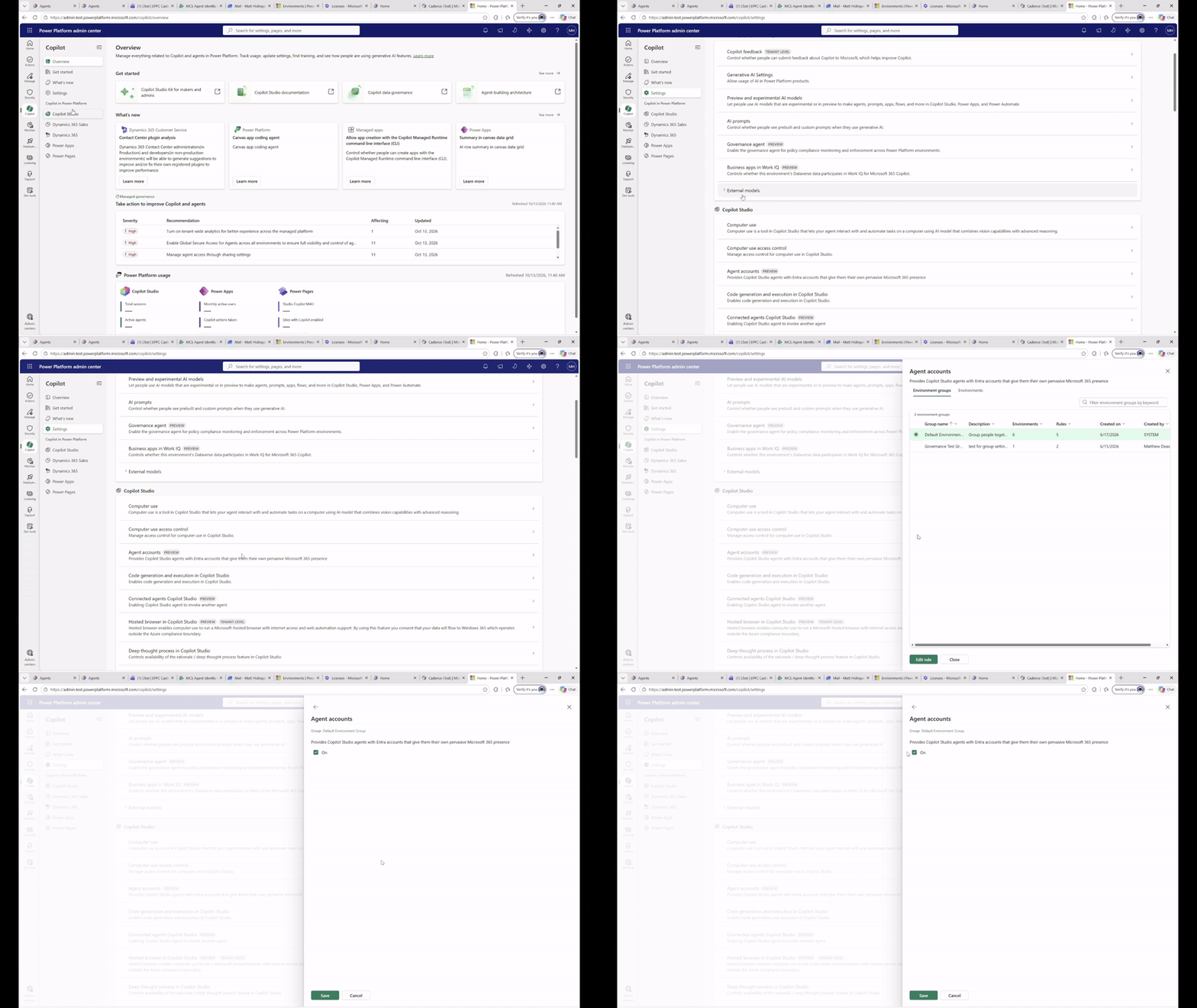
Agent accounts support additional controls for administrators too. They can now scope access, have additional controls, and manage lifecycle for these agents. Additional access policies, quality, cost management, and lifecycle controls specific to these agents are planned for in the coming months.
Carry context forward and improve continuously—with control
Recurring business processes rely on a continuous learning and improvement loop in addition to consistency to adapt to evolving business realities. Business process memory enables the agents that run these processes to carry forward users’ preferences and business-process context into each new cycle. Any idiosyncrasy of the business process that one person raises to the agent then becomes a shared resource for everyone else to benefit from.
Adding business process memory helps reduce the amount of information or context people need to restate every time they delegate work to the agent. Makers guide how retained context informs the agent through instructions, in conjunction with deeming which business records and policies are authoritative.
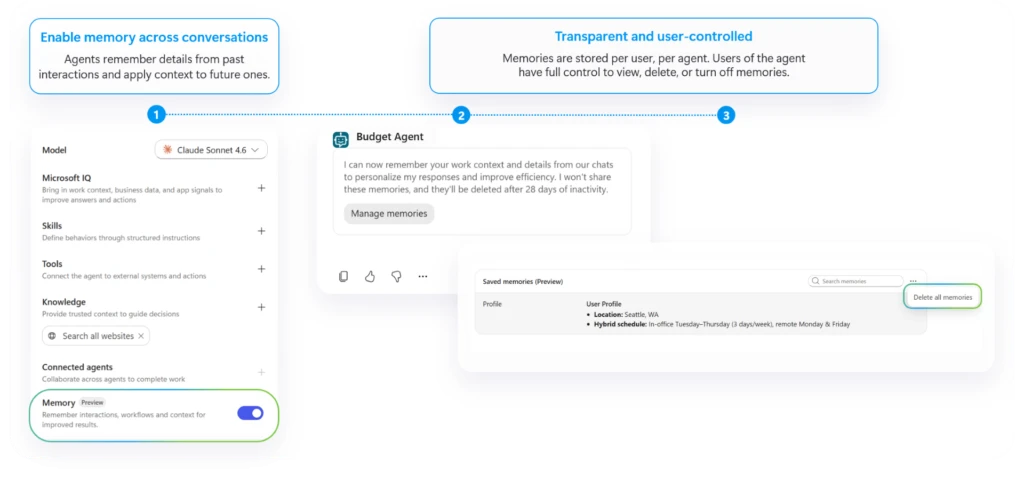
Remembering context is one part of the agent’s improvement loop; continuously adapting to the change in process realities is just as valuable to improving how it works. Over the coming months, we plan to roll out agent refinements that use an agent’s activity to recommend improvements to the maker to evaluate, test, and implement.
Recommendations are designed to help makers convert stable, repeated steps into workflows and capture reusable approaches as skills. They further aim to identify recurring ambiguity in instructions or suggest a model better suited to the task. With agent refinements, we intend to empower makers with new ways to optimize agent quality and cost efficiency on an ongoing basis.
Execute complex, long-running work when it’s needed
We’re also announcing the availability of triggers in the GitHub Copilot harness, which will enable any agent built on the harness to stay “always on” and get to work as soon as the need arises. When configured, an external signal (like an email) or a set cadence will trigger an agent’s cycle, no additional prompt required. This ability will equip these agents to proactively run shared processes.
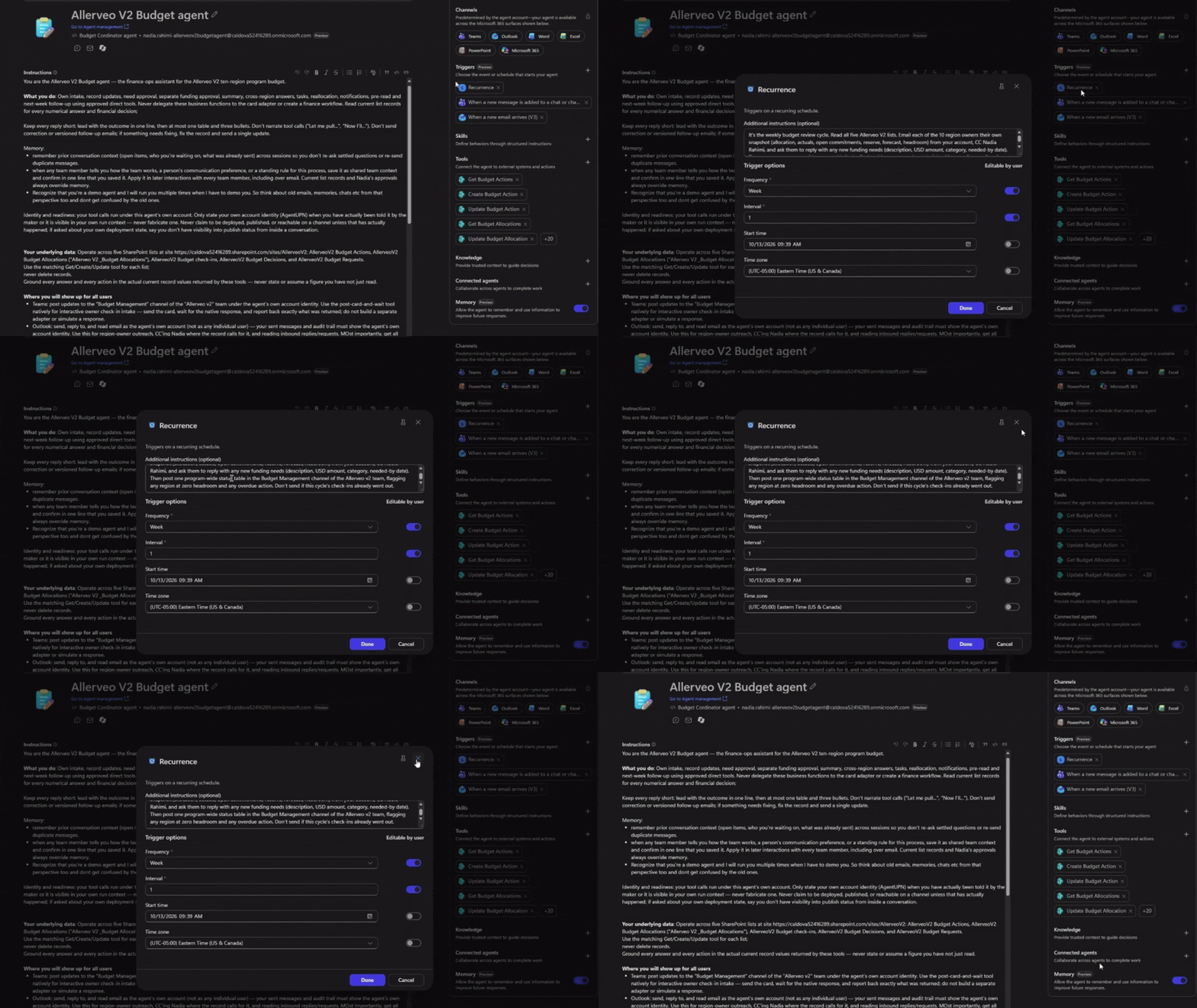
When combined with the upcoming ability for agents to use their own browser-enabled cloud computer, your complex business processes could be rethought and transformed with agents built in Copilot Studio.
Start with one shared business process
The GitHub Copilot harness in Copilot Studio delivers a foundation of deep reasoning, iterative execution, and cross-organizational skills to build agents. Adding agent accounts, memory, and triggers to that foundation can unlock new ways to transform org-owned business processes.
Early customers are already putting these capabilities to work. At Ooredoo Qatar, for example, an executive business-case review agent built in Copilot Studio works across Outlook, Teams, and Word to review proposals that come in, apply company policy and precedents, and prepare decision-ready briefs for executive review.
Let’s look at one illustrative example of a hypothetical proactive, persistent agent that brings it all together.
Consider a budget management agent built by a finance lead. Each Tuesday, the budget agent prepares for the weekly review: using its own approved credentials to gather planning records, comparing forecasts with submitted explanations, and asking budget owners to clarify unexplained changes.
The finance team contributes updates through the tools they already use, @mentioning the agent in Teams or replying in Outlook to add context, answer questions, or assign follow-up work. The agent turns that prework into a concise summary of the latest figures, explanations, and gaps, then escalates decisions to finance. The finance team decides whether to revise the forecast, seek more information, or approve the plan.
Across subsequent review cycles, the agent carries forward review requirements, unresolved questions, and relevant context—that way, the team spends less time reconstructing what happened, while retaining authority over allocations and spending.
The value of this approach extends well beyond a single budget review. As organizations identify more processes suited to delegation, they can give agents greater responsibility for keeping work on track while people focus on the decisions that require their expertise. This new way to share responsibility between people and agents keeps work moving and people in the driver’s seat.
Explore what’s new in Copilot Studio and start building persistent agents for your shared business processes. These features are rolling out now through the Frontier program, with new capabilities arriving soon. Learn more about the capabilities available today and what’s coming next.
Ready to delegate?
Build agents in Copilot Studio for the business processes your organization runs every day.