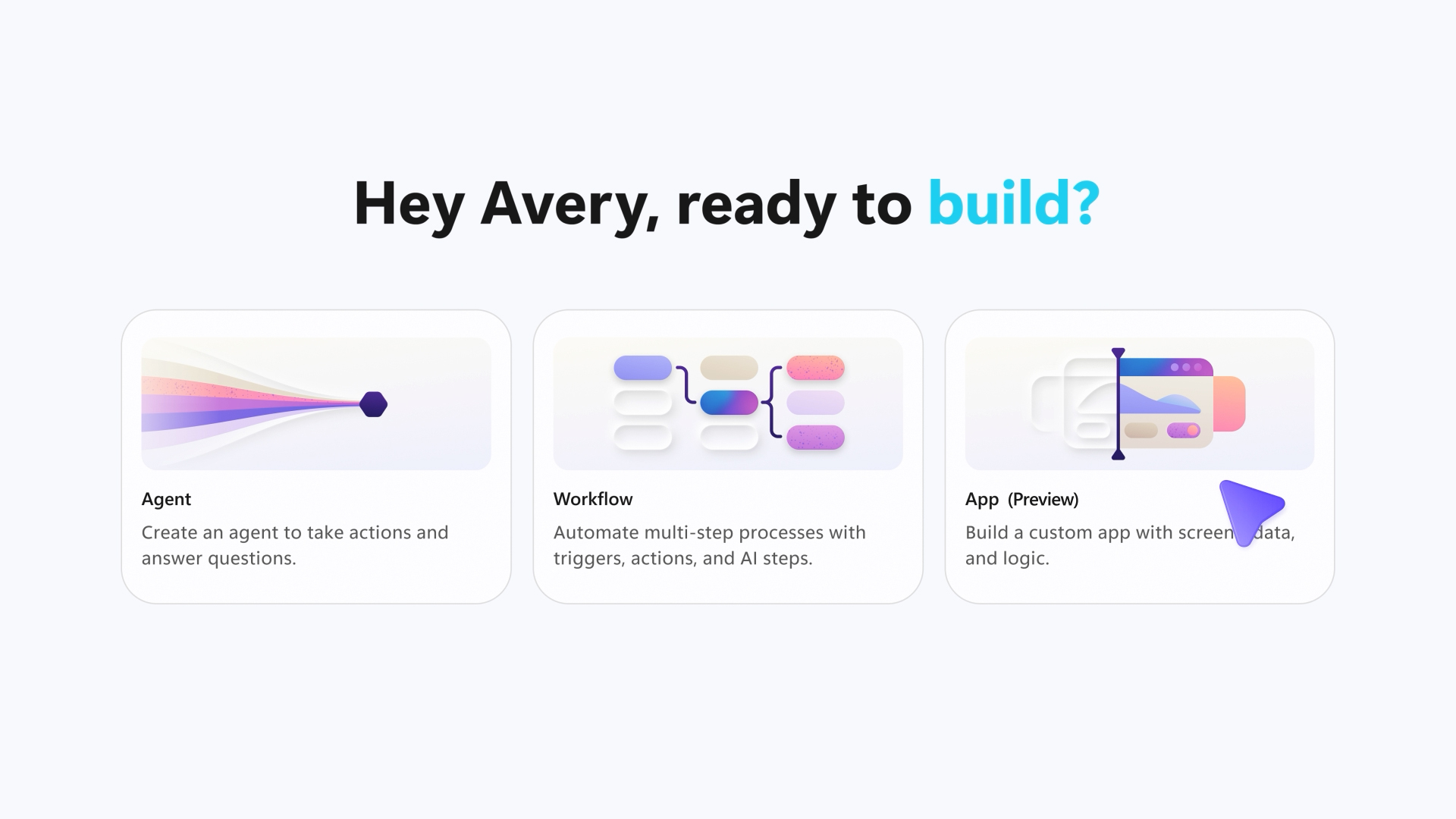
Code is becoming easier for anyone to create with AI. Apps in Copilot Cowork and the new Copilot Code experience bring that creation directly into Copilot, helping people move from an idea to working apps and code in the same place they already get work done.
Functioning code is only the first step. The work that follows includes provisioning and securing cloud resources, configuring identity and security models, honoring organizational policies, and establishing deployment processes. Operating the app throughout its lifecycle can slow teams down, consume additional resources, and create a different governance model for every app-building platform.
Today, we’re introducing Microsoft Copilot Managed Runtime into public preview, an enterprise-grade platform to run code within the Microsoft 365 tenant boundary that’s governed by IT and inherits all the usability expectations users have such as sharing, live data connections, and easy access to their apps.
Copilot Managed Runtime already powers the apps built in Copilot Cowork, Copilot Code, and Microsoft Copilot Studio. We’re also enabling access to third-party tooling and professional developers, giving IT admins a consistent way to govern apps and giving users a familiar app experience, across build experiences.
More freedom to innovate, more confidence to run
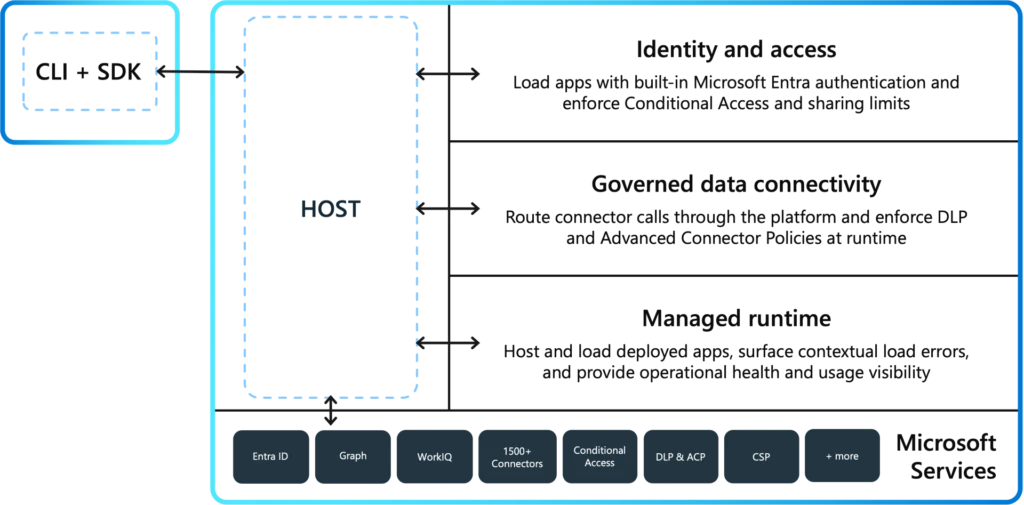
The Copilot Managed Runtime host gives teams a shared enterprise foundation around the apps they create, bringing together Microsoft-operated cloud hosting, identity, governed data access, and lifecycle management. Instead of assembling that foundation for each application, teams can focus on putting useful apps into people’s hands, with IT retaining control over how those apps run, and who is able to build over which enterprise data sources.
Security and governance are part of that foundation: Microsoft Entra identity provides authorized access, while organizational policies govern the connectors, data, and endpoints applications can use. Automatic version and source control via Git enables true developer workflows and co-dev. Connectors and Work IQ are integrated to make accessing and authorization to the products and data you need easier.
Microsoft operates the platform; your organization sets the boundaries; you remain in control.
That consistency extends across apps built in Microsoft experiences such as Copilot Cowork, Copilot Code, and Copilot Studio as well as SDK-compatible third-party tools, with a centralized inventory in the Microsoft 365 admin center to review access, usage, health, and policy. Builders gain more freedom to create, while IT gets one management model rather than a separate approach for every app-building tool.
Bring your code and the tools you love
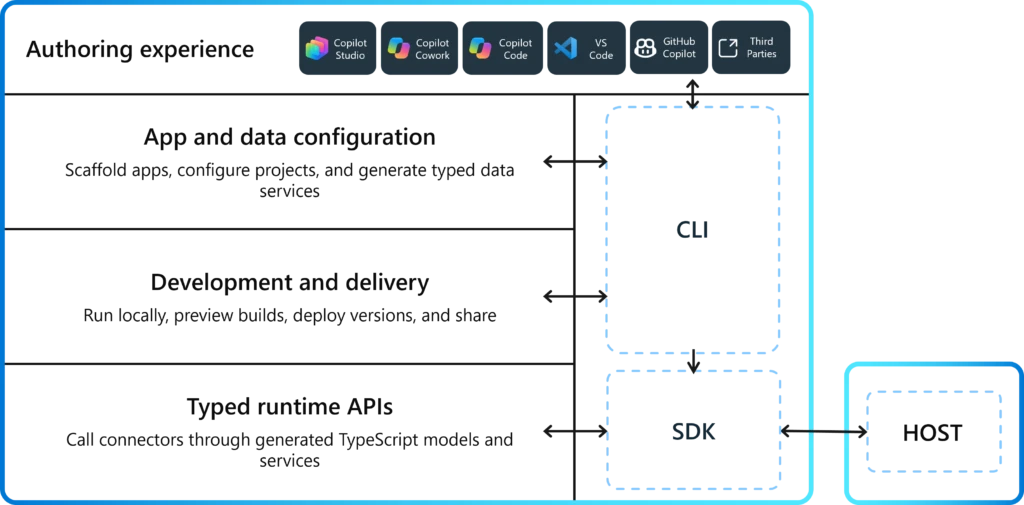
The Copilot Managed Runtime SDK is the connective layer between the code you create and the Copilot Managed Runtime host. It gives Microsoft and third-party development experiences a consistent way to build against Microsoft services and move an application from development into an enterprise-managed runtime.
The SDK and command-line interface (CLI) support the full development lifecycle rather than simply packaging the finished app. Developers can scaffold and configure projects, define the data connections their app needs, and generate typed services for working with connectors from TypeScript. They can run and preview applications during development, then deploy and version them through the same toolchain. At runtime, SDK APIs provide a secure bridge between the application and services exposed through the host, including governed access to enterprise data, identity, and Copilot work context.
Developers can continue working with editable, Git-backed code and familiar web technologies in the tools they already use, while giving the resulting application a consistent path to Microsoft 365 for deployment and operation.
With the Copilot Managed Runtime SDK, an app made with Lovable can now run inside your Microsoft tenant, the same way everything else does: same sign-in, same policies, same app inventory.
Lan Roche, Head of Global Partnerships at Lovable
Moving from a working app to a production app usually requires significant platform work. The Copilot Managed Runtime host makes that enterprise foundation part of the deployment model rather than a separate project at the end. Apps deployed to the host can use capabilities such as:
- Microsoft Entra identity and sharing.
- Microsoft-hosted runtime environments for applications.
- Organizational policies for connectors, data access, approved endpoints, and auditing.
- Deployment, versioning, and lifecycle controls.
- Central inventory, monitoring, usage visibility, and IT control.
Teams can preview and improve a new version while the current version remains available to users. Identity and policy are enforced through the host. Monitoring, usage, and inventory give your organization visibility into what’s been built, how apps are being used, and app health. Enterprise readiness becomes the default path, not a checklist that each development team must rebuild.
View, manage, and govern apps in a single place
As those who can build applications and how quickly they can be created keep expanding, that opportunity also raises a practical question for every organization: how do we keep a clear view of what’s running, who can access it, which data and services it can reach, and whether it continues to meet our policy?
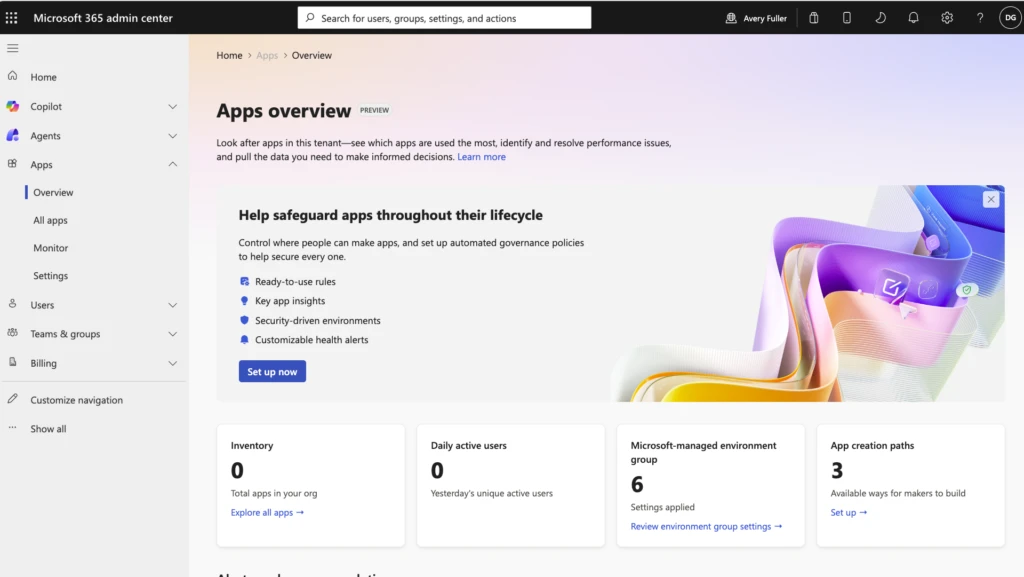
Apps hosted with Copilot Managed Runtime appear in the new Apps experience in the Microsoft 365 admin center, giving administrators a central inventory and a consistent place to review access, usage, health, and policy. The same model applies regardless of where the app was built, so IT doesn’t need a separate governance playbook for every creation tool.
Central governance should not require centralized creation. Builders can continue to work in the right experience that fits their job. IT gets a common operating layer for deployment, security, monitoring, and lifecycle management. That separation of open build and managed run is what makes it possible to scale app innovation without scaling operational risk at the same rate.
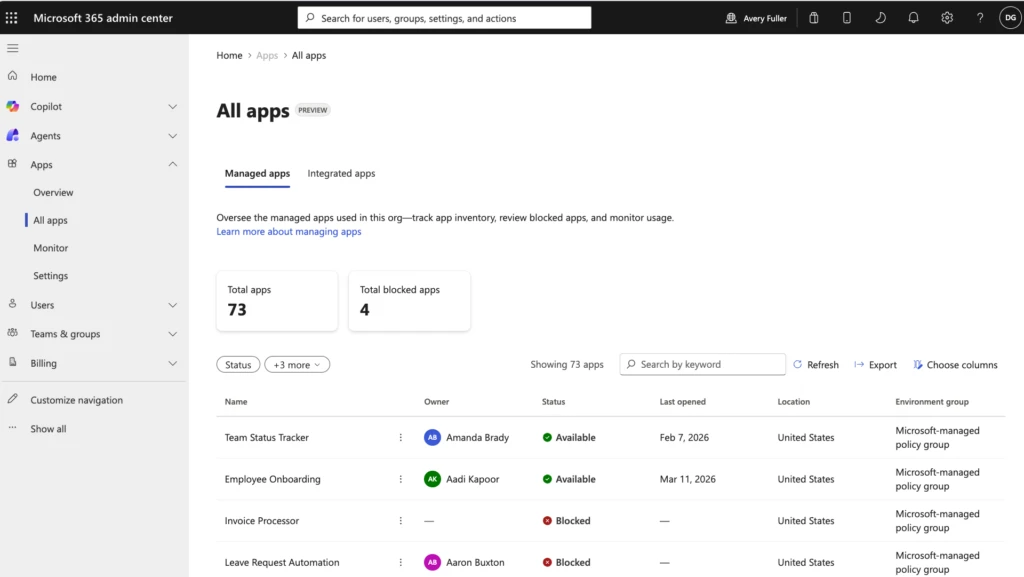
Enterprise app development and governance scenarios
The Copilot Managed Runtime model supports a wide range of internal business applications. For example:
- A team can create a launch-management app in Copilot Cowork, connecting it to approved planning data, and deploy it through a governed path.
- A developer can pull the code down to continue to build upon what the team created with familiar web technologies and update it without forking or standing up a separate runtime, platform resources, and governance stack.
- An administrator can review the app in their inventory, monitoring usage in one place, and applying a consistent set of controls across applications from different build experiences.
- In each case, the enterprise operating model remains consistent regardless of the authoring toolsets used. That gives makers and developers more freedom throughout the lifecycle to build and iterate and gives IT more confidence once the application reaches users.
Get started with Copilot Managed Runtime in public preview
The Copilot Managed Runtime host and SDK are being introduced in public preview. Microsoft entry points are already live with Copilot Cowork, Copilot Code, and Copilot Studio, and developers can use the SDK and plugins to build applications for the host. Read more Copilot announcements on the Official Microsoft Blog.
Administrators can enable and disable apps and review the default policies in the Apps experience in the Microsoft 365 admin center.
AI will keep lowering the barriers to application creation. Trust, control, and reliability need to advance just as quickly. With the Copilot Managed Runtime host and SDK, teams get the freedom to build in the tools they choose, and organizations get a consistent way to deploy, secure, govern, and operate what those teams create, leaving your enterprise with apps built for work.
We look forward to seeing what you build.