Anyone who has ever stumbled across an old SharePoint site or outdated shared folder at work knows firsthand how quickly documentation can fall out of date and become inaccurate.
Humans can usually spot the signs of outdated information and exclude it when answering a question or addressing a work topic. But what happens when there’s no human in the loop?
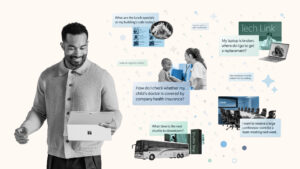
At Microsoft, we’ve embraced the power and speed of agentic solutions across the enterprise. This means we’re at the forefront of developing and implementing innovative tools like the Employee Self-Service Agent, a chat-based solution that uses AI to address thousands of IT support issues and human resources (HR) queries every month—queries that used to be handled by humans. Early results from the tool show great promise for increased efficiency and time savings.
In developing tools like this agent, we were confronted with a challenge: How do we make sure all the unstructured data the tool was trained on is relevant and reliable?
Many organizations are facing this daunting task in the age of AI. Unlike structured data, which is well organized and more easily ingested by AI tools, the sprawling and unverified nature of unstructured data poses some tricky problems for agentic tool development. Tackling this challenge is often referred to as data conditioning.
Read on to see how we at Microsoft Digital—the company’s IT organization—are handling data conditioning across the company, and how you can follow our lead in your own organization.

How AI has changed the game
We already fundamentally understand that the power of AI and large language models has changed the game for many work tasks. The way employee support functions is no exception to this sweeping change.

“A tool like the Employee Self-Service Agent doesn’t know if something is true or false—it only sees information it can use and present. That’s why stale or outdated information is such a risk, unless you manage it up front.”
David Finney, director of IT Service Management, Microsoft Digital
Instead of relying on human agents to answer employee questions or resolve issues, we now have AI agents trained on vast corpora of data that can find the answer to a complex question in seconds.
But in our drive to give these tools access to everything they might need, they sometimes end up consuming information that isn’t helpful.
“A tool like the Employee Self-Service Agent doesn’t know if something is true or false—it only sees information it can use and present,” says David Finney, director of IT Service Management. “That’s why stale or outdated information is such a risk, unless you manage it up front.”
Before AI, support teams didn’t need to worry as much about the buried issues with unstructured content because a human could generally spot it or filter it out manually. After we turned these tools loose, they began reading everything, including:
- Older or hidden SharePoint content that humans would never find—but AI can
- Large knowledge base articles with buried incorrect information
- Region-specific content that’s not properly labeled
“For example, humans never saw the old, decommissioned SharePoint sites because they were automatically redirected,” says Kevin Verdeck, a senior IT service operations engineer. “But AI definitely could find them, and it surfaced ancient information that we didn’t even know was still out there.”
Data governance is the key
A major part of the solution to this problem is better governance. We had to get a handle on our data.

“We needed to determine the owners of the sites and then establish processes for reviewing content, updating it, and defining how it should be structured. I would highly encourage that our customers think about governance first when they are launching their own AI tools, because everything flows from it.”
Olivier Cherel, senior business process manager, Microsoft Digital
The first step was a massive cleanup effort, including removing decommissioned SharePoint sites and deleting references to retired programs and policies. The next step was making sure all content had ownership assigned to establish who would be maintaining it. This was followed by setting up schedules for regular content updates (lifecycle management).
Governance was the first priority for IT content, according to Olivier Cherel, a senior business process manager in Microsoft Digital.
“We had no governance in place for all the SharePoint sites, which were managed by the various IT teams,” Cherel says. “We needed to determine the owners of the sites and then establish processes for reviewing content, updating it, and defining how it should be structured. I would highly encourage that our customers think about governance first when they are launching their own AI tools, because everything flows from it.”
Content governance was also a huge challenge for other support areas, such as human resources. A coordinated approach was needed.
“HR content is vast, distributed across multiple SharePoint sites, and not everything has a clear owner,” says Shipra Gupta, an engineering PM lead in Human Resources who worked on the Employee Self-Service Agent project. “So, we collaborated with our content and People Operations teams to create a true content strategy: one source of truth, no duplication, with clear ownership and lifecycle management.”
Cherel observes that this process forces teams to think about their support content in a totally different way.
“People realize they need a new function on their team: content management,” he says. “You can’t simply rely on the knowledge found in the technicians’ heads anymore.”
Adding structure to the unstructured data
The simple truth is that part of what makes unstructured data so difficult for agentic AI tools to deal with is that it’s disorganized.

“Our HR Web content already had tagging for many policy documents, which helped us get started. But it wasn’t consistent across all content, so improved tagging became a big part of our governance effort.”
Shipra Gupta, engineering PM lead, Human Resources
AI works best with content that has as many of the following characteristics as possible:
- Document structure, including:
- Clear headers and sections
- Page-level summaries
- Ordered steps and lists
- Explicit labels for processes
- HTML tags (which AI can see, but humans can’t)
- Structured metadata, including:
- Region codes (e.g., US-only policies)
- Device-specific tags
- Secure device classification
- Country-based hardware procurement policies and HR rules
This kind of formatting and metadata allows the AI tool to more clearly parse and sort the information, meaning its answers are going to have a much higher accuracy level (even if it might be a little slower to return them).
“A good example here is tagging,” Gupta says. “Our HR Web content already had tagging for many policy documents, which helped us get started. But it wasn’t consistent across all content, so improved tagging became a big part of our governance effort.”
Be sure that as part of your content review, you’re setting aside the time and resources to add this kind of structure to your unstructured data. The investment will pay off in the long run.
Using AI to help condition data for use
As AI tools grow more sophisticated, we’re using them to directly work on AI-related challenges. This includes using AI on the challenge of unstructured data itself.
“Right now, these efforts are primarily human-led, but we are applying AI to, for example, help write knowledge base articles,” Cherel says. “Also, we’re starting to use AI to determine where we have content gaps, and to analyze the feedback we’re getting on the tool itself. If we just rely on humans, it’s not going to scale. We need to leverage AI to stay on top of things and keep improving the tools.”
Essentially, the future of such technology is all about using AI to improve itself.
“We’re looking at building an agent to help validate content,” Finney says. “We can use it to check for outdated references, old processes, or abandoned terms that are no longer used. Essentially, we’ll have AI do a readiness check on the content that it is consuming.”
Ultimately, the better the data is conditioned, the more accurate and relevant the agent’s responses will be. And that will make the end user—the truly important human in the loop—much happier with the final outcome.

Key takeaways
We’ve highlighted some insights to keep in mind as you consider how to condition your own organization’s data for ingestion by AI tools:
- Unstructured data becomes a business risk when AI is in the loop. AI agents consume everything they can access, including outdated, hidden, or conflicting content, making data conditioning a critical prerequisite for agentic solutions.
- AI highlights content issues that were previously invisible. Decommissioned SharePoint sites, outdated policies, and region-specific content without proper labels all became visible after AI agents began scanning across systems.
- Governance is a vital part of the conditioning process. Assigning clear content ownership and establishing lifecycle management are essential steps in ensuring the content being fed to AI tools is of high quality and is well managed.
- Adding structure to data dramatically improves AI accuracy. Clear document formatting, consistent tagging, and rich metadata help AI agents return more relevant, reliable answers.
- AI will increasingly be used to condition and validate the data it consumes. Microsoft is already exploring using AI to identify content gaps, analyze feedback, and flag outdated information, creating a continuous improvement loop that can scale faster than human review alone.

Try it out
Learn how your organization can take advantage of the power of the Employee Self-Service Agent.

Related links
- Read how we’re accelerating employee services at Microsoft with the Employee Self-Service Agent.
- Learn how we keep our content fresh and well-governed with AI-powered SharePoint.
- Check out how we’re using good governance to ride the wave of agents washing over Microsoft.
- Discover how we’re becoming an AI-first Frontier Firm at Microsoft.
- See how we’re tackling Microsoft 365 Copilot governance internally at Microsoft.

We’d like to hear from you!