Technical Specifications

Compare Windows PCs
Feature Key
Feature Key
Available at
Available at
Support and resources
Windows 11 Pro
Designed for flexible work, Windows 11 can help you achieve more simply and seamlessly from anywhere.
Business Insights and Knowledge Center
Find expert insights, best practices, and resources to help teams make smarter business decisions and drive measurable impact.
Frequently asked questions
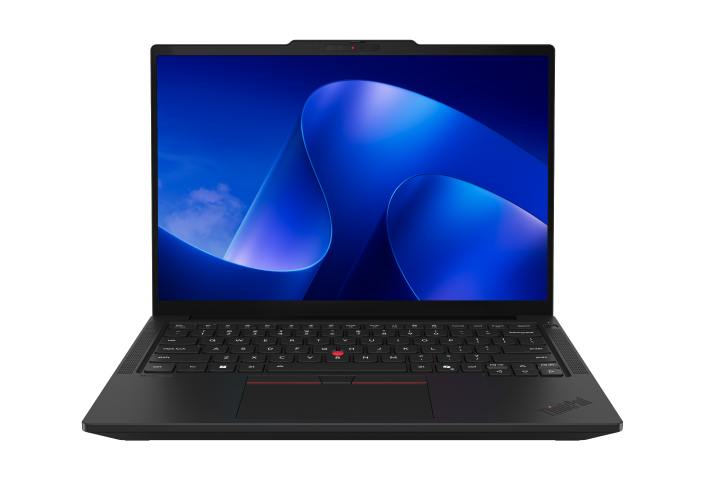
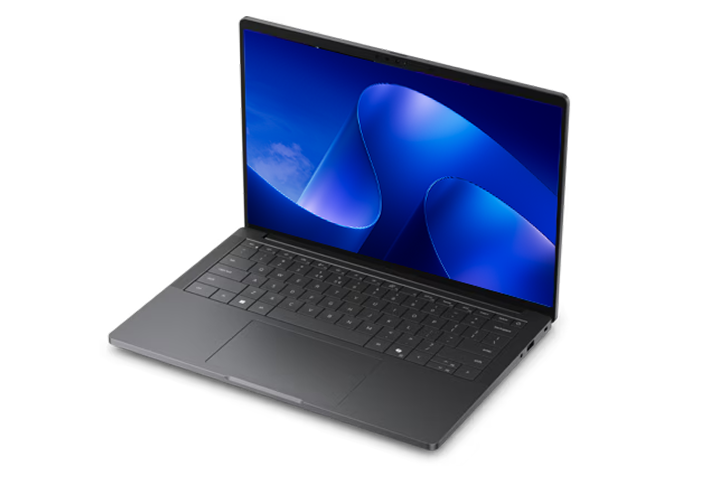
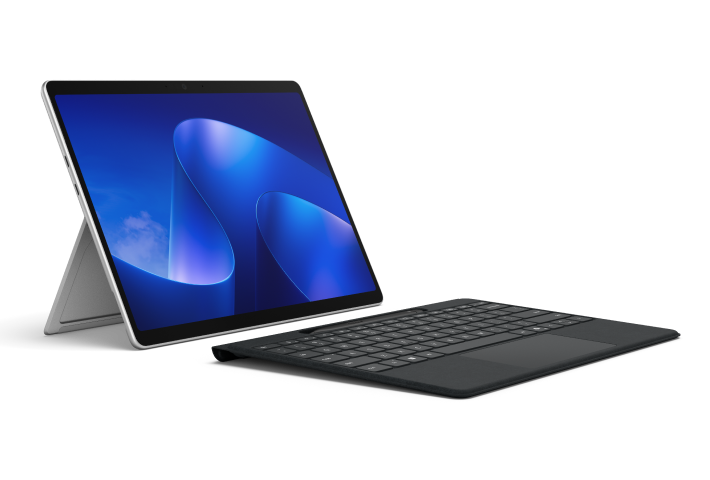
Choose the Windows device that best matches your employees' workstyles, performance needs, and mobility requirements. Business laptops are often ideal for traditional productivity, while 2-in-1 devices offer flexibility for users who alternate between typing, presenting, and note-taking. AI PCs and Copilot+ PCs are designed for organizations that want access to the latest AI-powered experiences, enhanced performance, and extended battery life3. When comparing devices, consider:
How employees work: Decide whether teams need a laptop, a detachable 2-in-1, or a highly portable device for travel.
Performance requirements: Match the processor, memory, and storage to workloads such as collaboration, data analysis, content creation, or AI-assisted tasks.
Mobility needs: Look for lightweight designs, long battery life, and connectivity options for employees who work remotely or travel frequently.
Security and manageability: Choose devices that support your organization's security, deployment, and device management requirements.
AI capabilities: If your business wants to take advantage of AI-powered productivity tools, compare AI PCs and Copilot+ PCs to find the right fit for your users.
The best Windows for Business laptop for frequent travelers is one that balances portability, battery life, performance, and security. Lightweight business laptops are often a strong choice for employees who work on the go, while AI PCs and Copilot+ PCs can provide longer battery life3 and AI-powered experiences that help employees stay productive from almost anywhere4. When comparing devices for business travel, consider:
Portability: Look for lightweight designs that are easy to carry between meetings, offices, and airports.
Battery life: Choose a device that can support a full workday without frequent charging.
Performance: Ensure the laptop can handle everyday business tasks such as collaboration, presentations, video calls, and multitasking.
Connectivity: Features like Wi-Fi, Bluetooth, and optional cellular connectivity can help employees stay connected when traveling.
Security: Prioritize devices that support your organization's security and device management requirements.
Business laptops are designed for workplace productivity, security, and device management, while consumer laptops are typically built for personal use, entertainment, and everyday tasks. For organizations, business laptops often provide features that make it easier to deploy, secure, and manage devices across teams. When comparing business and consumer laptops, consider:
Security: Business devices are often equipped with advanced security features to help protect company data and identities.
Manageability: IT teams can more easily deploy, update, and manage business laptops at scale.
Performance: Business laptops are designed to support productivity, collaboration, multitasking, and demanding workloads.
Reliability: Many business devices are built for all-day use and long-term durability.
AI capabilities: New AI PCs and Copilot+ PCs can help employees work more efficiently with AI-powered experiences and enhanced performance.
AI PCs and Copilot+ PCs are designed to deliver the best experience for AI-powered work4. These devices are built to support AI-enhanced productivity, collaboration, creativity, and multitasking, helping employees work more efficiently throughout the day. When comparing Windows devices for AI-powered work, consider:
AI capabilities: Look for AI PCs and Copilot+ PCs that support the latest AI experiences and workflows.
Performance: Choose a device that can handle your team's workloads, from everyday productivity to content creation and data-intensive tasks.
Mobility: If employees work remotely or travel frequently, prioritize lightweight devices with long battery life.
Form factor: Compare traditional laptops, 2-in-1 devices, and other form factors to match different workstyles.
Security and manageability: Select devices that meet your organization's security, deployment, and device management requirements.
The best Windows device for a small business depends on how your team works, the applications you use, and your plans for growth. Business laptops are a popular choice for everyday productivity, while AI PCs and Copilot+ PCs can help employees work more efficiently with AI-powered experiences4, strong performance, and long battery life3. When comparing Windows devices for a small business, consider:
Workloads: Match device performance to your team's daily tasks, whether that's collaboration, customer management, content creation, or multitasking.
Portability: Lightweight devices with long battery life are ideal for employees who work remotely, travel frequently, or split time between locations.
Security: Look for devices that help protect business data and support your organization's security requirements.
Manageability: Choose devices that are easy to deploy, update, and manage as your business grows.
AI capabilities: AI PCs and Copilot+ PCs can help automate routine tasks, improve productivity, and support AI-assisted workflows.
The right choice is a device that balances performance, security, portability, and value while meeting your team's current and future business needs.
- [1]
Unless clicking Learn more on a Microsoft Surface device, clicking Shop now, Buy now, or Learn more will take you to an external website, whose privacy policy, terms and conditions will apply. Microsoft is not responsible for the privacy policy, content or accuracy of external websites. All specifications are subject to change without notice. Please check with each manufacturer or reseller for exact offers. Products may not be available in all markets. Displayed prices are current lowest prices offered by stated manufacturers or resellers and are subject to change. Prices are not offered by Microsoft unless stated.
- [2]
Service may be sold separately.
- [3]
Performance and battery life varies significantly by device and with settings, usage, and other factors.
- [4]
Copilot+ PC experiences vary by device and region and may require updates continuing to roll out; timing varies. See Copilot+ PC details.