
Introducing Document Translation
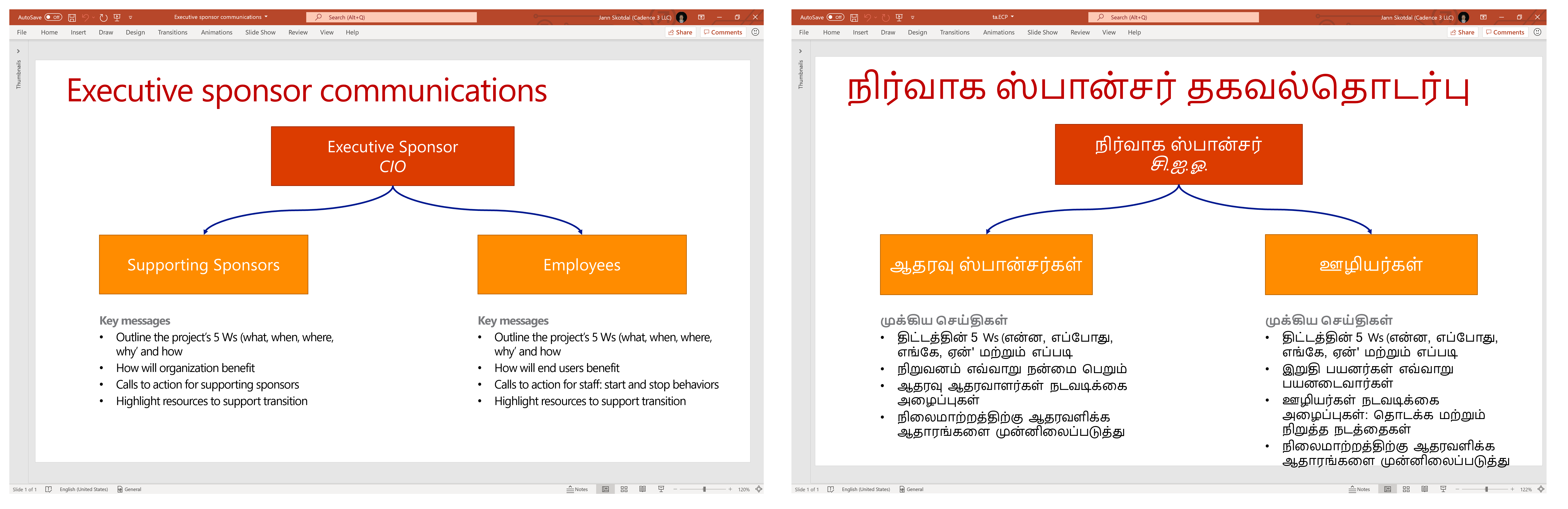
Today, we are releasing document translation as preview. Document translation is a brand new feature of the Translator service that translates entire documents, or batches of documents, in a variety of file formats preserving their original structure and format.
Document translation was specifically designed to translate large files with rich content — translate Word, PowerPoint, Excel, or PDFs, and more into 70+ languages. You can also apply custom glossaries and custom translation models built with Custom Translator to make sure that your documents translate exactly the way you want.
Why use document translation?
Translate large documents
With document translation, there is no limit on the number of characters that can be translated in a document. That means that you can translate large documents in their entirety instead of breaking up the content into separate requests.
Translate large batches of documents
Upload documents or batches of documents for translation for asynchronous translation. Asynchronous translation allows you batch and manage your job queues to translate content when it is efficient for you and your organization.
Richer content
The document translation feature translates Word, Excel, PDF, and other type files while keeping their original formatting. The standard Translator service offers plain text and HTML translation.
Supported file formats:
| .docx | .pptx | .txt |
| .html | .tab | .xlf |
| .msg | .tmx | .xlsx |
| .tsv |
Apply glossaries and customization
You can upload custom glossaries to ensure that specific words and phrases translate just the way you want, or use Custom Translator to create new translation models that understand the terminology used in your own business and industry and apply them to your translated documents.
Learn more about Document Translation in the video below.
How does document translation work?
Using document translation is a simple 4-step process:
- Upload your documents to blob storage
- Request translation from the document translation service
- Monitor the job status
- Retrieve translated docs from blob storage
Learn more about how to use document translation in the document translation documentation at aka.ms/DocumentTranslationDocs.
How do I get started?
Instructions for getting started with Document Translation can be found in the Document Translation documentation.
Pricing information can be found on Azure.
Any questions? Ask them on StackOverflow. We monitor it daily.


