
Presentation Translator, a Microsoft Garage project, Translates and Subtitles Live Presentations
Today, Microsoft Translator launches Presentation Translator, a Microsoft Garage project.
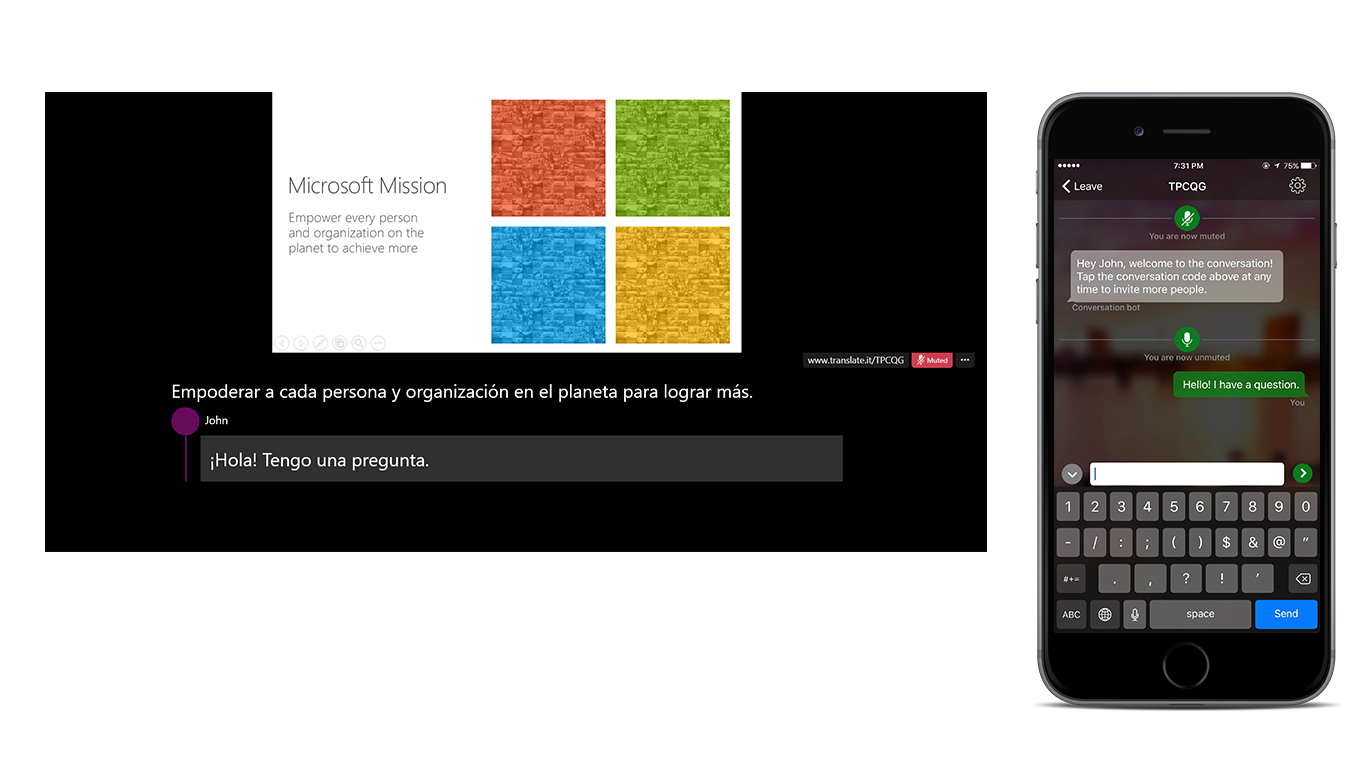
This PowerPoint add-in translates and subtitles live presentations, displaying subtitles directly on a presentation in any one of more than 60 supported text languages.
In addition to translated subtitles, audience members in the room can follow along with the presentation in their chosen language using their own phone, tablet, or computer.
Key Features:
- Live subtitling: Speak in any of the 10 supported speech languages – Arabic, Chinese (Mandarin), English, French, German, Italian, Japanese, Portuguese, Russian and Spanish – and subtitle into any one of the 60+ text translation languages.
- Customized speech recognition: Presenters have the option to customize the speech recognition engine using the vocabulary within the slides and slide notes to adapt to jargon, technical terms, product or place names, etc.
- Translate the slide deck: Translate the text of the PowerPoint slide deck while preserving the original formatting, including translation between left-to-right and right-to-left languages
- Audience Participation: Share the QR- or five letter conversation code and your audience can follow along with your presentation, on their own device, in their chosen language.
- Open the mic to multi-lingual Q&A: Unmute the audience to allow questions in any of the supported languages (10 for spoken questions, 60+ for written ones)
- Inclusivity through Accessibility: Help audience members who are deaf or hard of hearing follow the presentation, and participate in the discussion.
Check out this video on how to get started with Presentation Translator.
Presentation Translator is powered by the Microsoft Translator live feature, built on Microsoft Translator APIs. Part of the Microsoft Cognitive Services collection, Microsoft Translator enables businesses to add end-to-end, live speech translations to their applications or services.
To download Presentation Translator for PowerPoint (Windows only), visit aka.ms/presentationtranslator.
To learn more about Presentation Translator, visit aka.ms/PresentationTranslatorLearnMore.


