Today we’re announcing the October release of Azure Data Studio (formerly known as SQL Operations Studio) is now available.
Download Azure Data Studio and review the release notes to get started.
Please note: After downloading Azure Data Studio, say Yes to enabling preview features so that you can use the extensions.
Azure Data Studio is a multi-database, cross-platform desktop environment for data professionals using the family of on-premises and cloud data platforms on Windows, MacOS, and Linux. To learn more, visit our GitHub.
The key highlights to cover this month include:
- Announcing the Query History extension
- New copy/paste results grid functionality
- Bug fixes
For a complete list of updates, refer to the release notes.
Announcing the Query History extension
Our community has been asking for a way to store previously executed SQL queries so that the queries can be easily modified and executed again. This was a feature available in SQL Server Management Studio, and users described they needed a feature like this in order to use Azure Data Studio on a daily basis. In fact, this was one of the top 10 requests for Azure Data Studio.
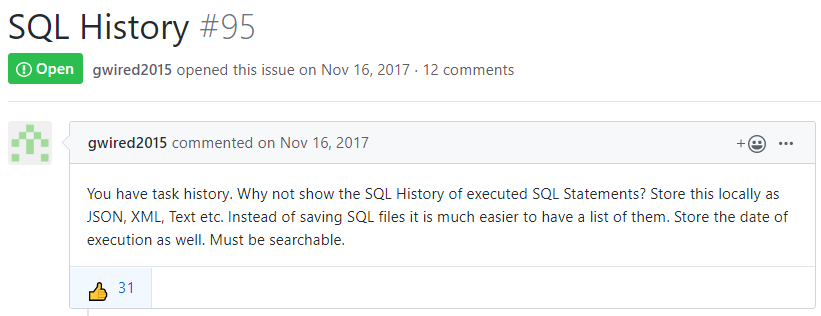
With the October release, we’re excited to announce the Query History extension.
The Query History extension saves all past queries executed in an Azure Data Studio session and lists them in execution order. Users can see:
- If the query was executed successfully
- Query
- Database connection
- Time of execution
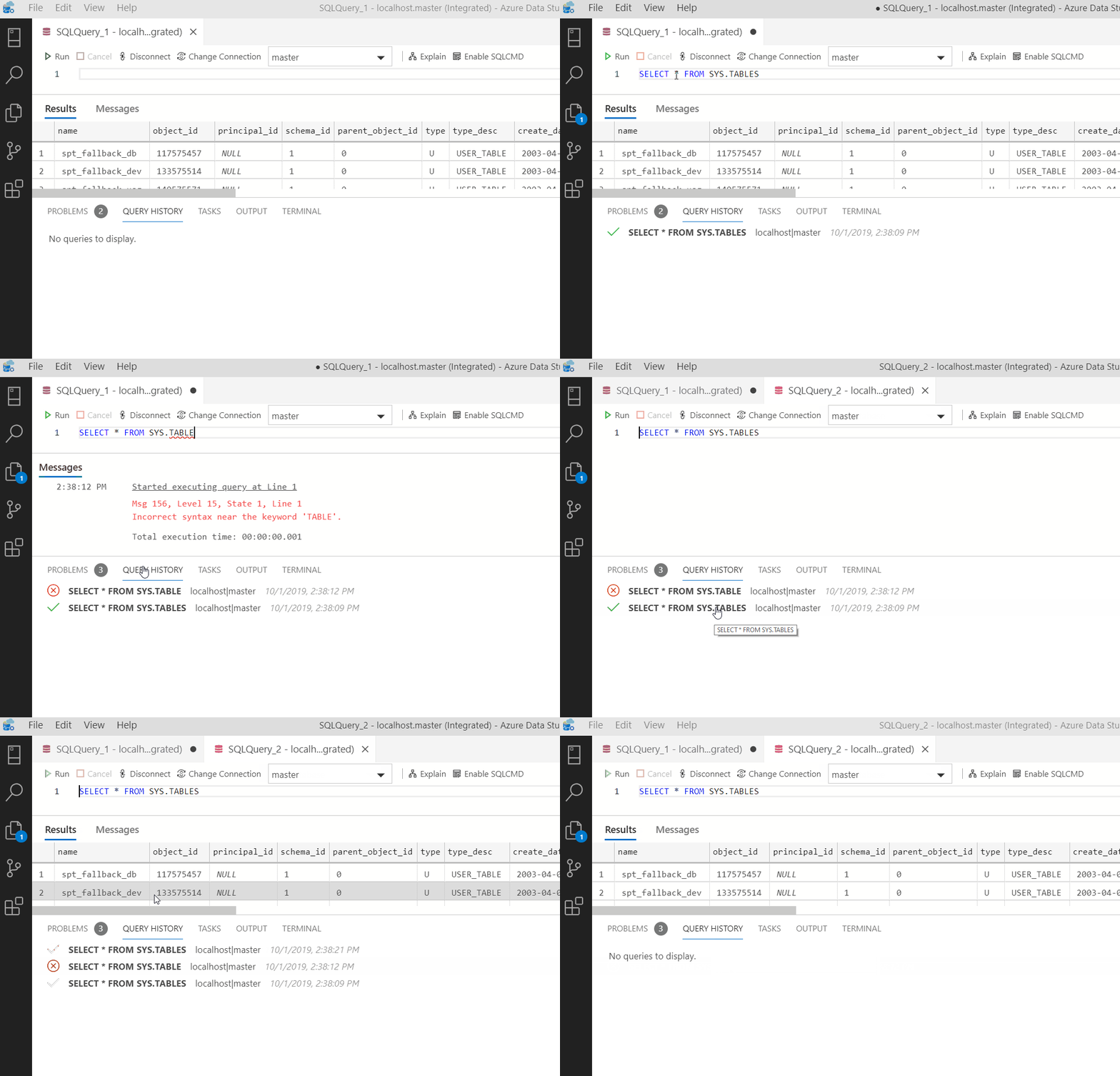
Users can then right click on any query to either:
- Open the query
- Execute the query
- Delete the query from Query History.
It really is that simple. Download the extension and try it out for yourself.
To start query history, click View then Query History. This will pop up a window below where you can begin the Query History experience.
If you have any feature requests or run into bugs, let us know on our GitHub issues.
New copy/paste result functionality
While fixing a bug involving copying rows and columns from the results grid, we ended up creating an innovative copy/paste experience with the results grid.
Typically, when you select random cells individually, pasting this into a grid like in Excel will prevent the pasting. However, we’ve implemented a logical pattern that would support this type of pasting. This works by ignoring columns and rows that are not selected, and nulling columns and rows that were not included in the copy parameters.
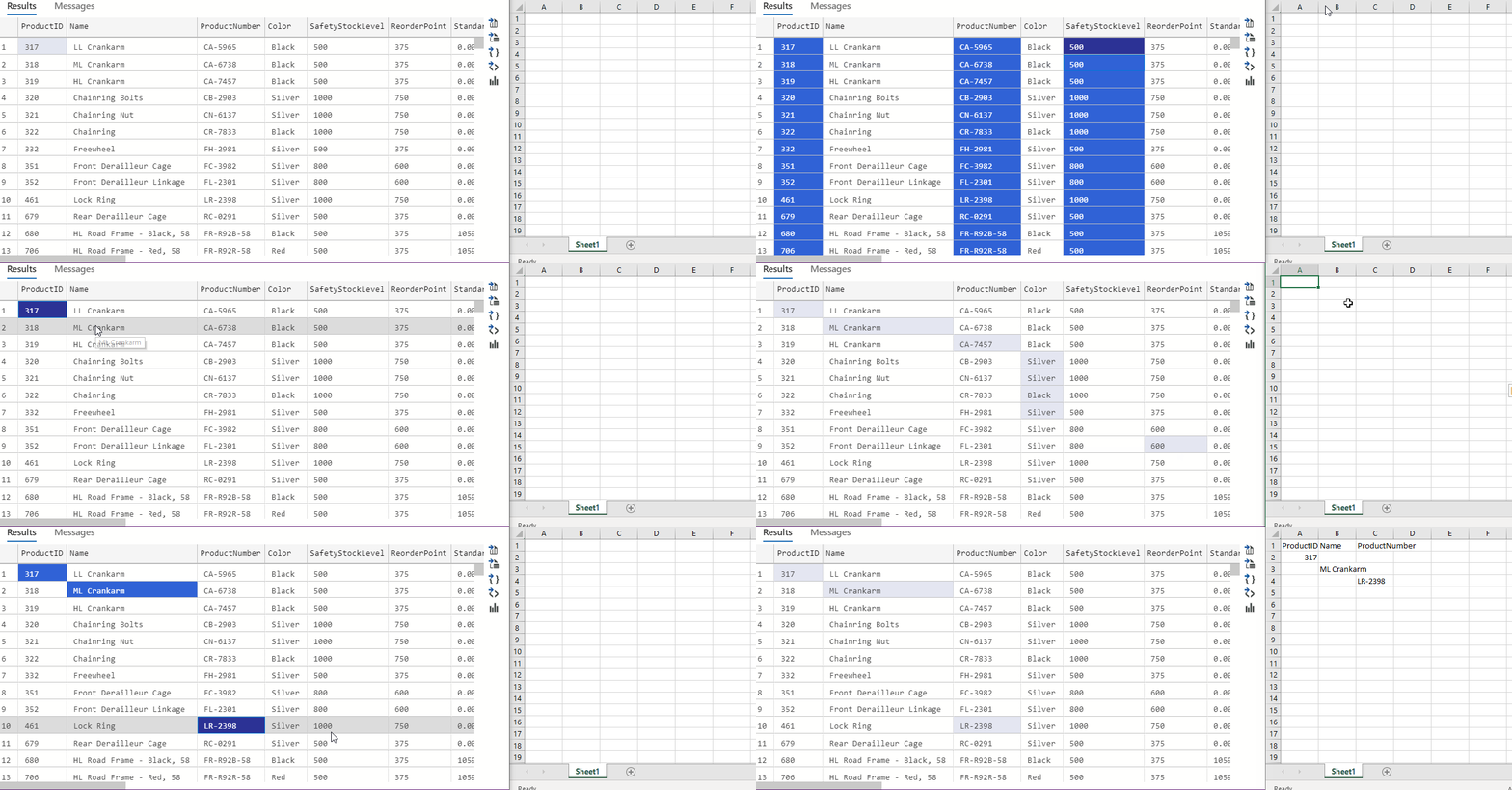
This resulted in a very flexible copy/paste experience while fixing the common scenario of selecting individual rows or columns.
If you have any feedback about this copy experience, let us know on our GitHub issues.
Powershell extension update
We are happy to continue working with the Powershell team in bringing new updates to the Powershell experience in Azure Data Studio. You can now download v2019.9.0 in the Extensions marketplace.
To learn more about changes in this release, check the release notes.
In addition, you won’t want to miss out on watching this Azure Friday video where Sydney Smith and Scott Hanselman demo the Powershell extension in Azure Data Studio by creating a SQL Server in a Linux Docker container with external storage.
Bug fixes
If you would like to help make Azure Data Studio a great product, please share any feedback or report issues through our Issues page. Our engineering team is regularly going through the untriaged issues and assigning issues into different monthly milestones so that you know we’re working on it. Your votes on issues helps us prioritize.
A full list of bug fixes for the October release can be found here.
Contact Us
If you have any feature requests or issues, please submit to our GitHub issues page. For any questions, feel free to comment below or tweet us.