Do you want to assess the health of your SQL Server deployments on Azure Virtual machines?
Do you want to ensure that you have an optimal SQL Server configuration?
At Ignite 2015 we released a tool for this. The Operations Management Suite (OMS) is a collection of IT management solutions powered by a modern cloud-based management platform that enables you to gain visibility on deployments across both cloud and on-premises. It also helps you take control of your IT environment by remediating problems and orchestrating complex & repetitive operations through automation.
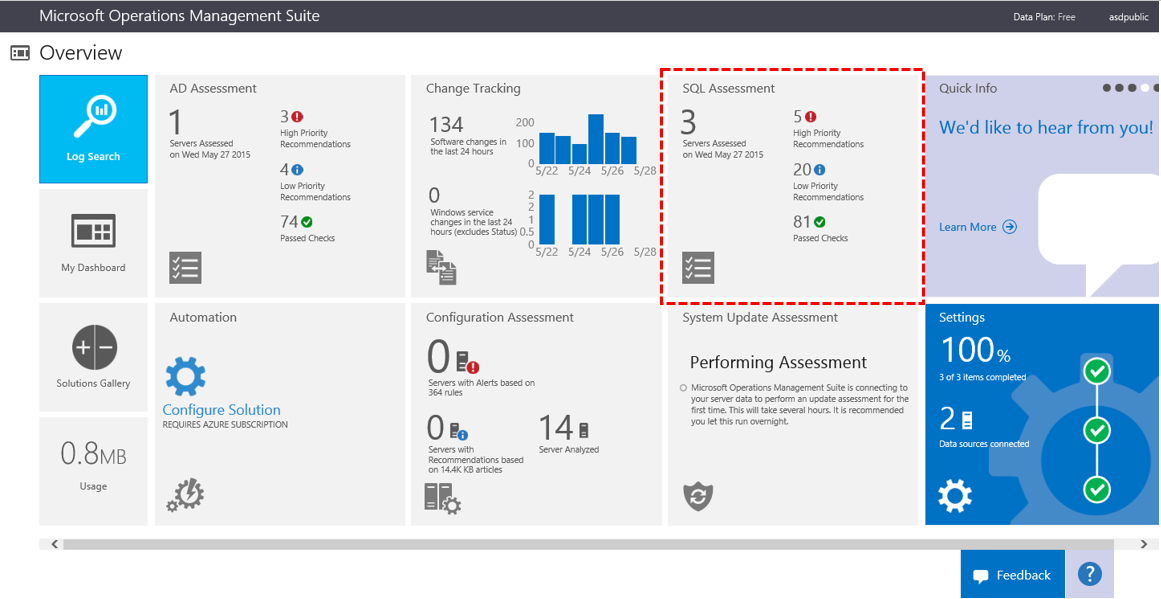
Included in OMS is the SQL Assessment which evaluates the configuration and assesses the health of your SQL Server deployments. It considers around 90 best practices defined by the SQL Server and Support Services teams. Based on these, it provides a prioritized list of recommendations tailored to your deployments.
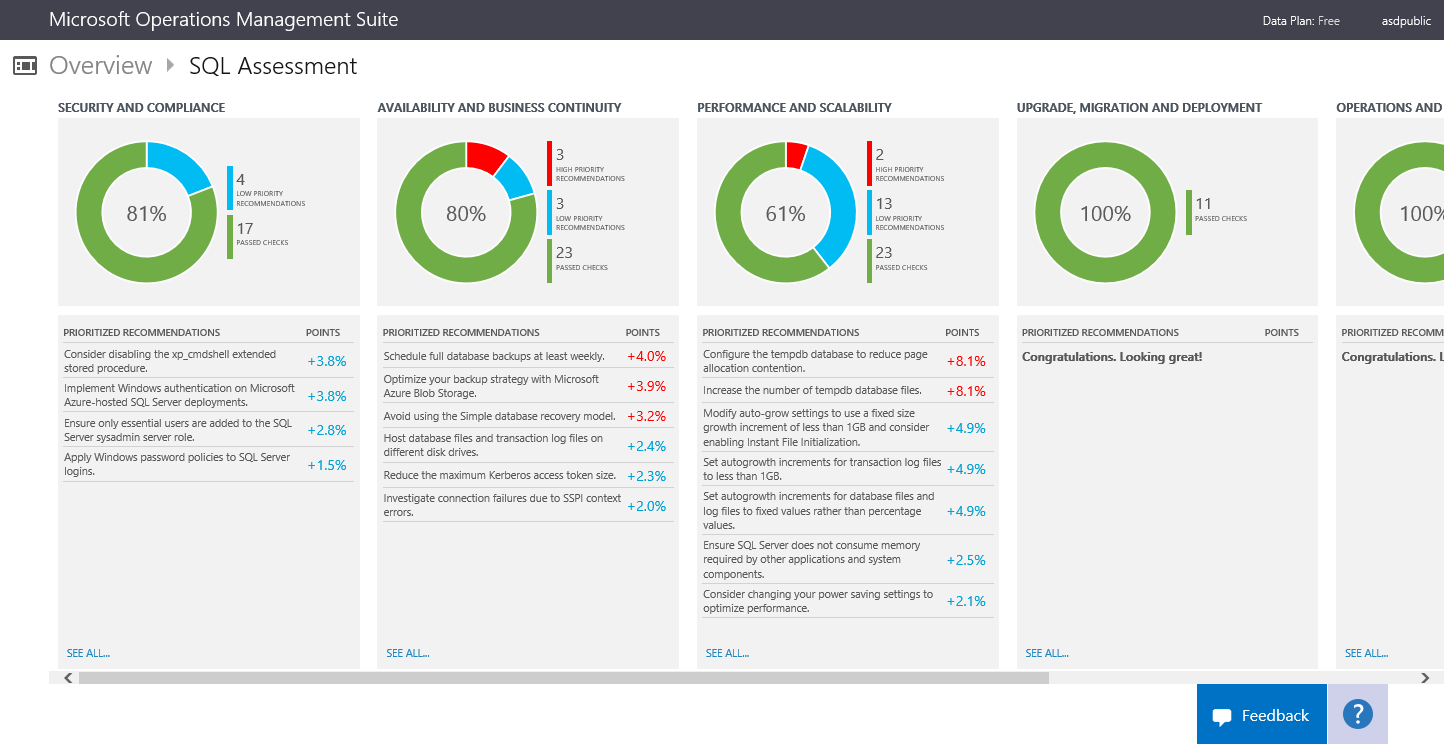
The recommendations are categorized across six Focus Areas. These areas allow you quickly understand the health of your deployments and easily take actions to enhance your SQL Server environments.
Are you ready to assess your SQL Server deployments in Azure Virtual Machine?
To begin, setup your OMS workspace by following this step-by-step instructions.
Once the workspace is established, add the SQL Assessment to your workspace. To start collecting configuration and telemetry data install the OMS Agent or the Systems Center Operations Manager Agent.
Data collection will start after the agents are installed. Keep in mind that the first assessment will be available a couple of hours later, after the data is gathered and analyzed. At that point, you will see the data populated in the SQL Assessment tile.