
Skip to main content Why Microsoft Security AI-powered cybersecurity Cloud security Data security & governance Identity & network access Privacy & risk management Security for AI Unified SecOps Zero Trust Microsoft Defender Microsoft Entra Microsoft Intune Microsoft Priva Microsoft Purview Microsoft Sentinel Microsoft Security Copilot Microsoft Entra ID (Azure Active Directory) Microsoft Entra Agent ID Microsoft Entra External ID Microsoft Entra ID Governance Microsoft Entra ID Protection Microsoft Entra Internet Access Microsoft Entra Private Access Microsoft Entra Permissions Management Microsoft Entra Verified ID Microsoft Entra Workload ID Microsoft Entra Domain Services Azure Key Vault Microsoft Sentinel Microsoft Defender for Cloud Microsoft Defender XDR Microsoft Defender for Endpoint Microsoft Defender for Office 365 Microsoft Defender for Identity Microsoft Defender for Cloud Apps Microsoft Security Exposure Management Microsoft Defender Vulnerability Management Microsoft Defender Threat Intelligence Microsoft Defender Suite for Business Premium Microsoft Defender for Cloud Microsoft Defender Cloud Security Posture Mgmt Microsoft Defender External Attack Surface Management Azure Firewall Azure Web App Firewall Azure DDoS Protection GitHub Advanced Security Microsoft Defender for Endpoint Microsoft Defender XDR Microsoft Defender for Business Microsoft Intune core capabilities Microsoft Defender for IoT Microsoft Defender Vulnerability Management Microsoft Intune Advanced Analytics Microsoft Intune Endpoint Privilege Management Microsoft Intune Enterprise Application Management Microsoft Intune Remote Help Microsoft Cloud PKI Microsoft Purview Communication Compliance Microsoft Purview Compliance Manager Microsoft Purview Data Lifecycle Management Microsoft Purview eDiscovery Microsoft Purview Audit Microsoft Priva Risk Management Microsoft Priva Subject Rights Requests Microsoft Purview Data Governance Microsoft Purview Suite for Business Premium Microsoft Purview data security capabilities Pricing Services Partners Cybersecurity awareness Customer stories Security 101 Product trials How we protect Microsoft Industry recognition Microsoft Security Insider Microsoft Digital Defense Report Security Response Center Microsoft Security Blog Microsoft Security Events Microsoft Tech Community Documentation Technical Content Library Training & certifications Compliance Program for Microsoft Cloud Microsoft Trust Center Security Engineering Portal Service Trust Portal Microsoft Secure Future Initiative Business Solutions Hub Contact Sales Start free trial Microsoft Security Azure Dynamics 365 Microsoft 365 Microsoft Teams Windows 365 Microsoft AI Azure Space Mixed reality Microsoft HoloLens Microsoft Viva Quantum computing Sustainability Education Automotive Financial services Government Healthcare Manufacturing Retail Find a partner Become a partner Partner Network Microsoft Marketplace Marketplace Rewards Software development companies Blog Microsoft Advertising Developer Center Documentation Events Licensing Microsoft Learn Microsoft Research View Sitemap

This post is authored by Steven Meyers, security operations principal, Microsoft Cyber Defense Operations Center.

Introducing a new video on best practices from the Microsoft Cyber Defense Operations Center
An illustration showing a person with an iron mask and it also reads "Microsoft shares tips on how to protect your data today"

In 2016, 4.2+ billion records were stolen by hackers. The number of cyberattacks and breaches in 2017 have risen 30 percent.

The business sector leads in the number of records compromised so far, with more than 7.5 million exposed records in 420 reported incidents. These cybercrimes are often intended for financial gain, such as opening a fraudulent credit card or accessing a company’s financial records. Today, a growing market exists in the dark web for selling credentials and sensitive information to other cybercriminals.

To help Protect your information and privacy against cyberthreats, the Microsoft Cyber Defense Operations Center has published a series of best practices videos that will help consumers, businesses and organizations enable a safer online environment. This video shares some of the policies and practices that can be used to better protect information and privacy inside and outside of your operational perimeters.
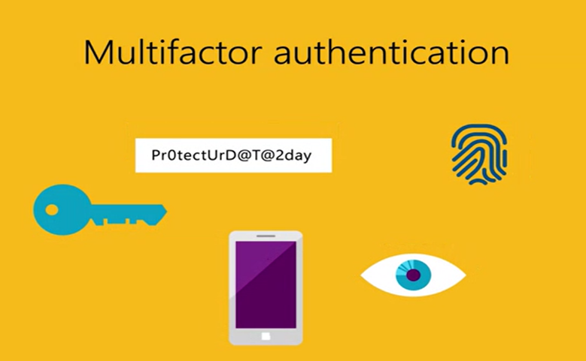
An illustration that has a key, fingerprint, eyes and phone and is titled multifactor authentication

Protection starts with classifying information and then putting appropriate protections in place based on its value. Some information is meant to be public, some data is sensitive but not highly valued to outside entities, but some data is mission critical and/or could cause tremendous financial hardship if shared externally.

Cybersecurity technologies and policies such as multifactor authentication, the principles of least privilege access, just-in-time-and just-enough administrator access, and Microsoft’s cybersecurity products and services can help safeguard access to data and applications.

Some cybersecurity tips discussed include:

  • Classifying emails and data according to their level of sensitivity
  • Employing multifactor authentication for access to sensitive information
  • Only providing administrator access to individuals for the time needed to complete a task
  • Restricting access to only the information needed for the task
  • Keeping your software up-to-date

Please take a few minutes to watch the video and share it with your colleagues, friends and family. We all need to be diligent in the face of this growing and ever-more sophisticated threat.

Also, be sure to watch part one of the video series, Protecting your identity from cybersecurity threats. Check back next week for our third video, Protecting your devices from cybersecurity threats.

Additional resources:

Related posts