Teams and individuals depend on Microsoft Planner to get organized quickly, work together effortlessly, and stay on the same page—no matter how large or small the project. Four new features for Planner will give you greater visibility into project schedules, let you group and filter tasks, allow you to receive notifications of upcoming deadlines, and soon you will be able to publish tasks to your Outlook calendar.
Here is an overview of the four new features.
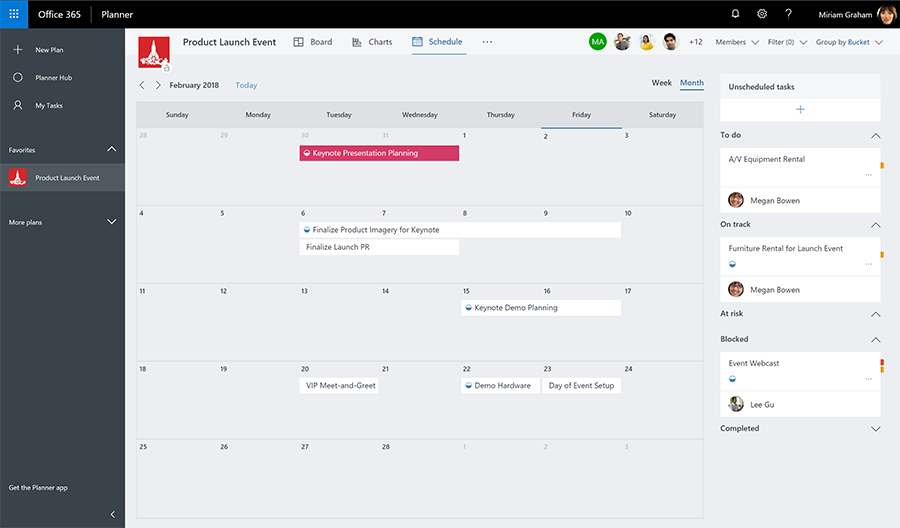
- Schedule view—Meet deadlines, plan ahead, and understand project status with the ability to view your task schedule. In addition, weekly and monthly task views allow drag-and-drop scheduling. Read the support article for more details.
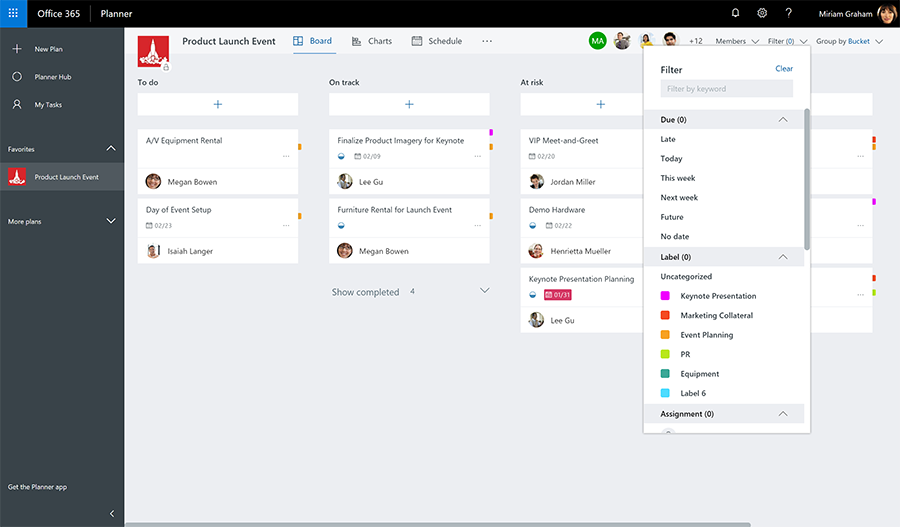
- Group and Filter options—The Group and Filter options in Planner give you deeper insights into your tasks to help you meet key deadlines. For example, filter your tasks by due date to better understand approaching deadlines. Or use the Group feature to view tasks that have not been started, so you can prioritize your work.
- Due date notifications—Receive an email notification summarizing tasks due in the coming week—and stay on top of your approaching deliverables.
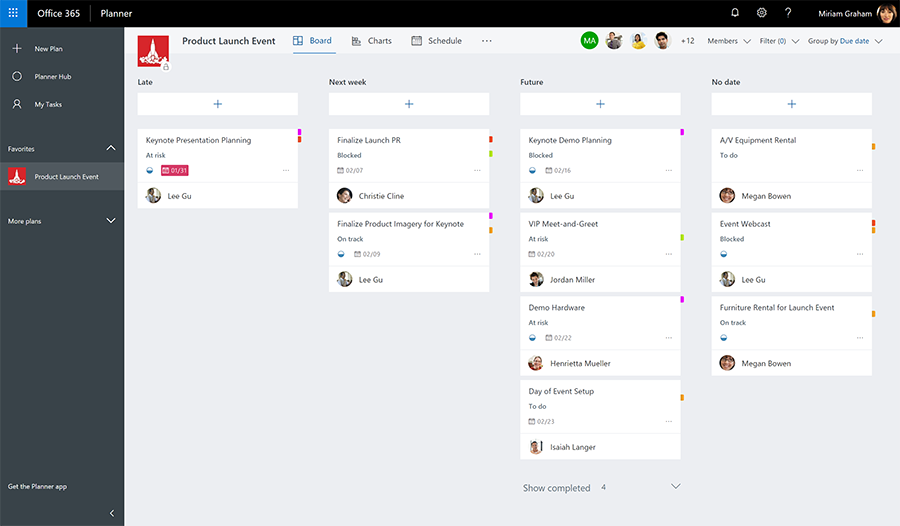
- iCalendar format feed (coming soon)—Make better scheduling and time-management decisions by publishing tasks to your calendar. By adding your tasks to your Outlook calendar, you’ll never lose track of current and upcoming tasks—helping you meet your deliverables.
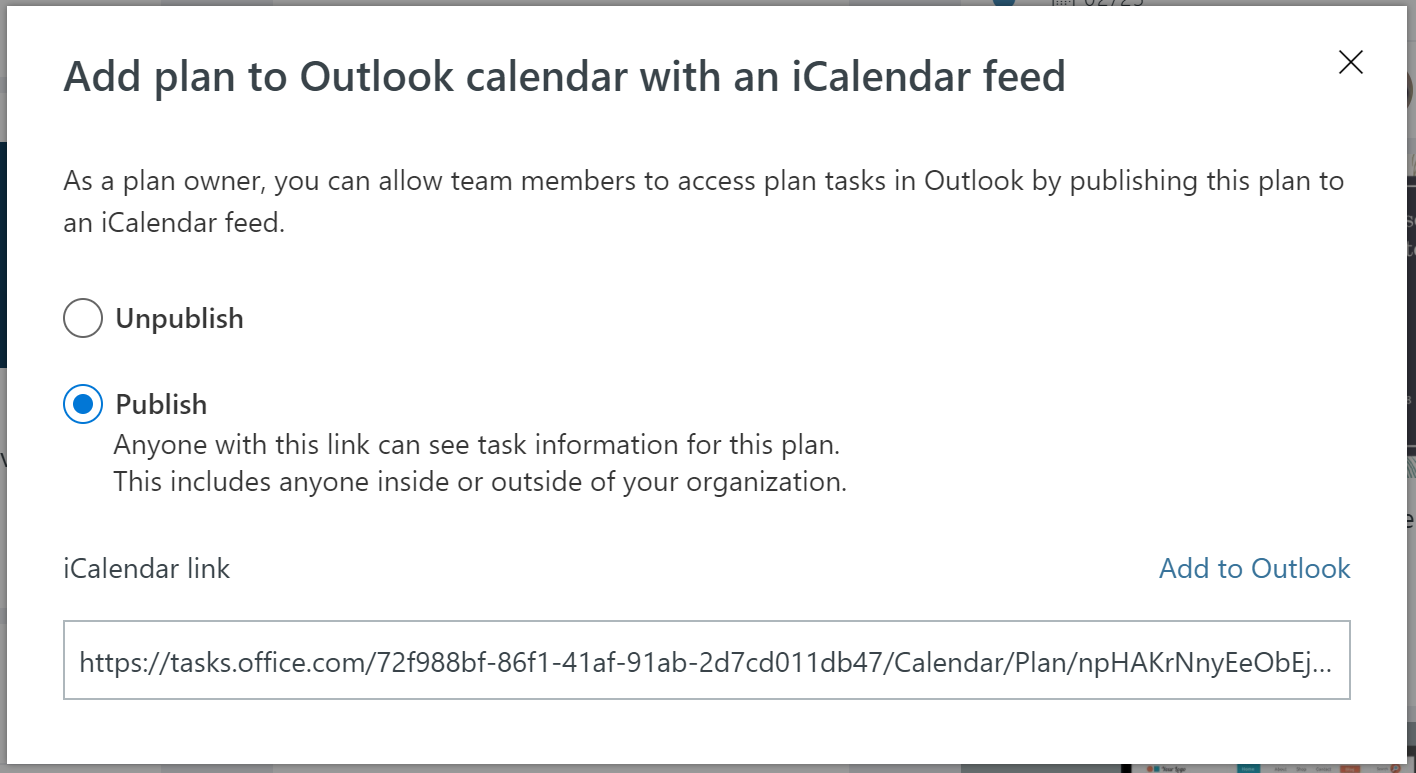
These features have been among the top requests on our feedback portal. Schedule view, Group and Filter, and Due date notifications are now available to all Office 365 subscribers. Outlook calendar integration via the iCalendar format feed is rolling out soon. We look forward to your comments and feedback. Feel free to submit feedback through our feedback portal. Visit Planner now!
New to Planner?
There’s never been a better time to start using Planner! With these new capabilities, Planner is a complete solution for task and work management. Planner is part of the Office 365 productivity suite and is fully integrated with the other Office 365 applications. And if you’re already using Microsoft Teams, you can host a Planner Plan inside your Teams workspace, so everybody can collaborate in one place. You can also link a Planner Plan to a task in Microsoft Project Online, so your team can track tasks and work details in Planner even when that work is part of a larger Project plan being tracked in Project Online. Visit Planner to learn more.
—The Planner team