Role Centers are role-specific home pages that provide an overview of information that pertains to a user’s job function in the business or organization. With Dynamics AX 2012, when a user logs in, the application displays the area page of the last visited module, and not the Home/Role Center page.
Dynamics AX 2012 was designed this way as most of the users prefer to find the application where they left it, and don’t want to have to navigate back to the module they were using.
Unfortunately there isn’t any parameter to change this behavior and some customers would like to always have the Home/Role Center displayed when they log in.
We thought about various workarounds to make this working so the Role Center always displays on login, and the simplest seems to be the following:
- Open a Developer workspace
- In the AOT, find the class named Application
- Double-click the startup method
- Add the following line of code at the end of the method: infolog.navPane().selectedGroup(‘Home’);
- Save and compile
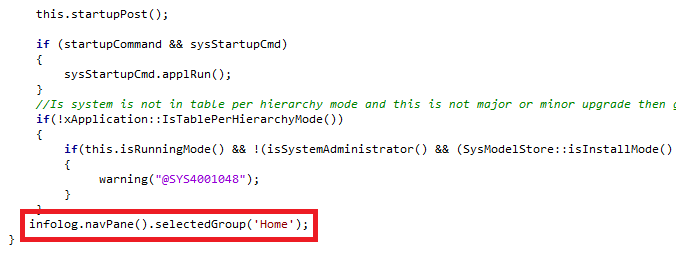
I hope this is helpful!
Bertrand