Skip to main content What is Dynamics 365? Guided tours Customer stories Try our products CRM ERP Sales Service Sales Customer Insights Customer Service Contact Center Field Service Supply Chain Management Commerce Finance Project Operations Human Resources Business Central Pricing Business application topics Training & certifications Migrate to the cloud Documentation Events Dynamics 365 Blog Product updates Onboarding and implementation Community Find a partner Software Development Companies Partner resources Microsoft Marketplace Product documentation Technical support On-premises product support Contact us Try for free Sign in
  • 1 min read

Quick Tip: Passing CRM Form values to an IFrame


Passing values from a CRM form to a page outside CRM through an IFRAME is one of those quick 2-minute customizations. Let’s say the target of an IFrame on the Account form is an ASPX page which expects the Account name and the value of a custom attribute from the parent form for further processing.

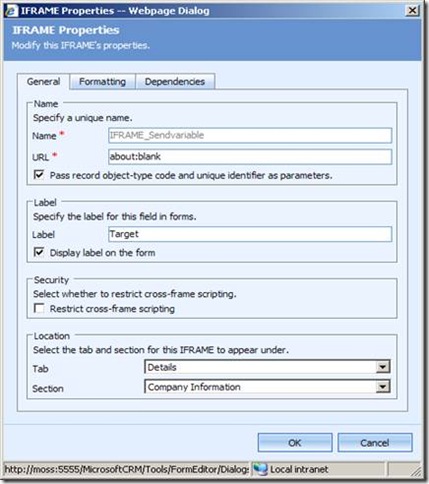
First things first, create the custom attribute and an IFrame. We will set the URL of the IFrame dynamically.
clip_image002

Place this code snippet in the onLoad event of the CRM form:

//Schema name of my custom attribute is new_customatt
var CRMvar=crmForm.all.new_customatt.DataValue;
var Accname=crmForm.all.name.DataValue;
//setting the source of the IFrame here
crmForm.all.IFRAME_Sendvariable.src='http://localhost:4319/Projects/firstpage.aspx?accname='+Accname+'&customatt=' + CRMvar;

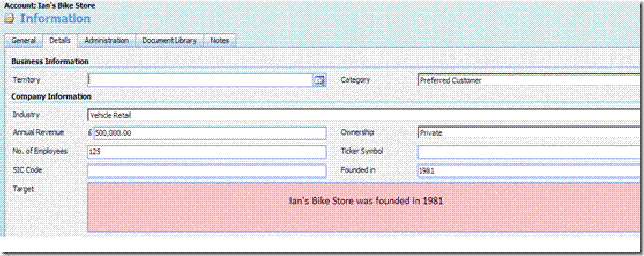
Publish customizations and create a new Account. The values can be accessed in the target page.
clip_image004

Get started with Dynamics 365

Drive more efficiency, reduce costs, and create a hyperconnected business that links people, data, and processes across your organization—enabling every team to quickly adapt and innovate.