Recently I shared a post explaining how to consolidate intercompany vendor invoices. In this post I will cover how to consolidate intercompany customer invoice.
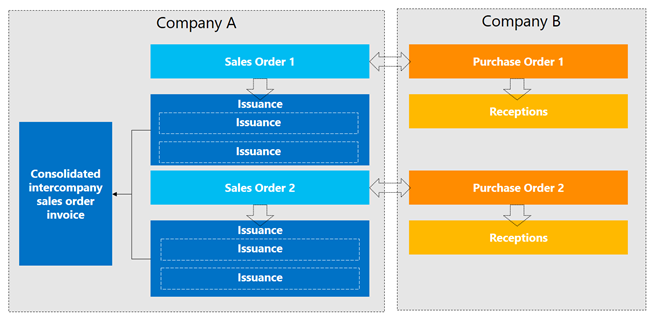
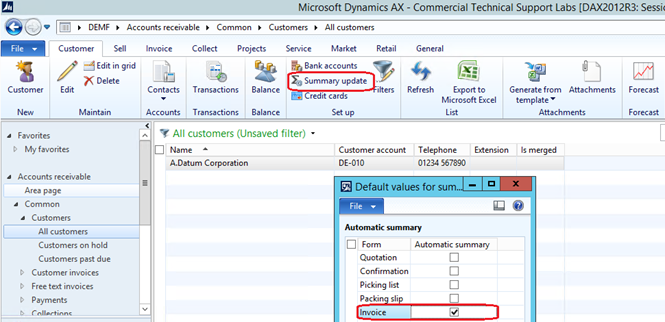
In order to achieve the consolidation of intercompany customer invoices the default summary update for the customer should be activated for intercompany customer account, otherwise the arrange function will not be activated, in other words when press Arrange button will not take the expected effect.
Go to customer account then go to Setup group and select Summary update, in default values for summary update mark invoice check box.
I already created two intercompany sales orders, and hereunder the invoice consolidation process.
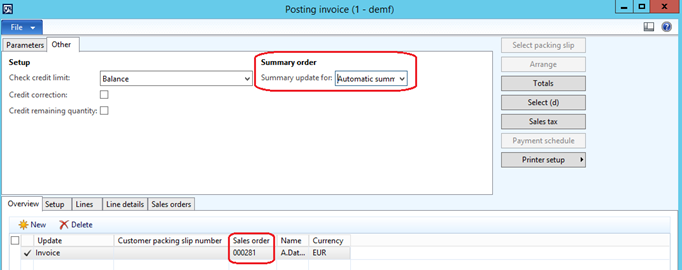
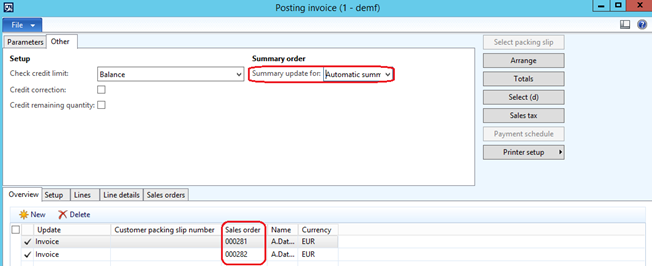
Go to Periodic| sales update| Invoice. Then retrieve customer sales orders, the system will retrieve the two sales orders in the lines. The summary update must be Automatic summary option.
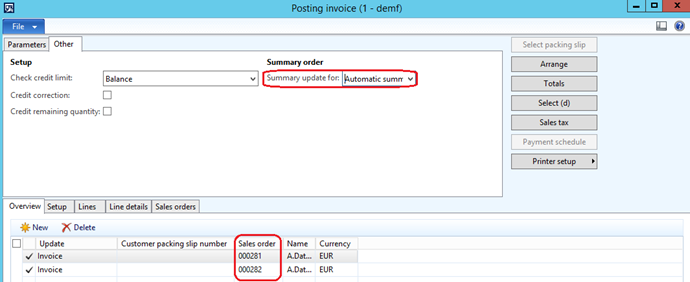
Press Arrange button, then the system consolidated the two invoices in one line.