With Copilot Studio, you can create agents, build apps (preview), and design workflows to transform end-to-end business processes. With the latest innovations, a lot of people are asking the same practical questions: where do I start, and what should I learn?
Whether you’re opening Copilot Studio for the first time or looking to go beyond the basics, there are several ways to learn. You can follow a guided course, get hands-on with a project, earn a credential, watch a demonstration, or join a workshop.
The question is where to start. This guide brings those opportunities together into a learning journey: explore what’s possible, learn by doing, develop and validate career-ready skills, and choose where to go next.
Develop your AI skills
Join us on October 8, 2026, to learn where to start with Copilot Studio and how Agent Academy can help you build practical AI skills.
Your path from learning to building
No matter what you want to learn, start where you are. If you’re new to Copilot Studio: an overview can help you find your direction. If you already know the basics: you can jump into a project or explore more advanced training.
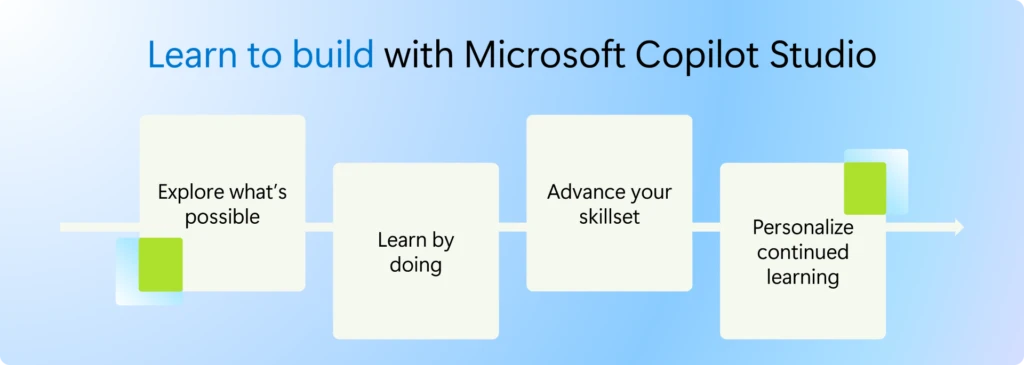
Note that these four ways to learn are flexible starting points, not required steps. You can build upon each of these with other parts of the learning journey path: Explore, learn by doing, advance, and grow.
1. Explore: See what you can build with Copilot Studio
Join our skilling webinar for a guided overview of what’s new in Copilot Studio, what to learn first, and how to get started building. You’ll also discover how Agent Academy can help you develop practical experience through hands-on training. You’ll also see how Microsoft Official Curriculum can help you build and validate career-ready skills.
2. Learn by doing: Get hands-on with Agent Academy
Agent Academy is a free, open-source training program for anyone who wants to build with Copilot Studio. Follow a guided project, put concepts into practice, and see how the different capabilities work together.
New to Copilot Studio? Start with Recruit NextGen
Recruit NextGen is the recommended starting point for learners who want to build with the GitHub Copilot harness. It’s beginner-friendly and hands-on, using a familiar IT support scenario so you can focus on how instructions, tools, knowledge, and workflows work together.
You’ll finish having published an agent to Microsoft Teams and Microsoft Copilot, taking your learning beyond the course and into an experience people can use.
Ready to go further? Continue with Operative NextGen
The Agent Academy Operative NextGen intensive training takes you beyond basic agent creation into advanced agents with autonomous capabilities using the GitHub Copilot harness. New training includes agent instructions, multi-agent readiness, triggers, model selection, AI safety, Microsoft Dataverse grounding, and model context protocol (MCP) server integration.
Across 12 hands-on missions, you’ll build and operationalize a sophisticated multi-agent system. More importantly, you’ll understand how to combine the latest Copilot Studio capabilities to create agents and workflows that can act, collaborate, and operate safely in a real business scenario.
When you want structured, skills-based training and credentials to validate your skills, continue with Microsoft Official Curriculum.
3. Advance: Build and validate career-ready skills
AI Skills Navigator is an AI-powered learning platform where you can build career-relevant skills through curated learning experiences. There, you can access Microsoft Official Curriculum: guided learner journeys built around the skills each role needs, with credentials you can earn along the way.
These courses are hands-on by design. Learn at your own pace with videos and hands-on labs, or join an instructor-led class through a Microsoft Learning Partner.
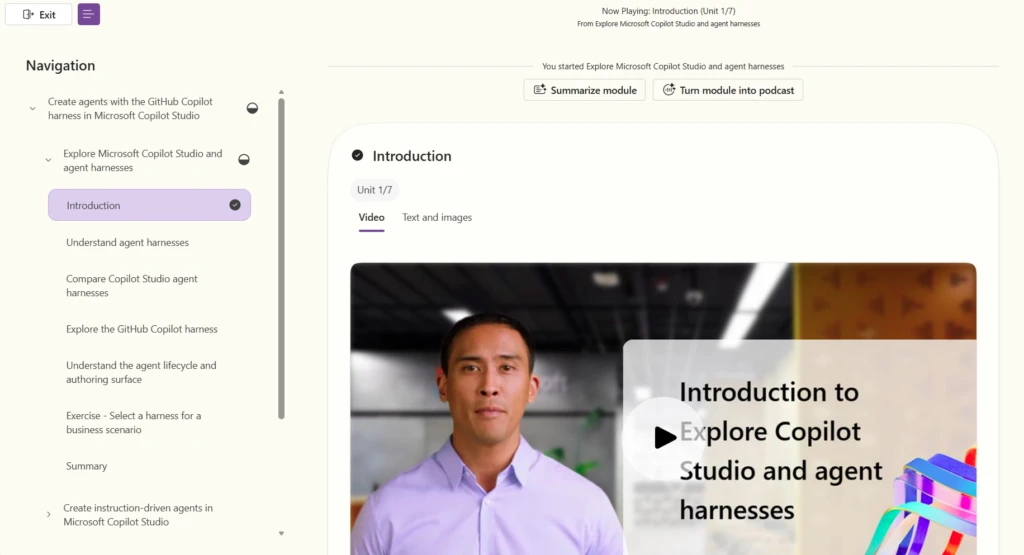
- Start with the foundations: Introduction to building AI agents (MS-4014) is foundational training that helps you understand what agents can do and how to plan your first agent solution.
- Build your first agent: Create agents in Microsoft Copilot Studio (PL-7008), recently updated for the GitHub Copilot harness, covers the core building blocks of an agent: knowledge, skills, tools, and publishing. Validate your skills with Microsoft Applied Skills: Build an agent in Microsoft Copilot Studio, earned through a hands-on lab assessment.
- Design integrated agent solutions: Design and build integrated AI agent solutions in Copilot Studio (AB-620) goes deeper into designing agents, integrating with enterprise systems, building multi-agent solutions, and application lifecycle management (ALM). This training will be updated in early October 2026 to align with the new GitHub Copilot Harness. It prepares you for the Microsoft Certified: AI Agent Builder Associate certification.
- Architect agentic solutions: Architecting agentic AI business solutions (AB-100) prepares solution architects for the Microsoft Certified: Agentic AI Business Solutions Architect Expert certification.
Each course links to relevant Copilot Studio documentation, so you can go further in the areas you want to understand more deeply.
4. Grow: Personalize your continued AI learning
Want to curate training for yourself or your team? AI Skills Navigator gives you the resources to personalize ongoing learning for your role and your goals, pulling courses, learning paths, and other skilling opportunities into one place. Use this resource if you want something shaped to where you are today.
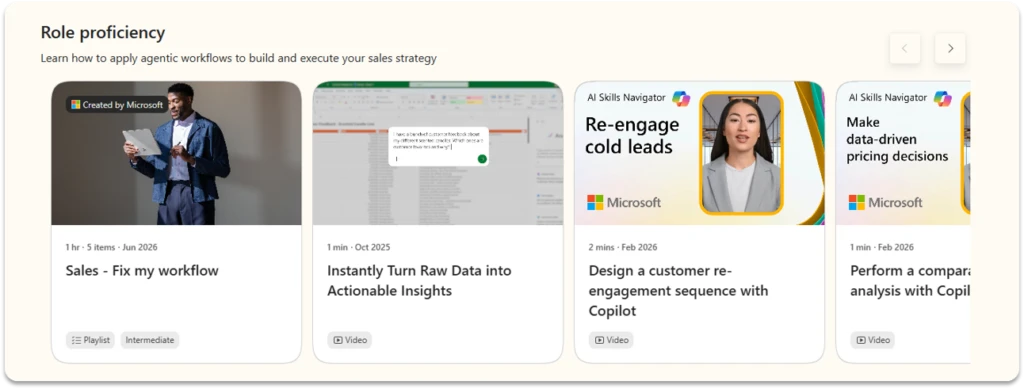
Choose from role-based playlists tailored to your interests, access one unified library spanning Microsoft Learn, LinkedIn Learning, and GitHub. Learning is available in multiple formats, from videos and podcasts to hands-on labs. Build technical and human skills together, earn recognized credentials as you progress, and use AI coaching for real-time guidance along the way.
More resources for Copilot Studio learning and upskilling
Connect and learn with other builders
Learning doesn’t have to happen alone. Look for workshops at Microsoft AI Tour, Microsoft Virtual Training Days, sessions at Power Platform Community Conference (PPCC) and Microsoft Ignite 2026, and community agent-a-thons and hackathons.
These are opportunities to ask questions, get hands-on experience, and hear how other builders approach similar challenges. Bring something you want to explore, whether that’s your first agent or a question from a project you’ve already started.
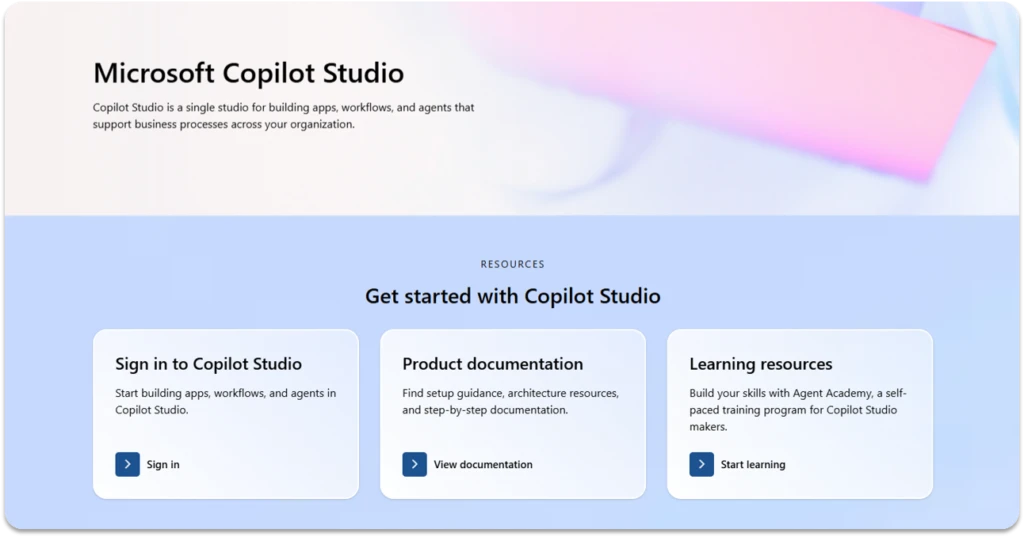
Use the Copilot Studio adoption page as your resource hub
As you continue learning, use the Copilot Studio adoption page as your resource hub. It brings together the latest guidance, learning resources, documentation, and next steps for makers, IT admins, and adoption champions inside your organization.
Whether you’re developing your own expertise or helping others get started, use it to find resources for your role.
Take your next step toward AI learning today
Start with one learning activity and make time for it. If you’re unsure where to begin, join the Skill up on Microsoft Copilot Studio webinar on October 8, 2026, for a guided introduction.
You don’t need to learn everything before you begin. Put what you learn into practice, build on your experience, and let your next question guide what you learn next.
Learn. Build. Grow.
Join us to explore learning paths, build with Copilot Studio, and grow your AI skills.