
New Speech Regions and Updated Language Picker in the Translator App
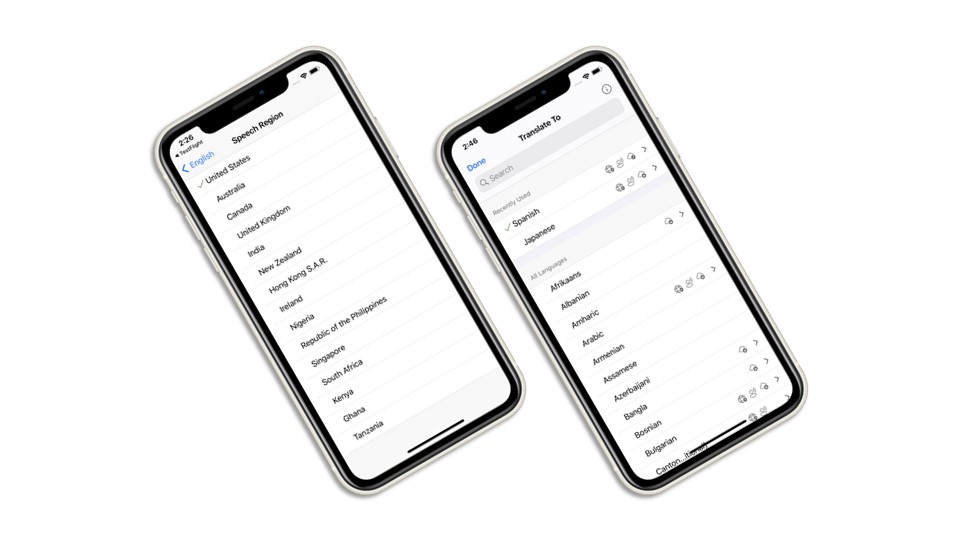
Today we are adding regional accents to the Microsoft Translator app on iOS and Android. Known as Speech Regions, you can now select the accent of text-to-speech audio output you would like to hear while using the app. For instance, if you wanted to hear a translation into English you would be able to select American, British, Australian, or other accents.
Along with this update, we have also updated the app’s language picker to make it easier to see which translation features are available for each language.
The upgraded Microsoft Translator app is available now for iOS and Android.
Speech Regions
The way a single language is spoken can often differ from region to region. A language like Spanish, for example, is spoken in Europe but also across North and South America. The way a Spanish speaker from Spain would pronounce a word or phrase would likely be very different from the way a Spanish speaker from Mexico would pronounce the same word or phrase.
You can now select which region you want to hear the playback of your translation. This is great for travel—if you wanted to play a passage to someone in the country you’re travelling in, you can play it in their native accent. It is also great for language learning—you can repeat and practice learning words and phrases in the regional accent you are most interested in.
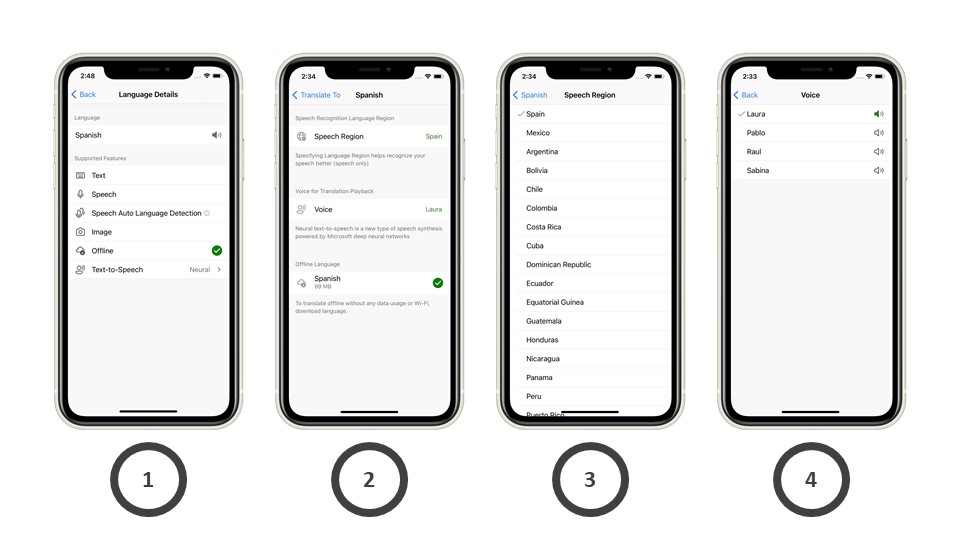
To access the new Speech Regions:
- Select the language of your choice, the example below uses Spanish
- Select “Speech Region”
- Choose the region
- Choose from the available voices from that region
Brand new language picker
Along with this release, we also updated the user interface so that it’s easier to see what languages are available for each feature in the app.
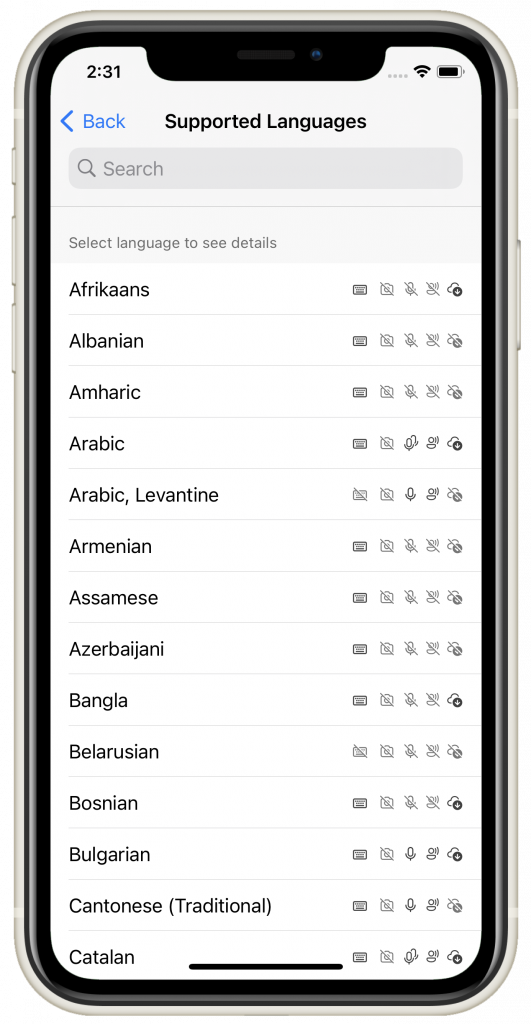
Image: Updated language picker
The Microsoft Translator app supports translation for text, speech (including multi-device conversations), speech auto language detection, and images. The app also features offline language packs and text-to-speech.
 |
Text | Translate text in 90 different languages. |
 |
Speech | Tap and speak into the microphone to translate short phrases while online. |
 |
Speech Auto Language Detection | Have a translated conversation without pushing the microphone button when it’s your turn to talk—just choose your languages, turn on the mic, and start the conversation. The app will listen for the two languages and translate what you have said after you finish speaking. The other person can start talking right away after you’ve finished, and the app will translate automatically. |
 |
Image | Translate the text in photos with the app’s built-in camera viewer, or upload saved photos from your gallery. |
 |
Offline | Download offline language packs so you can translate when you’re not connected to the Internet. |
 |
Text-to-Speech | Listen to the translated text at the push of a button. |
Learn more about the Microsoft Translator apps at microsoft.com/translator/apps.
Download the app
You can download the updated app today on iOS and Android.
 |
 |


