


Few of us know what is really happening on our systems when we install new software from new or untrusted sources. This is important because most installation processes require elevated privileges, which can lead to undesired system configuration changes. Knowing what changes have been made is vital to maintaining the security of your system, data, and networks. Identifying those changes can be challenging and time consuming without a little help.
The classic Attack Surface Analyzer 1.0 was released in 2012 to help software developers and IT professionals identify changes made to Windows operating systems during application installations. This year, we decided to rewrite the tool to take advantage of modern, cross-platform technologies like .NET Core and Electron. Attack Surface Analyzer 2.0 now runs on Windows, Linux, and macOS and is available as an open source project on GitHub.
Attack Surface Analyzer 2.0 can help you identify potential security risks introduced by changes to an operating system’s security configuration by identifying changes in key areas, including:
- File System
- User Accounts
- System Services
- Network Ports (listeners)
- System Certificate Stores
- Windows Registry
This tool can play an important role in ensuring that the software you develop or deploy doesn’t adversely affect the operating system security configuration by allowing you to scan for specific types of changes.
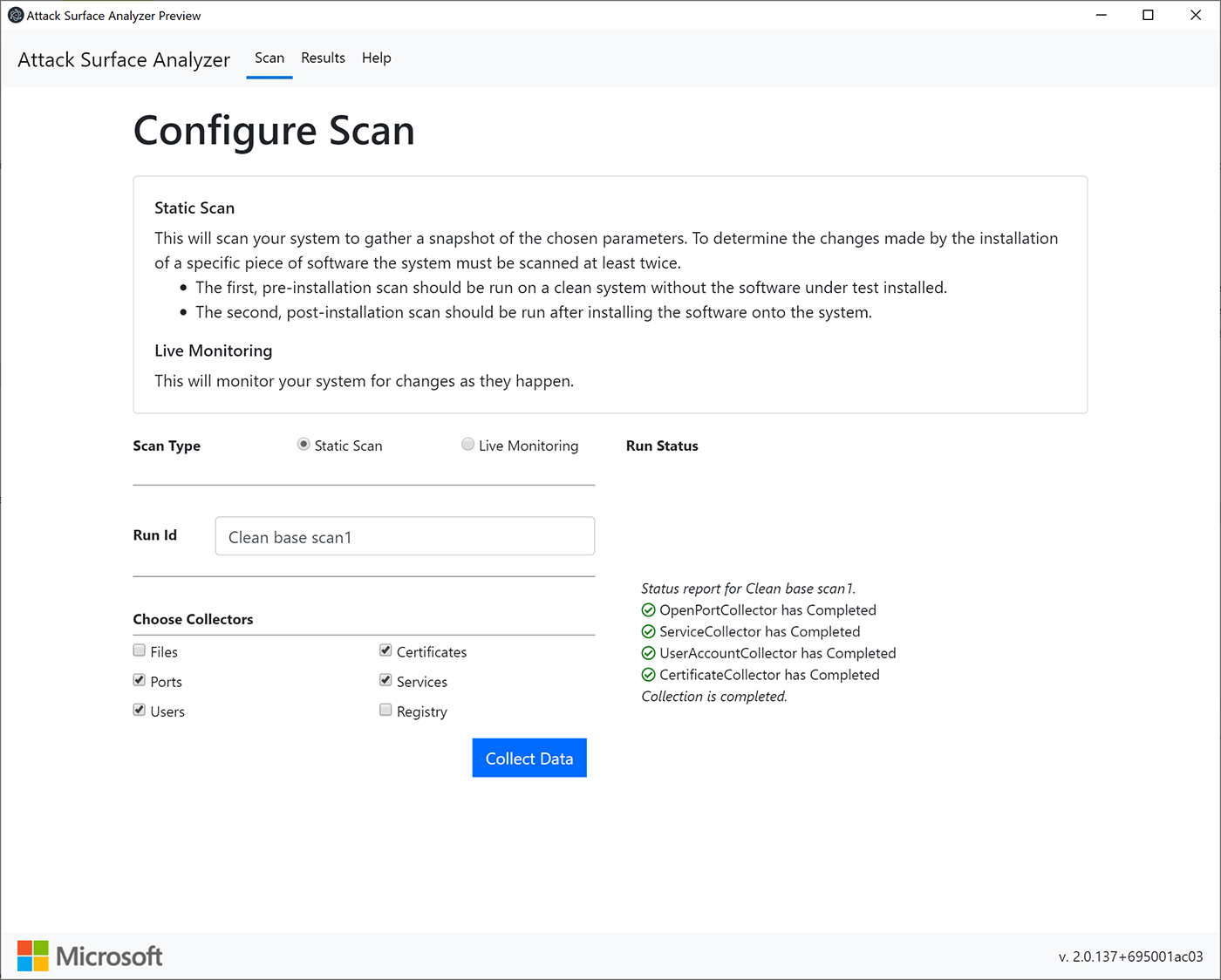
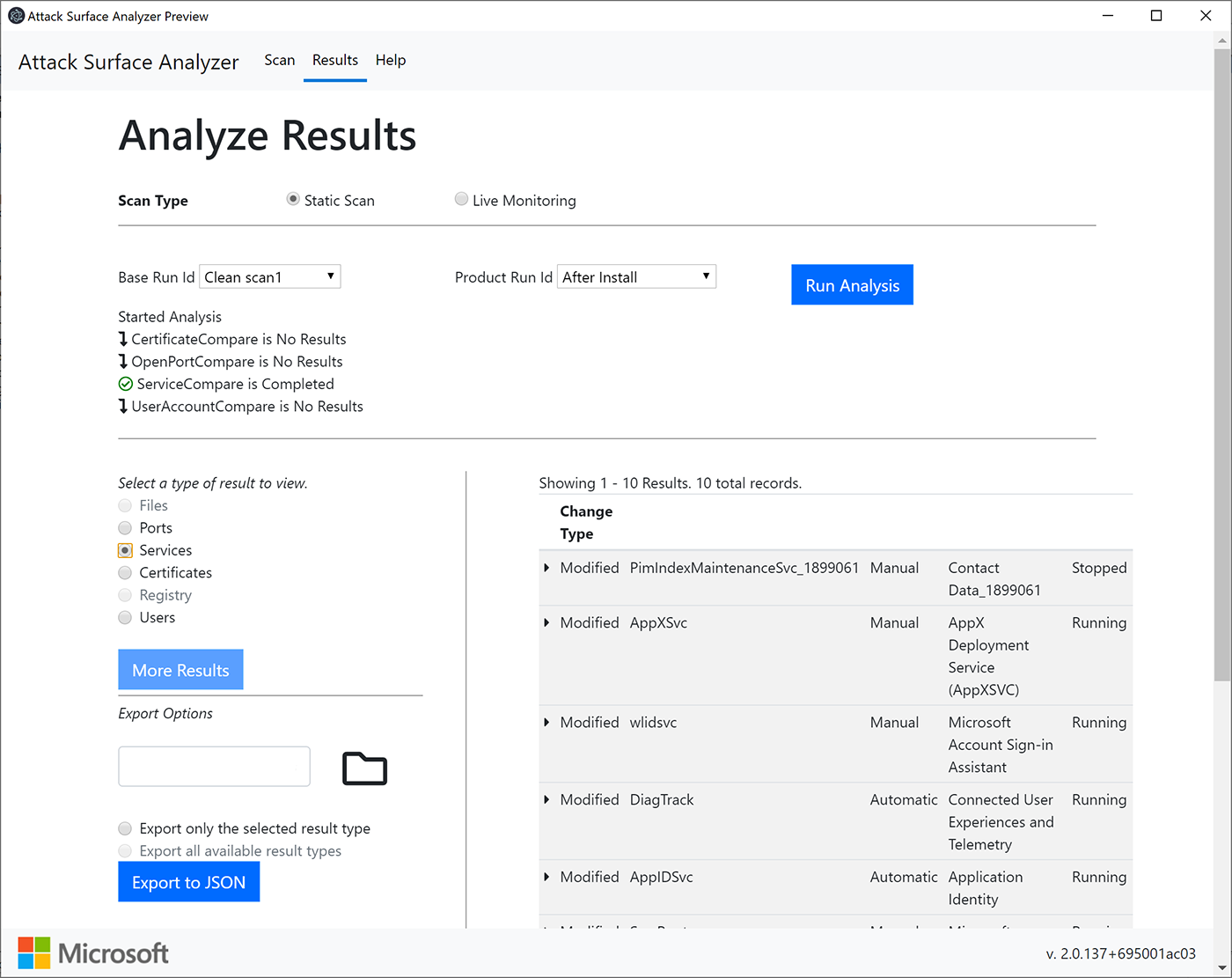
Results from the comparison analysis feature highlight relevant changes, which can be easily viewed or exported.
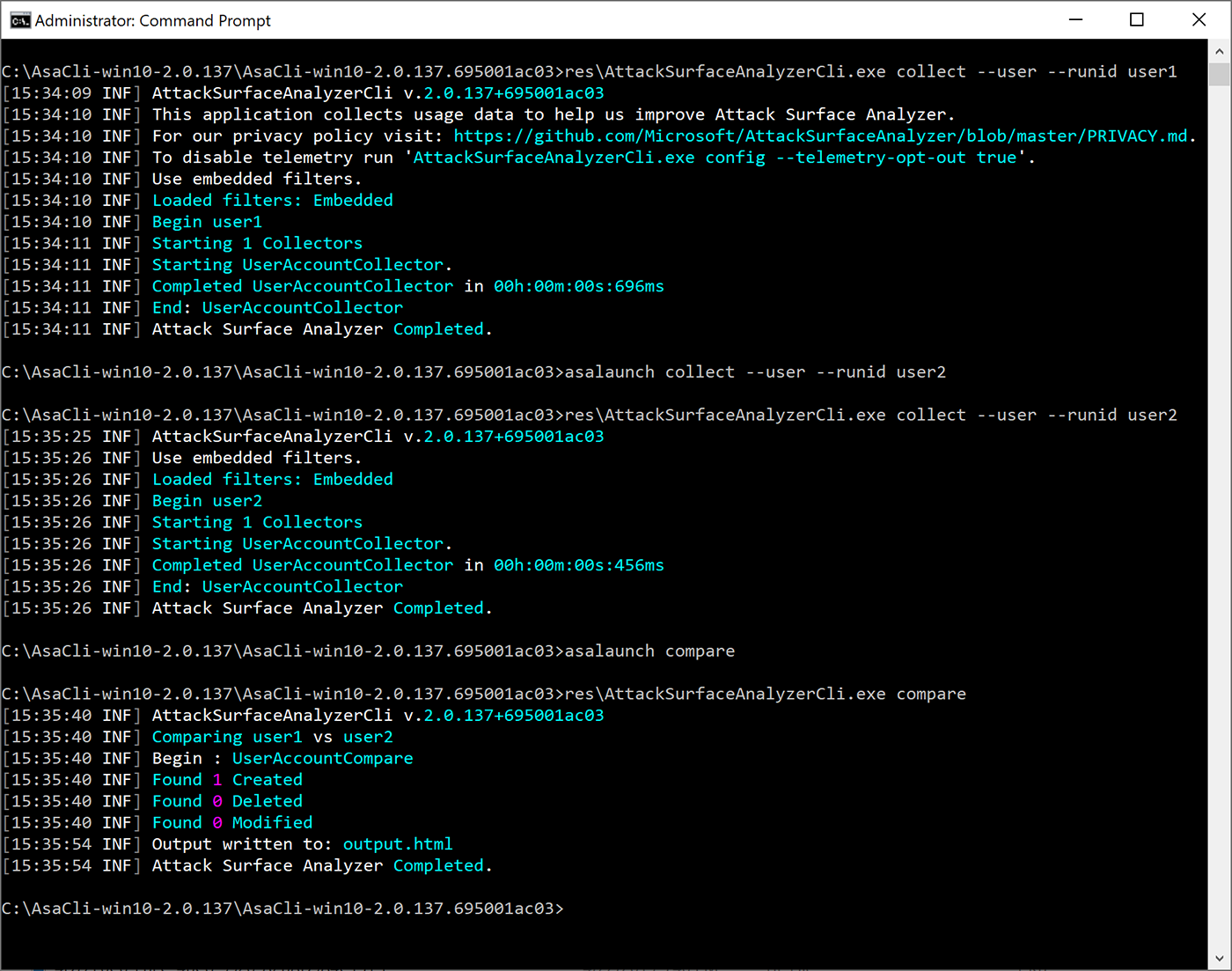
The tool includes both Electron and command line interface options. Results for the command line use option are written to a local HTML or JSON file, making it easy to include as part of your automated toolchain.
Detecting these types of changes can be error prone and time consuming. Attack Surface Analyzer 2.0 helps make it easy.
We look forward to your comments, ideas, and contributions for improving this tool. To learn more about Attack Surface Analyzer 2.0, please visit our GitHub project page at github.com/Microsoft/AttackSurfaceAnalyzer.