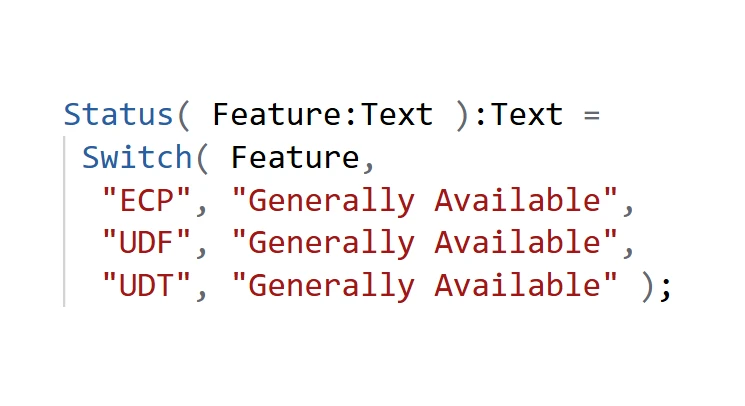
User Defined Types (UDTs) are now generally available!
As of Power Apps Studio version 3.26044, UDTs are enabled by default for new apps and can be enabled for existing apps under Settings > Updates > New > User-Defined types.
Enhanced Component Properties, User Defined Functions, and now User Defined Types have all reached general availability and are ready for your production workloads. You now have powerful tools for breaking large, mission critical apps into more modular, error resistant, and maintainable parts.
Records and Tables as parameters and return values
User defined types(UDTs) help make your formulas easier to write and understand by bundling information that logically belongs together into data structures. It also helps your formulas be less error prone by strongly typing information, especially useful when working with JSON.
For example, bundled information on a Book, such as the title, the author, the page count, and the publication year can be grouped together with appropriate types for each element using the Type function in the App object’s Formulas property:
Book := Type( {;
Title: Text,
Author: Text,
Pages: Number,
Published: Date
} )
A book can be passed into a User defined function to be stored in a database:
AddBook( newBook: Book ) : Void = {;
Collect( Library, newBook )
}
And a table of Books can be returned from a User defined function that filters on page count:
Books := Type( [ Book ] );
FastReads(): Books = Filter( Library, Pages < 20 );
UDTs and JSON
UDTs can be very helpful when working with JSON by validating and converting untyped text into a typed Power F object. For example, JSON has no date/time data type, instead it is stored in a string, often in ISO 8601 format. By providing a UDT, ParseJSON knows it needs to convert the string containing “1902-03-25” into a proper Date value, required by the record passed to AddBook():
AddBook(
  ParseJSON( "{
    ""Title"": ""Hound of the Baskervilles"",
    ""Published"": ""1902-03-25""
  }", Book )
)
If instead, we give ParseJSON a value that it can’t convert, say “03/25/1902” instead, it will generate an error:
AddBook(
  ParseJSON( "{
    ""Title"": ""Hound of the Baskervilles"",
    ""Published"": ""03/25/1902""
  }", Book )
)
Error: Expected value ’03/25/1902′ to be a valid RFC 3339 ‘full-date’ or ‘date-time’ format. Allowed ISO 8601 format(s): ‘YYYY-MM-DD’ …
IsType and AsType
If you’d like finer control over the conversion to a strongly typed value, to first detect and avoid the error, use the IsType and AsType functions. IsType can determine if a Dynamic value is of a particular type without producing an error. For example:
ForAll(
  ParseJSON(
    "[ { ""Published"": ""03/25/1902"" },
       { ""Published"": ""1902-03-25"" } ]"
  ),
  If( IsType( ThisRecord, Book ),
      AsType( ThisRecord, Book ),
      Blank()
  )
)
results in this table, where the missing columns of the valid Book record are filled in with Blank() values:
[
  Blank(),
  {
    Published:Date(1902,3,25),
    Title:Blank(),
    Author:Blank(),
    Pages:Blank()
  }
]
RecordOf
Finally, sometimes you have the definition for a table of items, and wish to define a function that takes one of those items as an argument. For example, had we started with the definition of Books (plural):
Books := Type( ;
[ // defines a single column table
{ // defines a record
Title: Text,
Author: Text,
Pages: Number,
Published: Date
}
]
)
We can define the type for a single book as:
Book := Type( RecordOf( Books ) );
Exactly as we did above, we can use this Book type to define our AddBook function. The definitions of Book and Books here is identical to what we did before – here we started with Books (plural) and above we started with Book (singular).
Let’s go!
Now that UDTs and UDFs are generally available, you can use them with confidence in production workloads. Use them to simplify your formulas and make them more error resistant, especially when working with JSON.
To recap, UDTs are created in the App object’s Formulas property with the Type and RecordOf functions. They are used in UDF definitions (also in App.Formulas) and with the ParseJSON, AsType, and IsType functions.
We’d love your feedback on the Microsoft Power Platform Community Forum where you can also find answers to your questions.
We can’t wait to see what you create!