We are excited to announce the General Availability of adding a Power Virtual Agents chatbot in a Power Apps portal without any code. Adding a chatbot to your Power Apps portal can be achieved within a couple of clicks and easier than ever. Now you can make sure visitors to the site have the right support when needed!
The highlights include –
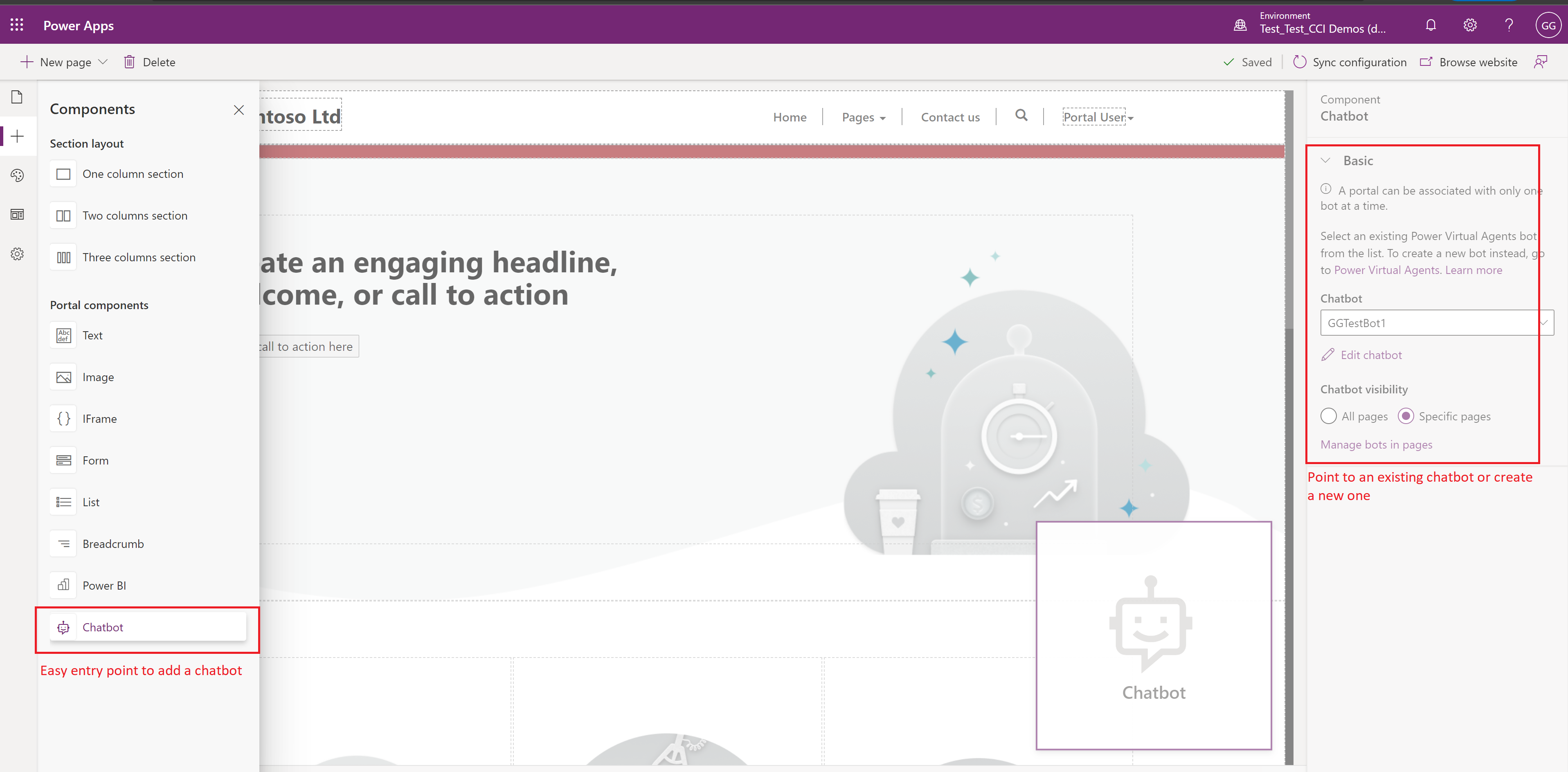
- Adding a chatbot component just like any other component into a Power Apps Portal without any code.
- Easy to point to an existing chatbot or create a new chatbot directly in Power Virtual Agents.
- Experience a styled chatbot out of the box, that matches the Portal look and feel.
- Apply different Portals themes and the chatbot updates automatically.
- Chatbot widget is minimized by default and can be maximized/minimized.
- Support for pro-code, advanced customization available if needed.
Easy entry point to add a chatbot in Power Apps portal Studio. Point to an existing bot or create a new one
Chatbot automatically matches Portal theme (out of box styling of chatbot)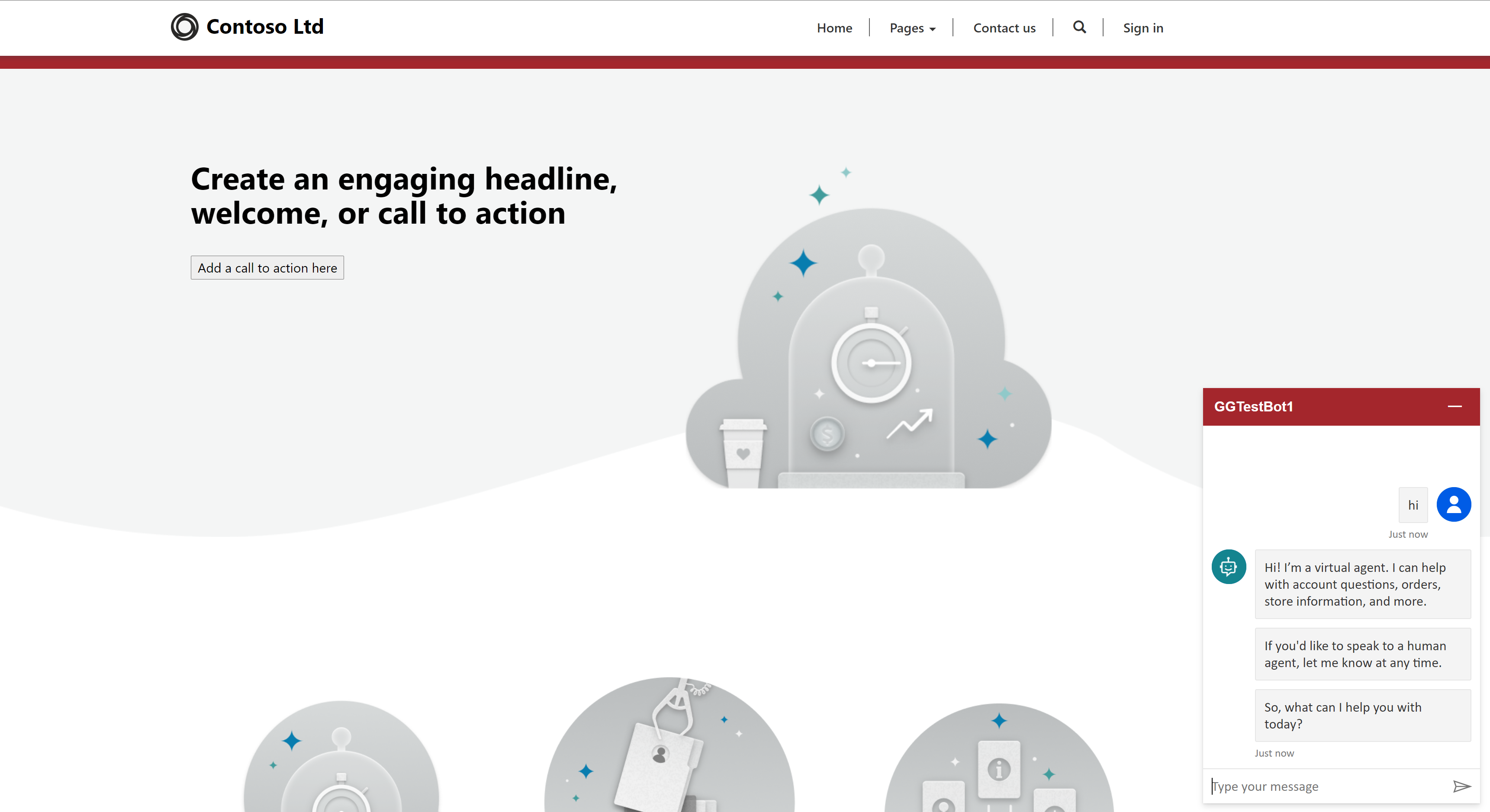
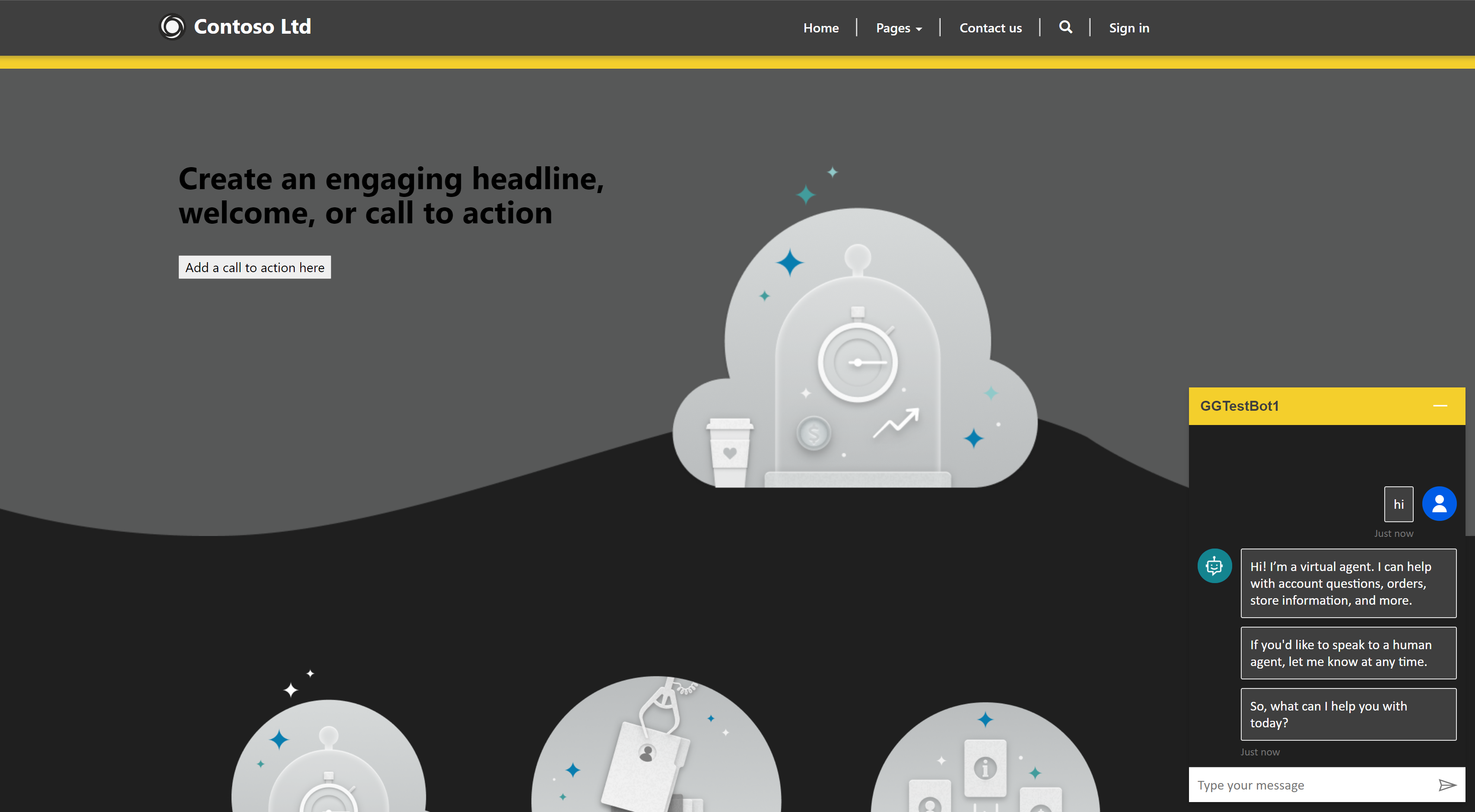
Support for minimizing/maximizing chatbot control, with default minimized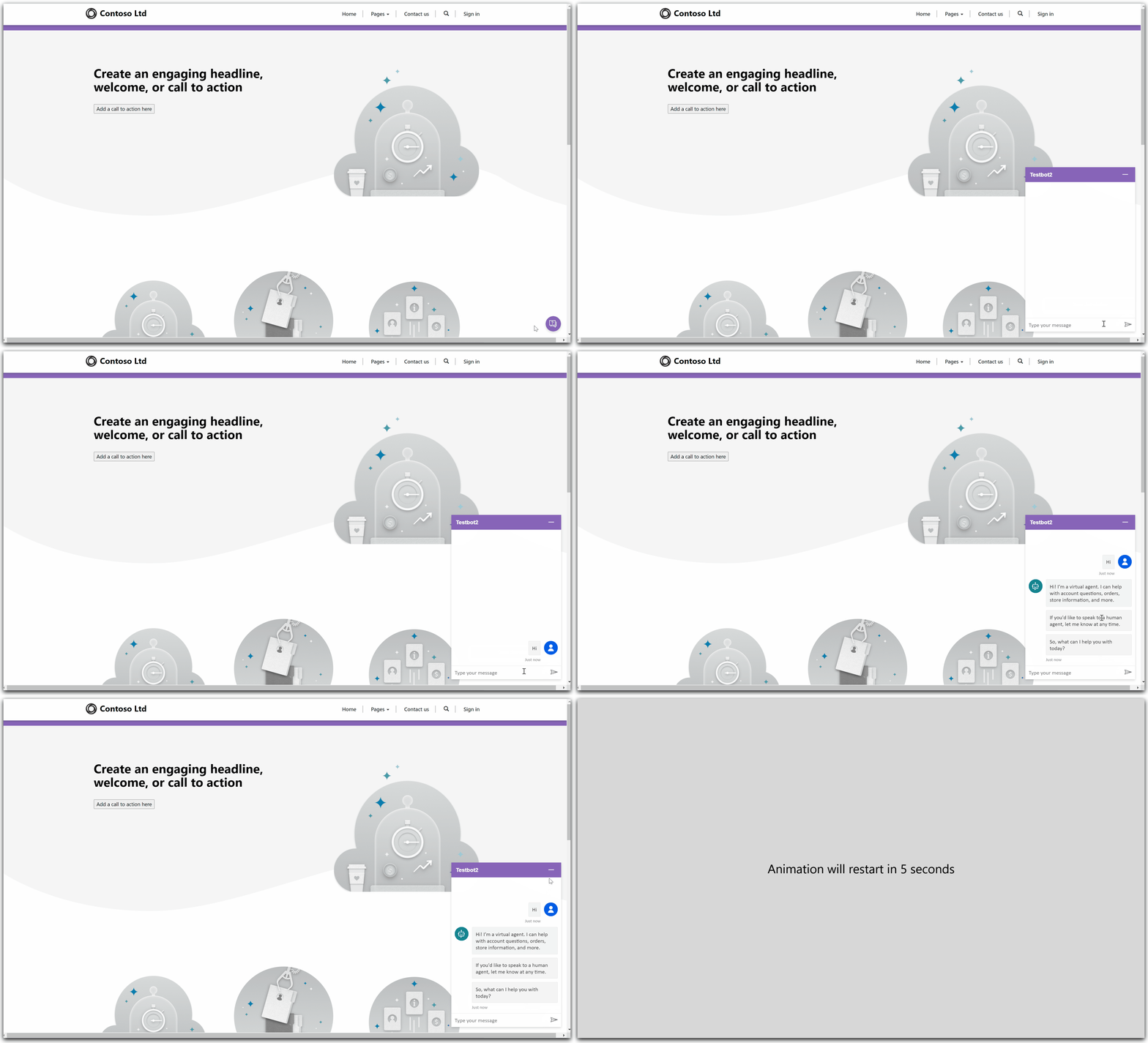
Finally, you can do additional customization of the chatbot control using advanced configuration in the Power Apps portal management app.
We look forward to your feedback
Your feedback will help us continue to build on and improve the capabilities of this feature. We want to hear from you!
For details, see the documentation.