
Skip to main content Pricing for individuals For families For single users For premium users For students Learn more Pricing for business For small business For schools For government Pricing for enterprise For enterprise For frontline workers For nonprofits For government Meet Copilot Copilot Chat AI Agents Daily Prompt Guide Plans and pricing Microsoft Teams Word Excel PowerPoint Outlook OneDrive SharePoint Planner See all apps and services Microsoft Office Windows 365 Microsoft Viva Microsoft Edge Microsoft Agent 365 Plans and pricing Learn to use Copilot Copilot learning center Cost savings Accounts and billing FAQ Setup and install Templates Training What's new Microsoft Frontier Program Microsoft 365 Roadmap Microsoft 365 Blog Small Business Resource Center Self-help resources Billing support Community Contact Microsoft Support Self-help resources Admin self-help Support plans Find a partner Contact Sales Community Self-help resources Educator Center Request support Contact Microsoft Support Community Become a partner Partner resources See all support Try for free

Try Microsoft 365 Copilot

Available on desktop and mobile devices

The highly anticipated XLOOKUP function in Excel is generally available for all users across Windows, Mac, and Excel on the web. XLOOKUP is the successor to the iconic VLOOKUP function, which has been one of the most used functions in Excel.

XLOOKUP helps users find what they need more efficiently with fewer limitations, from being able to look up a value vertically and horizontally (and to the left!) to supporting column insertions and deletions and more.
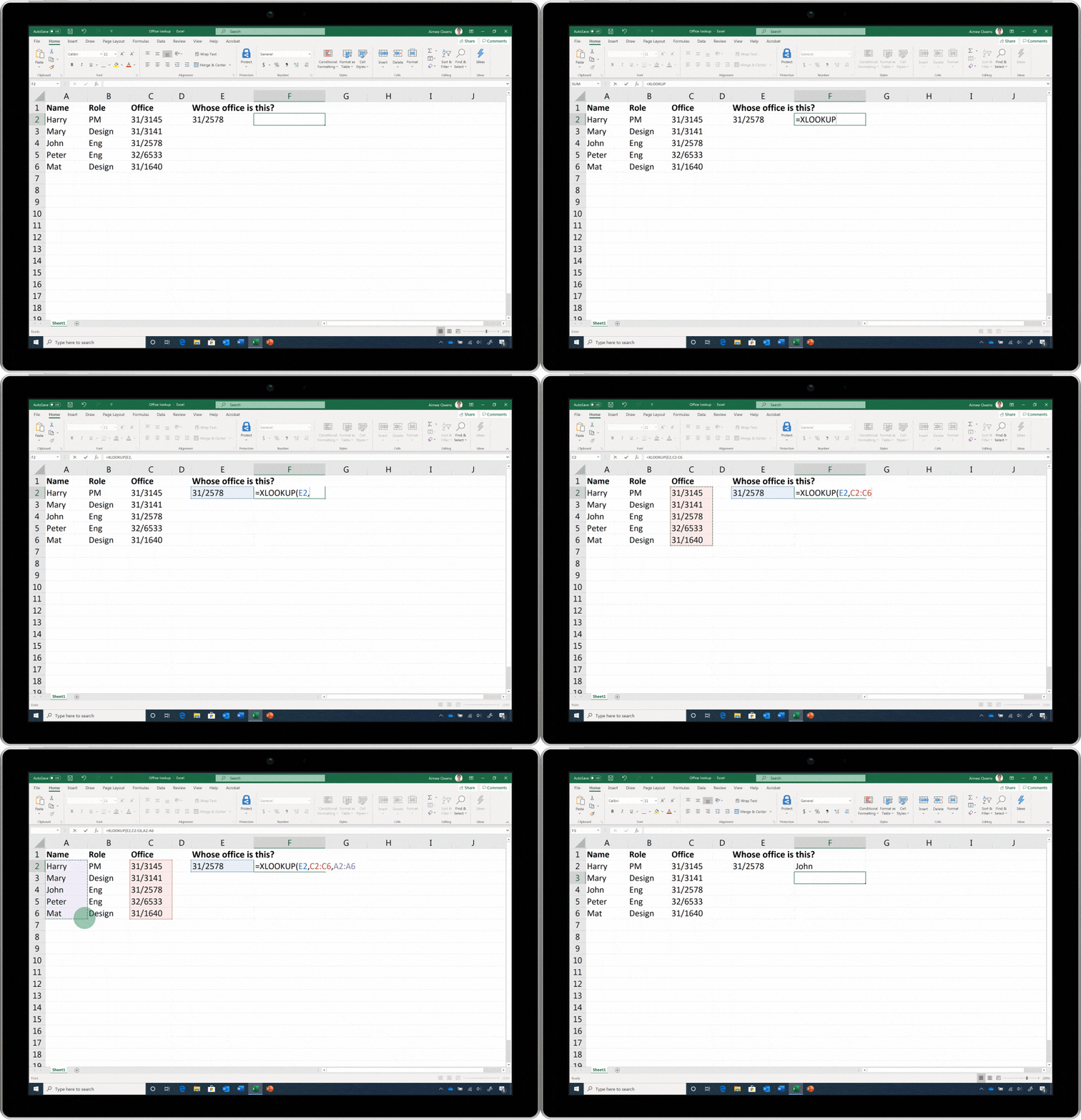
An animated image of Excel's XLOOKUP function being used on a tablet. The user is looking up offices, names, and roles.

Previously, we released XLOOKUP to Office Insiders and received lots of excitement and feedback on the feature. While you can still perform VLOOKUP functions, we encourage you to try XLOOKUP for better and faster results. For more information on XLOOKUP, read our help article and our previous announcement of XLOOKUP’s Office Insiders release.

Stay updated

To stay updated on the latest Excel news, follow the Excel blog on Tech Community and Excel on Facebook and Twitter. Also, to try XLOOKUP and other new features in Excel, make sure you have the latest version of Excel.