Today we announced three major OneNote developments, including Office Lens, a neat new app in the Windows Phone Store. The same functionality is built into the Windows 8 and iOS OneNote apps and can be accessed through the camera button in each app.
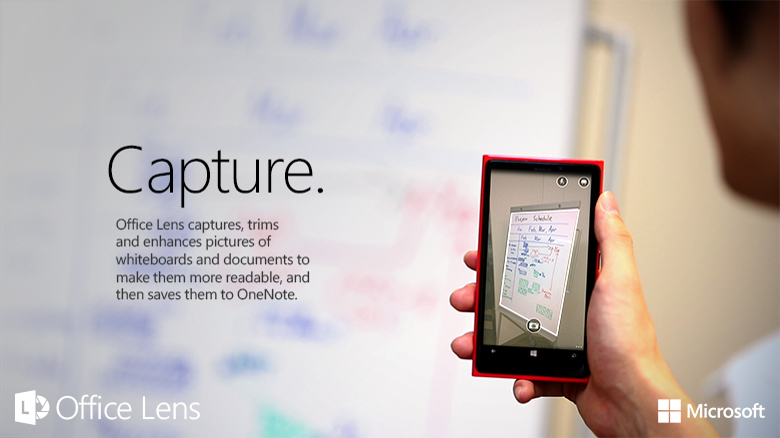
Office Lens is an app that’s like having a scanner in your pocket. You can use it to take pictures of things like business cards, restaurant menus, notes on whiteboards or blackboards — anything you want to keep on hand. But unlike loose sticky notes, business cards or sketches on lunch napkins, you won’t lose track of your ideas when you capture them with Office Lens. Even things like children’s artwork is fair game. Snap a picture of that one-of-a-kind card your child made and it’ll be at your fingertips whenever you’d like to see it.
Office Lens trims, enhances and makes pictures readable. Weird angles are straightened, shadows are cleaned up and the images are automatically synced to OneNote, so you can get to them on all your devices.
When your picture includes printed text, such as a poster or business card, OneNote on a PC can recognize the text with optical character recognition (OCR) so you can search for words in the image — and you can edit the text, or copy and paste it into apps like email and documents.
Office Lens has three modes, or settings, that help make your captures look their best:
- With Whiteboard mode, glare and shadows disappear.
- With Document mode, text is clear and easy to read.
- With Photo mode, you can take pictures of people and scenery.
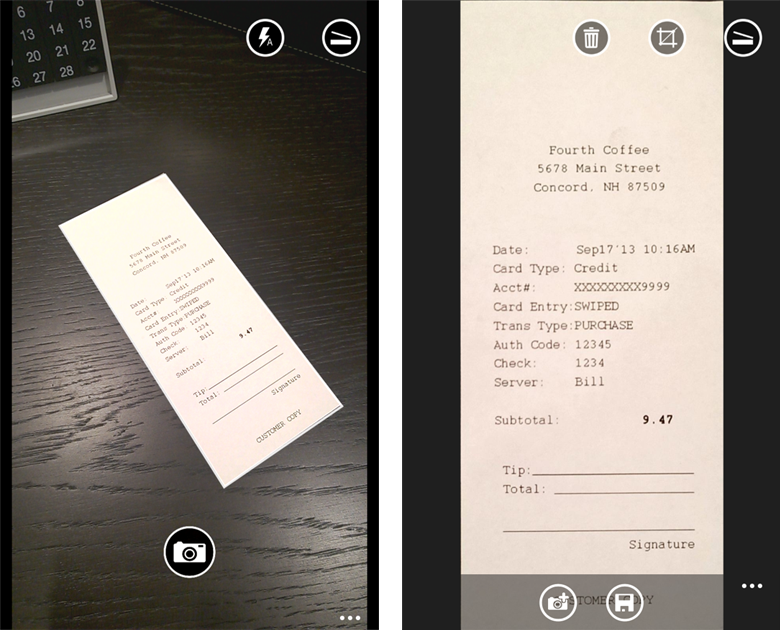
If you already have pictures on your phone, you can edit them in Office Lens and clean them up too.
Office Lens is free in the Windows Phone Store. Install it and try it out today.
Please let us know in the comments or in the app store if you have any feedback. We would love to hear from you.
Get OneNote  | Follow OneNote