Skip to main content Explore Microsoft 365 apps Pricing for individuals Microsoft 365 Personal Microsoft 365 Family Microsoft 365 Premium Microsoft 365 Pro Student discount pricing Pricing for business Microsoft 365 Business Standard with Copilot Microsoft 365 Business Premium with Copilot For small business For schools For government Pricing for enterprise Microsoft 365 E3 Microsoft 365 E5 Microsoft 365 E7 For enterprise For frontline workers For nonprofits For government Meet Copilot Copilot Chat AI Agents Daily Prompt Guide Plans and pricing Microsoft Teams Word Excel PowerPoint Outlook OneDrive SharePoint Planner See all apps and services Microsoft Office Windows 365 Microsoft Viva Microsoft Edge Microsoft Agent 365 Plans and pricing Learn to use Copilot Copilot learning center Cost savings Accounts and billing FAQ Setup and install Templates Training What's new Microsoft Frontier Program AI at Work Roadmap Microsoft 365 Blog Small Business Resource Center Get started guide Self-help resources Billing support Community Contact Microsoft Support Self-help resources Admin self-help Support plans Find a partner Contact Sales Community Self-help resources Educator Center Request support Contact Microsoft Support Community Become a partner Partner resources See all support Try for free

Try Microsoft 365 Copilot

Available on desktop and mobile devices

The new Universal Windows Office Lens app gives your Windows 10 PC, tablet, phone or even HoloLens scanning superpowers. Whether you need to share your latest ingenious napkin sketch or grab the text from a photo or screenshot in your pictures folder, Office Lens makes it simple to automatically crop and re-use your content in OneNote, Word or PowerPoint.
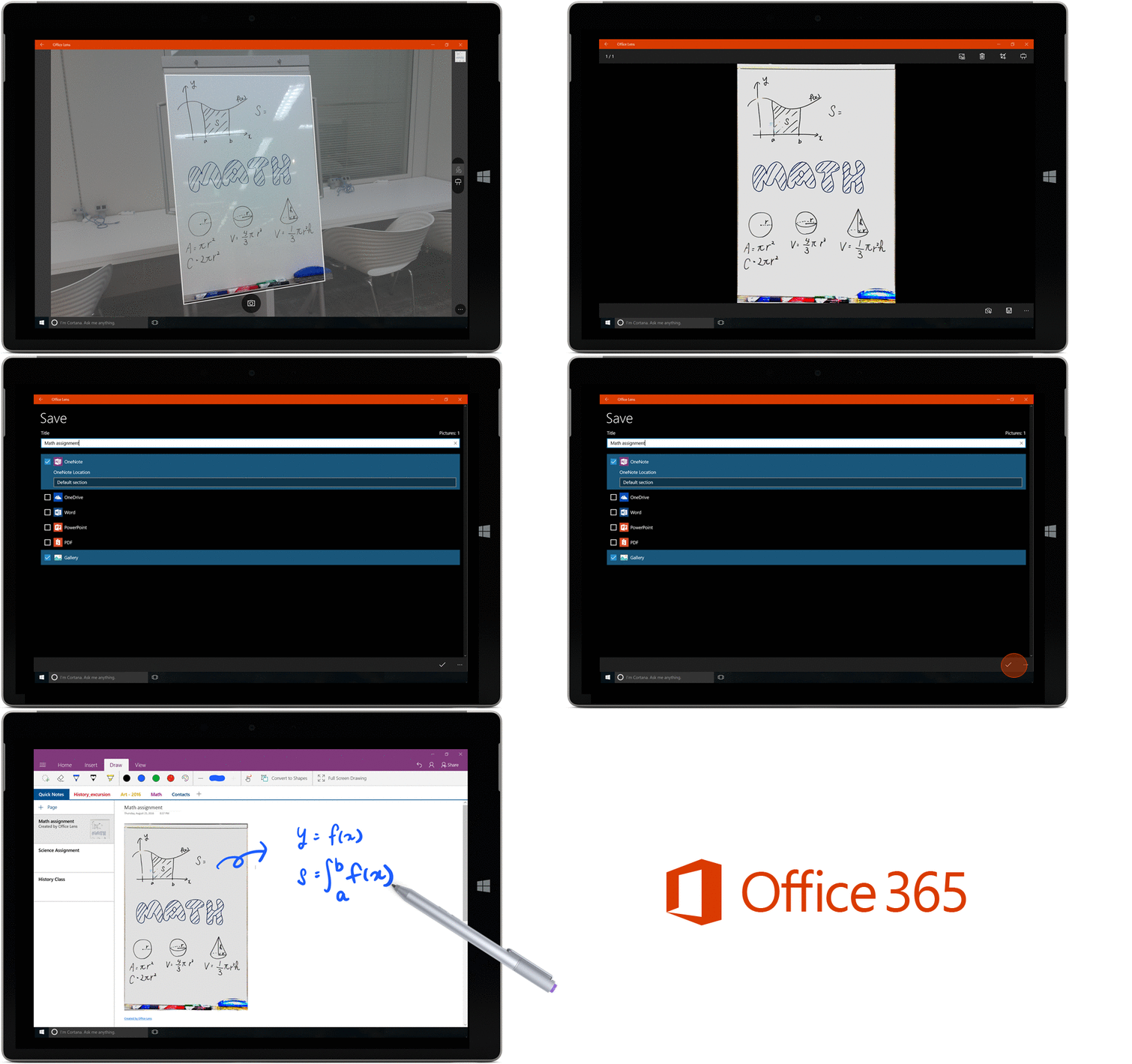
Office Lens GIF - cropped

Once your content is captured and saved to OneDrive, it becomes searchable from your Windows PC through the power of Optical Character Recognition, so you’ll never misplace a key idea again.

Office 365 and OneDrive for Business support for Windows, Android and iOS

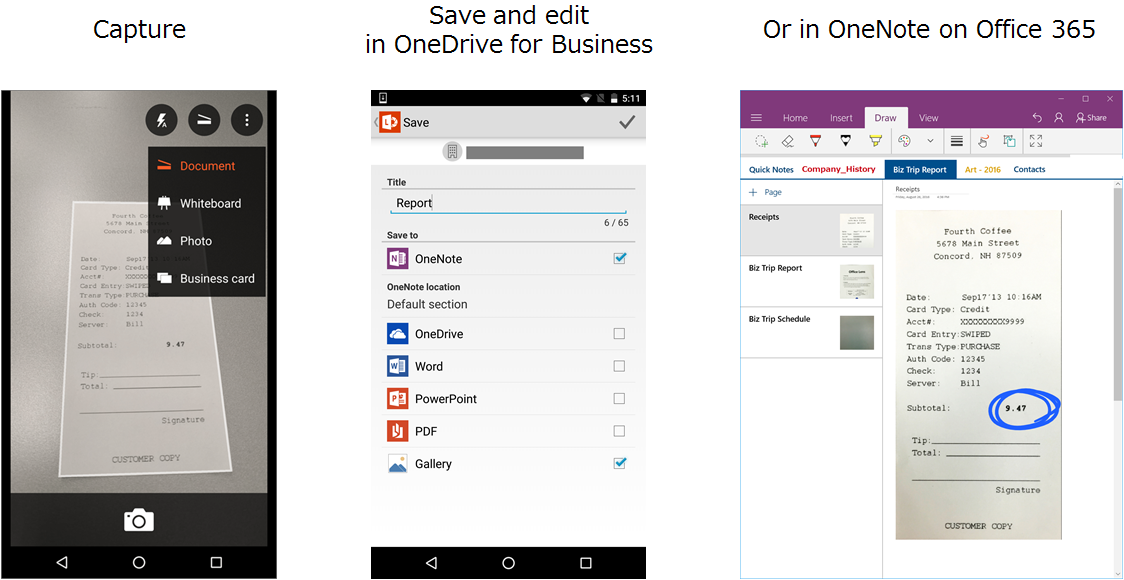
With the latest updates for Office Lens for Windows 10, Android and iOS, you can securely save your scans to your work or school Office 365 accounts. Whether you’re collaborating over OneNote, need an image on your OneDrive or need to re-create a document in Word, Office Lens brings your content securely to your Office 365 experience. Just sign in to Office Lens using your company, organization or school email address and capture to your heart’s content. Your scans will benefit from the easy sharing and security afforded by Office 365.
Images

Get Office Lens for free today: iOS | Android | Windows

—The Office Lens team