Vacation is a time to relax. However, the weeks leading up to it can often be as stressful as the time off is fun, as you rush to get packed and finish all those important to-dos before you set your “Out of Office” message. We want to take one thing off your to-do list.
Outlook on the web now makes it easier to clear your calendar and automatically decline meetings before you head out for some time away from the office. When you set an automatic reply in Outlook on the web, Outlook will offer to do the following on your behalf:
- Block your calendar so people know you’re away.
- Clear existing meetings on your calendar by declining/canceling them.
- Automatically send a response to incoming invitations while you’re away.
Block your calendar
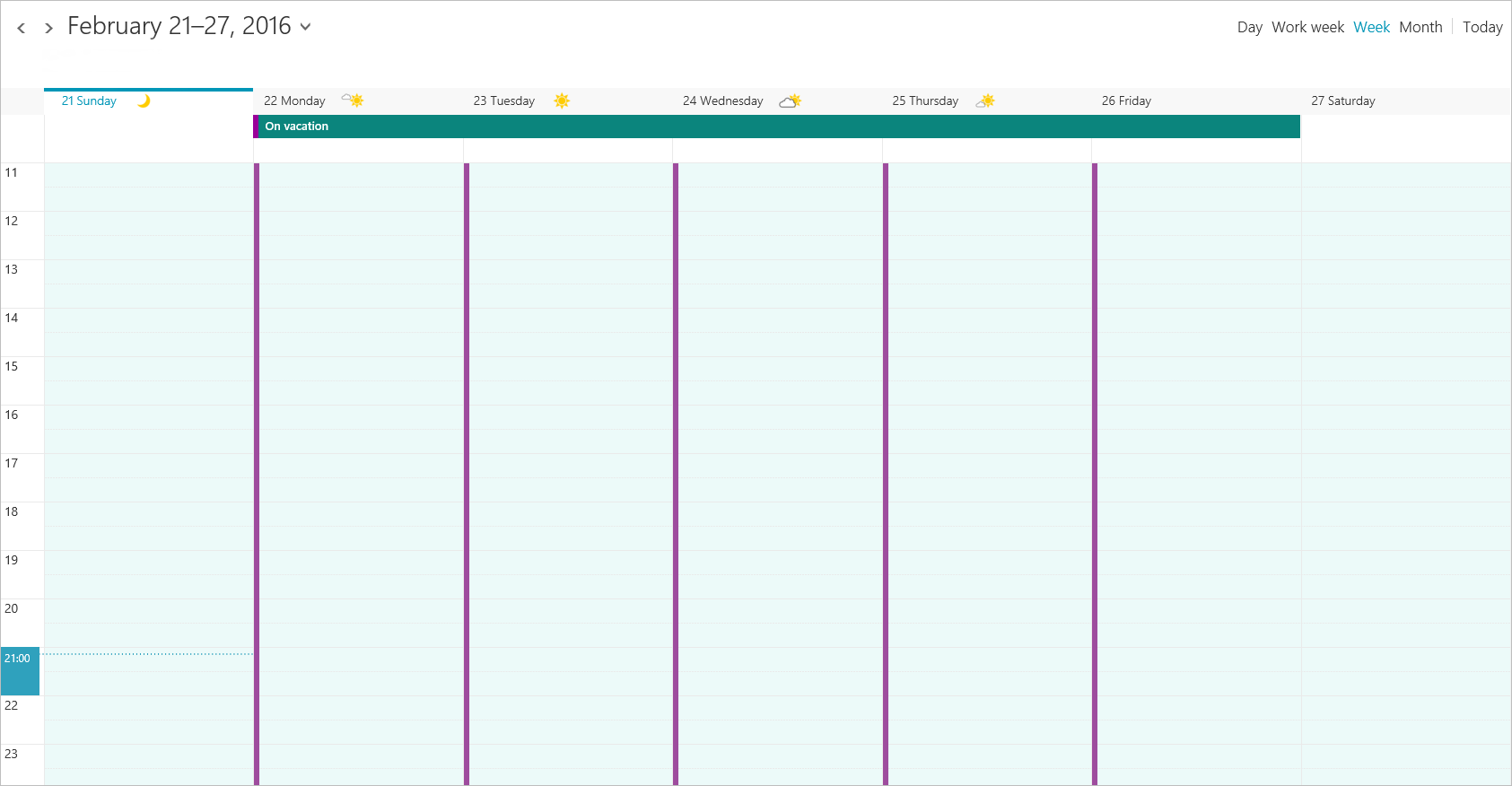
One of the most common things you do before taking time off is block time on your calendar so people know you are going to be away. Now, when you set your automatic reply, select the option Block your calendar and Outlook on the web will create an appointment for the duration of your automatic reply.
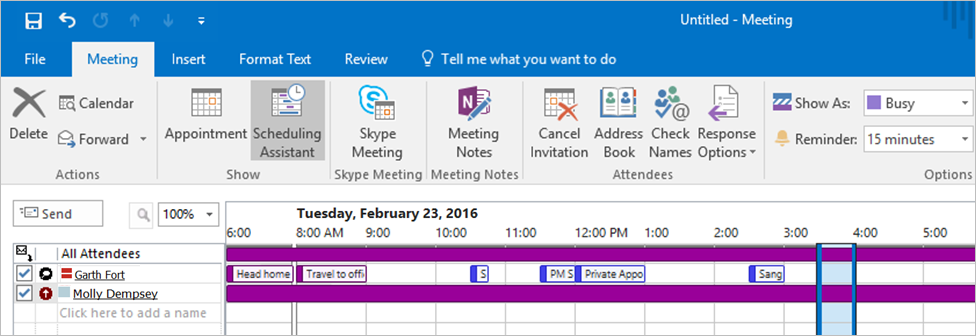
When a colleague looks up for your availability with the Scheduling Assistant, they’ll see you as Away.
Clear existing meetings by declining or canceling them
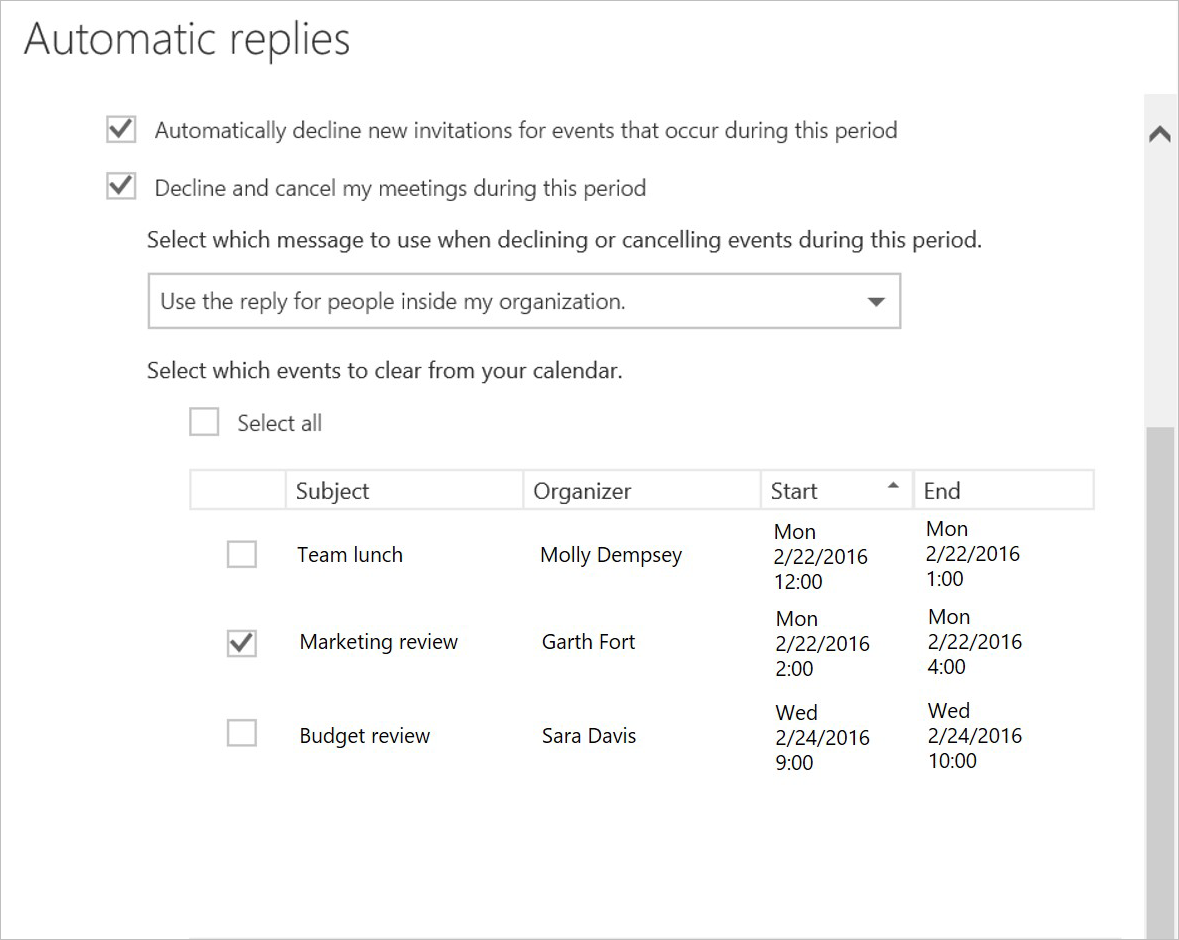
Another task to take care of before leaving the office is to decline and cancel events currently on your calendar. Now, when you set an automatic reply, Outlook on the web finds all events that occur while you’re away and gives you the option to indicate which meetings you would like to cancel or decline, as well as give you reply options to include.
Outlook on the web selects all meetings with attendees by default, leaving events without any attendees unchecked (since those are usually reminders or notes users create for themselves). If there is a meeting you don’t want to cancel, simply uncheck it from the list and Outlook on the web will leave the event on your calendar.
Automatically send responses to incoming invitations
Of course, work doesn’t stop while you are away from the office. Outlook is now able to automatically decline a new invitation on your behalf. With this option, others will know you won’t be attending a meeting that pops up while you’re away.
After responding on your behalf, Outlook will leave the invitation in your inbox so that you can still know what happened while you were gone.
How can I start taking advantage of this?
These options will start rolling out today to Office 365 users of Outlook on the web, as well as to users of the new Outlook.com. From Mail or Calendar, click the gear icon (⚙) in the upper right corner and select Automatic replies.
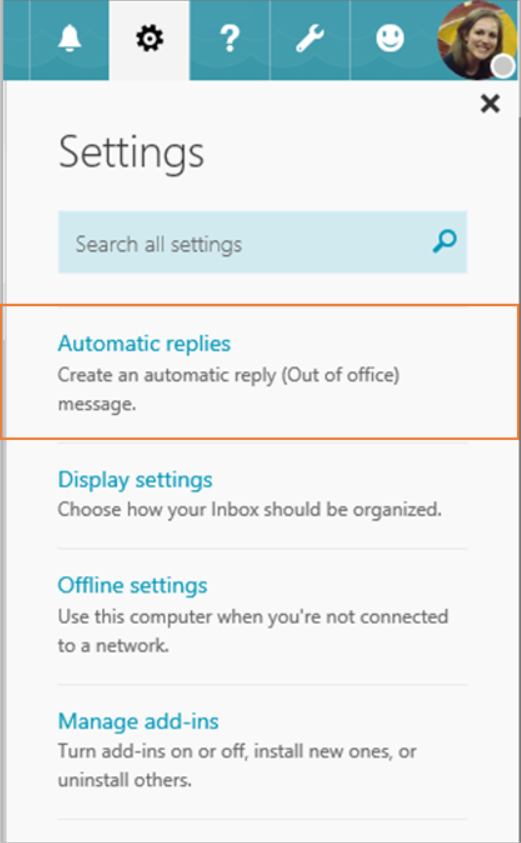 | 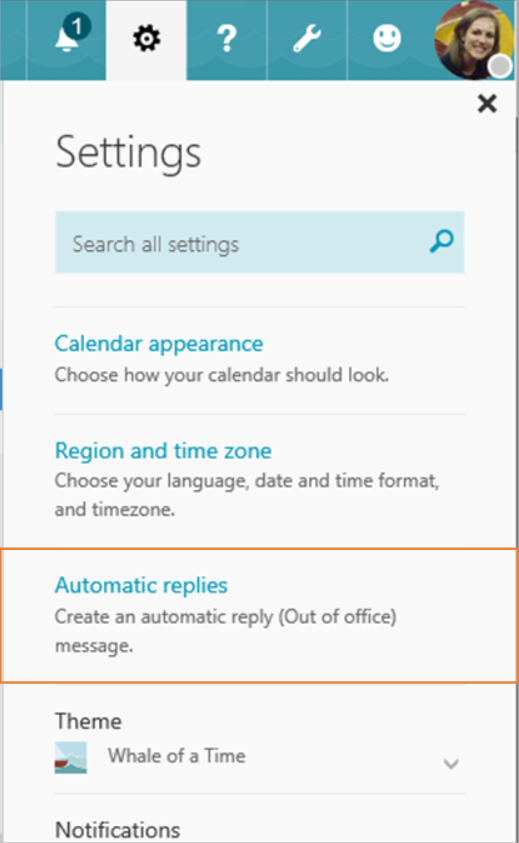 |
| Settings from Mail. | Settings from Calendar. |
Frequently asked questions
Q. Which users have access to these new features?
A. This feature is available to users with Office 365 subscriptions that include Exchange Online and to users of the new Outlook.com.
Q. Will these features work in other Outlook applications (Windows, Mac, iOS, Android, Windows Phone)?
A. You need to set up your Automatic replies through Outlook on the web, but once you do that your meetings will automatically be cleared and your calendar blocked in all Outlook applications using the same account. Based on usage, we will evaluate bringing this feature directly to the other applications.
Q. When will these features be available?
A. We have already begun rolling these features out to users of Office 365 and the new Outlook.com and expect the rollout to be complete in the next couple of weeks.