
In modern contact centers, not every customer question can be resolved by a single representative. Complex interactions often require quick collaboration—bringing in subject matter experts, supervisors, or external partners—without breaking the flow of the conversation or forcing customers to repeat themselves.
Dynamics 365 Contact Center addresses this challenge with powerful consult capabilities, enabling service representatives to collaborate in real time while keeping conversations seamless across voice and digital channels.
To see how these capabilities come together in practice, let’s step inside Contoso Health, a multi‑specialty healthcare provider delivering patient support at scale.
Inside Contoso Health: Coordinated Care Without Disruption
Contoso Health serves thousands of patients every day through its Patient Access and Care Coordination teams. Representatives handle a wide range of interactions—appointment management, referral validation, insurance questions, post‑discharge follow‑ups, and care plan clarifications.
Their goal is simple: connect every patient to the right expertise instantly, without transfers, repetition, or uncertainty.
Here’s how consult capabilities in Dynamics 365 Contact Center make that possible.
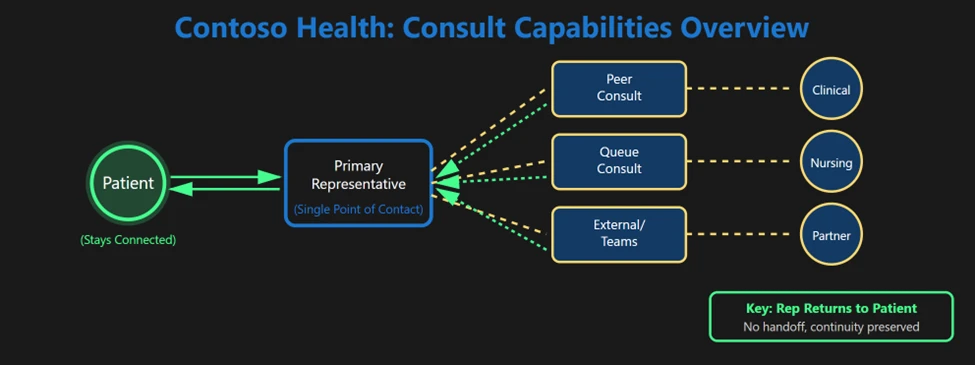
Consult with a Representative: Real‑Time Peer Collaboration
Some situations require a quick second opinion before responding to a patient. Rather than transferring the interaction, representatives can consult another service representative or supervisor while keeping the patient on hold.
Contoso Scenario: Referral Eligibility Check
A patient calls to reschedule a specialist appointment and asks whether their referral is still valid. The Patient Access representative initiates a consult with a Scheduling Specialist, who can see the conversation context and confirm referral rules in real time.
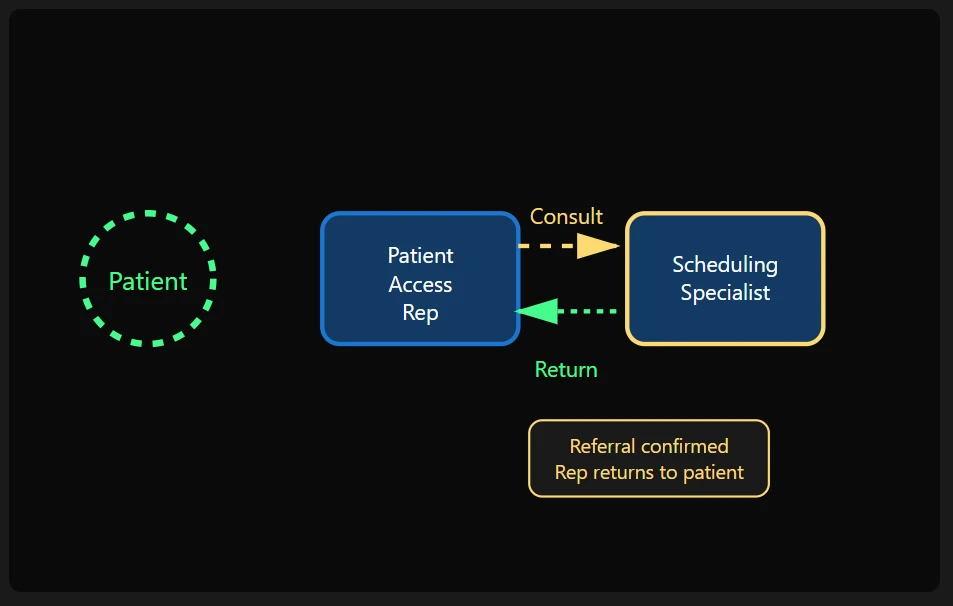
What the patient experiences:
- A short, informed hold.
- No handoff or repetition.
- A confident, accurate response from the same representative.
Consult to Queue: Access to Specialized Expertise
When the required expertise isn’t known upfront, representatives can consult an entire specialist queue. Dynamics 365 Contact Center uses routing logic to connect the representative with the most appropriate expert based on skills and availability.
Contoso Scenario: Pre‑Procedure Instructions
A patient asks detailed questions about preparing for an upcoming procedure. The representative consults the Nursing queue, allowing the system to route the consult to an available clinician.
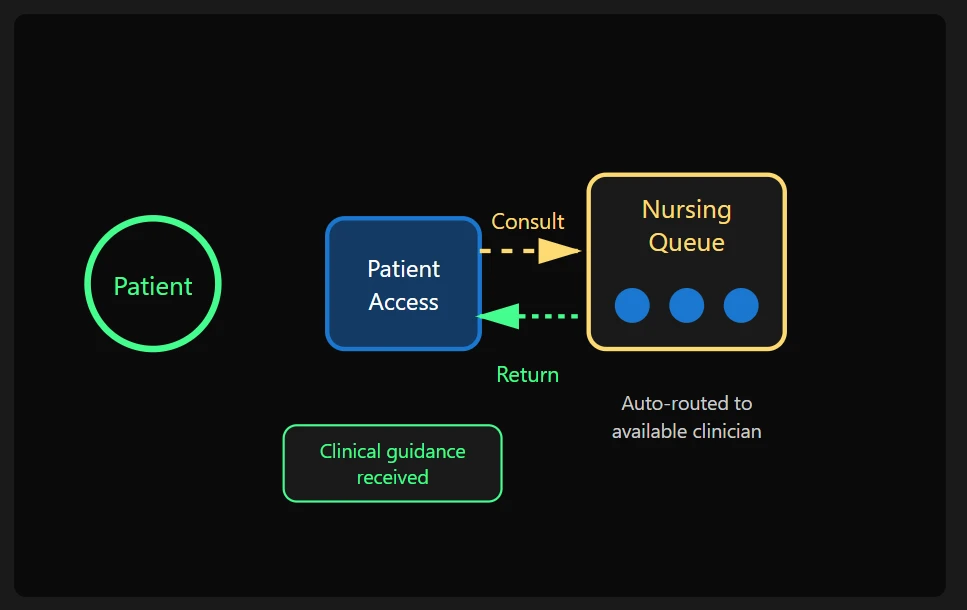
Why it works:
- No manual searching for the right person.
- Faster access to clinically accurate information.
- Safer, more reliable guidance in high‑stakes interactions.
Consult with External Numbers: Coordinating with Healthcare Partners
Healthcare interactions often depend on information outside the organization—insurance providers, labs, or partner clinics. Representatives can consult external PSTN numbers directly from the communication panel.
Contoso Scenario: Insurance Coverage Verification
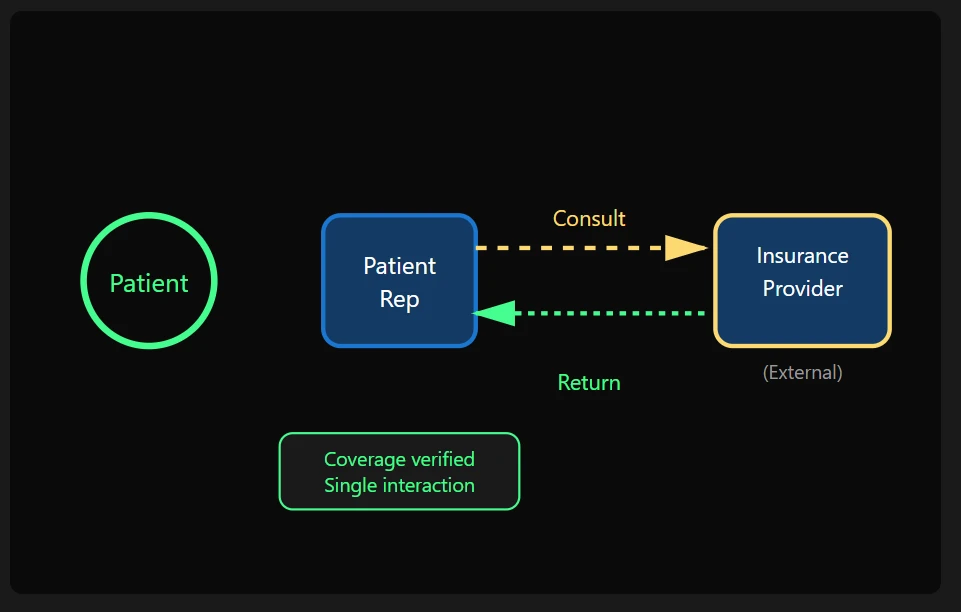
A patient wants to confirm coverage for a diagnostic imaging procedure. The representative consults the insurance provider via an external number, verifies eligibility, and returns to the patient with confirmed details—without ending the call.
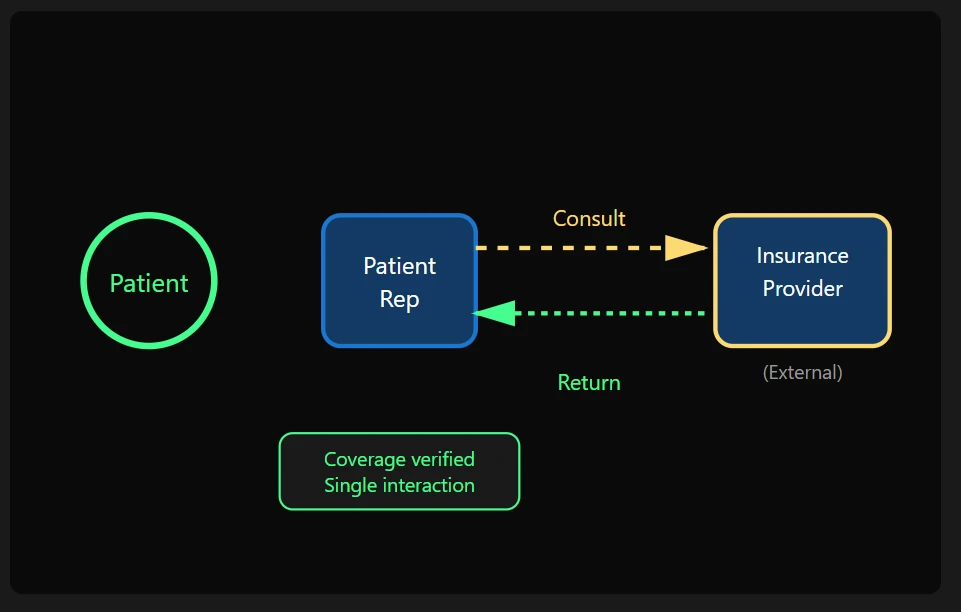
Outcome:
- Verified information in a single interaction
- Fewer callbacks and follow‑ups
- A seamless, unified patient experience across organizations
Consult with Microsoft Teams Users: Bridging Contact Center and Care Teams
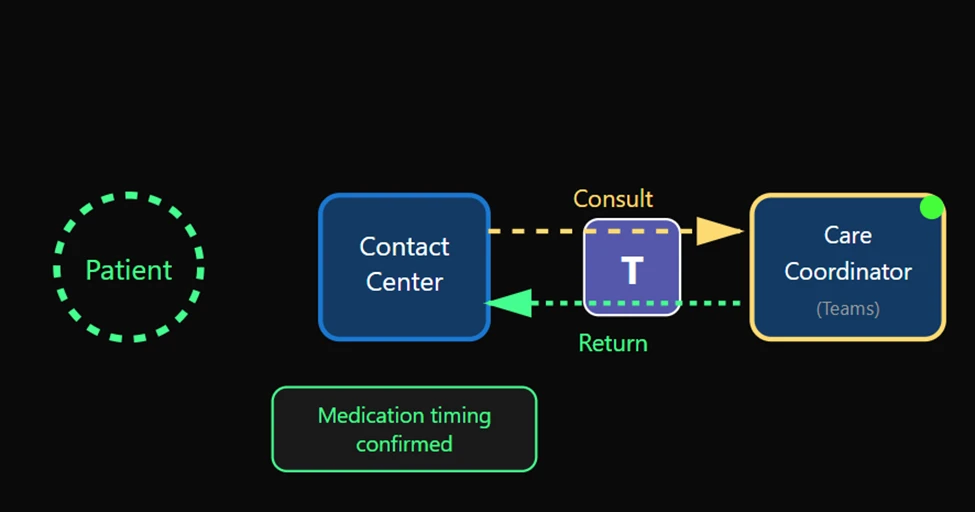
Many clinicians and care coordinators work primarily in Microsoft Teams, not the contact center. Dynamics 365 Contact Center allows representatives to consult Teams users directly.
Contoso Scenario: Post‑Discharge Medication Question
A recently discharged patient calls with concerns about medication timing. The representative sees the assigned Care Coordinator is available in Teams and initiates a consult to confirm instructions before responding.
Benefits:
- Faster access to care teams
- No context switching or manual follow‑ups
- Better alignment between service and clinical teams
Filtered Consults: Connecting to the Right Expertise with Confidence
In complex service environments, not every expert, team, or specialist should be available for every consult. An unfiltered list can slow representatives down and increase the risk of engaging the wrong resource. Dynamics 365 Contact Center supports filtered consult experiences, ensuring representatives see only the most relevant queues and users based on organizational rules and roles.
Contoso Scenario: Targeted Consults in Care Coordination
A customer interaction is routed into the Care Coordination queue based on intent. Once the conversation lands in the queue, consult options are filtered. Representatives see only approved specialist queues and users aligned to Care Coordination roles and policies. This ensures consults stay within the correct domain, prevents accidental misrouting, and helps Contoso resolve complex requests efficiently after work enters a specialized queue.
Why it matters:
Filtered consults help Contoso Health maintain clinical accuracy, reduce decision fatigue for representatives, and ensure collaboration happens within the right care boundaries—supporting safer, more confident patient interactions.
Confident Collaboration, Better Outcomes
Great customer experiences depend on confident, well‑informed conversations. Dynamics 365 Contact Center enables representatives to stay in control while collaborating in real time with the right experts—peers, specialist queues, external partners, or Microsoft Teams users.
The primary representative remains the single point of contact, preserving continuity while bringing in additional insight when needed. Customers experience faster resolutions, fewer handoffs, and clearer answers—without repeating themselves or losing context.
Learn more
To explore the consult capabilities in detail, visit the official documentation: