Some time ago we troubleshoot an issue on Microsoft Dynamics AX 2009 AOS server instance which was set as a Load Balancer that appeared in “Dead” status in the Online users form approximately 10 minutes after starting the instance
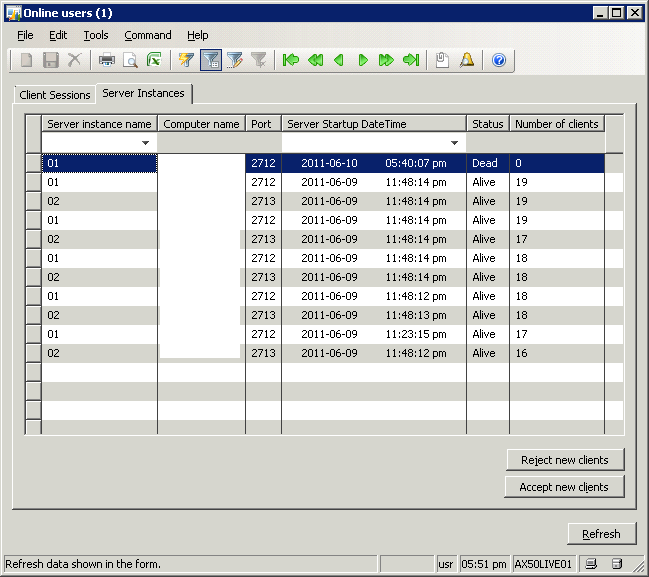
This occurs because there is a mechanisms where is checked the concurrent sessions on each AOS, if there isn’t any active session the AOS is showed as “Dead”.
Similarly, since an AOS set as load balancer, doesn’t have active sessions, but just dispatches sessions to the other AOS, in this scenario will also show the AOS status as “Dead”.
This is just a side effect but doesn’t have any impact on the way the AOS performs.
Further on from this, every 6 hours each AOS checks for dead sessions and it will set their status in SysServerSessions to zero.
This will cause those servers to disappear completely from the Online Users form, as it does not show rows with status=0.
However this does not affect the way the load balancer works; it still accepts connections and balances them.