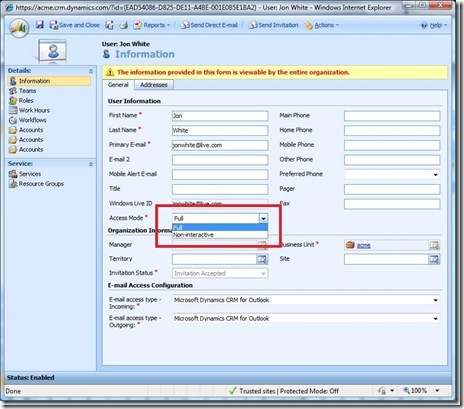
A non-interactive user is a user account in Microsoft Dynamics CRM Online that can access the system but only via the web service layer. Essentially, that user can not use the user interface. Service accounts are used to access CRM Online using the service to service model. A service account is a non-interactive user account with the proxy role assigned to it. Microsoft Dynamics Online allows 5 free non-interactive user accounts. To make the user account a non-interactive account, you need to change the access mode. The access attribute is not visible in the UI by default. The attribute is “access mode”, you can either customize the form to show it, or manipulate it by an SDK call. Setting the access mode to non-interactive simultaneously frees up a license and prevents that identity from logging in interactively.
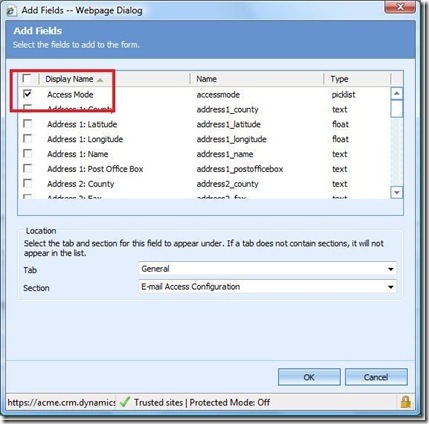
To change the user account mode, add the access mode attribute to the form
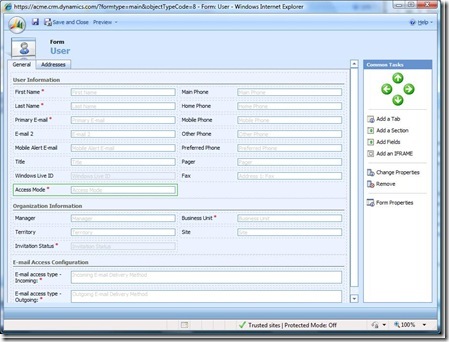
Next, you need to publish, then open the specific user record and set the the access mode.