Discover what’s coming to Microsoft Ignite, Nov 17-20, 2026. Register now.
(Note: Since so many people continue to ask us about how to change line spacing in Word 2010, we decided to re-publish this post.)
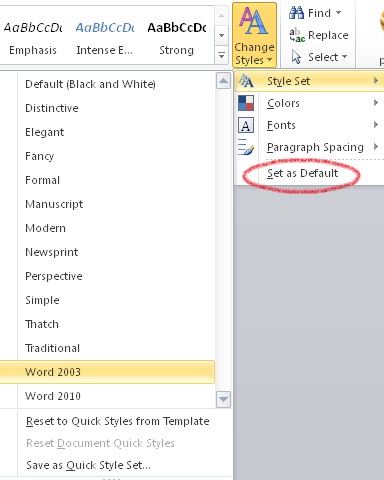
When the default line spacing in documents changed from single spacing in Word 2003 to a slightly roomier 1.15 spacing in Word 2007 and Word 2010, customers asked the inevitable: Why did the default line spacing change? And how do I change it back?
The short answer is that the default line spacing changed in Word 2007 to make online documents more readable. If you want to change the default line spacing in Word 2007 or Word 2010, or learn how to set the line spacing in a single document, here are the best resources we’ve found for step-by-step instructions.
Set default line spacing
To learn how to change the default line spacing in Word 2007 or Word 2010 so that every document you open is set to a new line spacing option of your choice, try Change Word 2007 default line spacing to match previous versions (these steps also apply to Word 2010).
Other line spacing resources
To change the line spacing in a document to single-spacing, double-spacing, or another document spacing option, or to change the spacing between paragraphs, check out the article Adjust the line spacing between text or paragraphs for Word 2003, Word 2007, or Word 2010.
For video about changing the line spacing, view Video: Change line spacing in Word 2007 or Video: Adjust the line spacing in Word 2010.