Maybe you like color-coding. I know I love to color-code my documents. But the Word shading colors that are available in the Highlight command can be limiting. You can run out of colors quickly, because there aren’t very many.
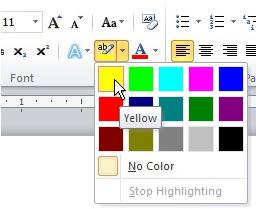
But my colleague Chris Downs reminded me that Word also has a Shading command, and that Shading command has a beautiful palette of hues.

Just select the text that you want to add shading to. On the Home tab, in the Paragraph group, click Shading, and then click the shading color you want to apply.
You can also use this to add shading to a style. For example, maybe you want every Heading 2 to be shaded peach.
Apply the style.

Apply the shading, and then right-click the style in the Styles gallery and click Update Style to Match Selection.

Now, every time you apply the Heading 2 style, it will have the shading.
— Joannie Stangeland