

Using Lobe models as APIs in Azure Functions

Microsoft has recently shipped a very interesting Machine Learning app called Lobe. This article will cover:
- What is Lobe?
- Lobe vs. Azure Cognitive Service
- How to use Lobe models in Azure functions.
What is Lobe?
Lobe is a free client app that helps any user to bring machine learning ideas into reality. Just show it examples of what you want it to learn, and it automatically trains a custom machine learning model that can be shipped to your app. You can also export those models to be used on any platform.
Lobe currently supports Image Classification, with Object Detection and Data Classification coming soon.
Lobe vs. Cognitive Services
While Lobe targets most users, Cognitive Services aims for developers with no/limited machine-learning expertise. All it takes is an API call to embed the ability to see, hear, speak, search, understand and accelerate decision-making into your apps.
Cognitive Services can be trained on the cloud or locally, while Lobe can currently only train locally and data must also be local on the user’s computer.
Collaboration is also an issue for Lobe as it is single use. Cognitive Services is a cloud service that has a robust collaboration and security around data and training.
How do you use Lobe?
1) First, see the below product tour. It covers training, labelling and export models:
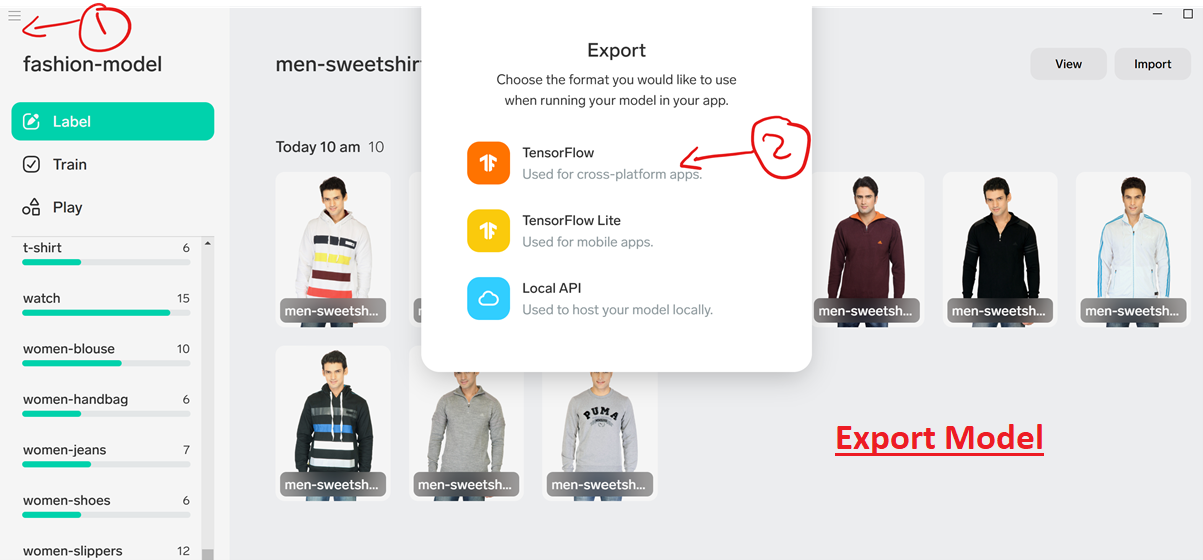
2) Once you have the model ready, you need to export it as a TensorFlow model as below:
3) Prepare the Model:
- Install the tf2onnx tool
- Convert the TensorFlow model to ONNX following using the command python -m tf2onnx.convert –saved-model path/that/contains/saved_model/ –output model.onnx
Use Model in Azure Function
1) Create a C# Azure Function in Visual Studio as described here.
2) Install the following packages:
- lobe.Onnx to import the Onnx based implementation of the image classifier.
- lobe.ImageSharp to get image manipulation utilities
- Microsoft.ML.OnnxRuntime to get the native Onnx runtimes
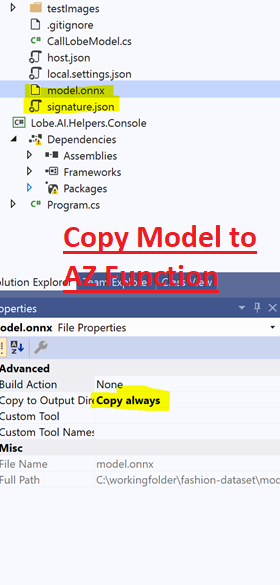
3) Copy the model and change “Copy Always” settings:
4) Copy the below method into your function. You can find the entire repo here.
        private static LobeResult CallModel(string imageToClassify, ExecutionContext context)
        {
            try
            {
                imageToClassify= System.IO.Path.Combine(context.FunctionDirectory, "..\\testImages\\1565.jpg");

                var signatureFilePath = System.IO.Path.Combine(context.FunctionDirectory, "..\\signature.json"); ;
                var modelFile = System.IO.Path.Combine(context.FunctionDirectory, "..\\model.onnx");
                var modelFormat = GetConfig("modelFormat");

                ImageClassifier.Register("onnx", () => new OnnxImageClassifier());
                using var classifier = ImageClassifier.
                    CreateFromSignatureFile(
                    new FileInfo(signatureFilePath),
                    modelFile,
                    modelFormat);

                var results = classifier.Classify(Image
                    .Load(imageToClassify).CloneAs());

                return new LobeResult { Confidence = results.Classification.Confidence, Label = results.Classification.Label };
            }
            catch (Exception e)
            {
                return new LobeResult
                {
                    Label = "unknown",
                    Confidence = 0
                };
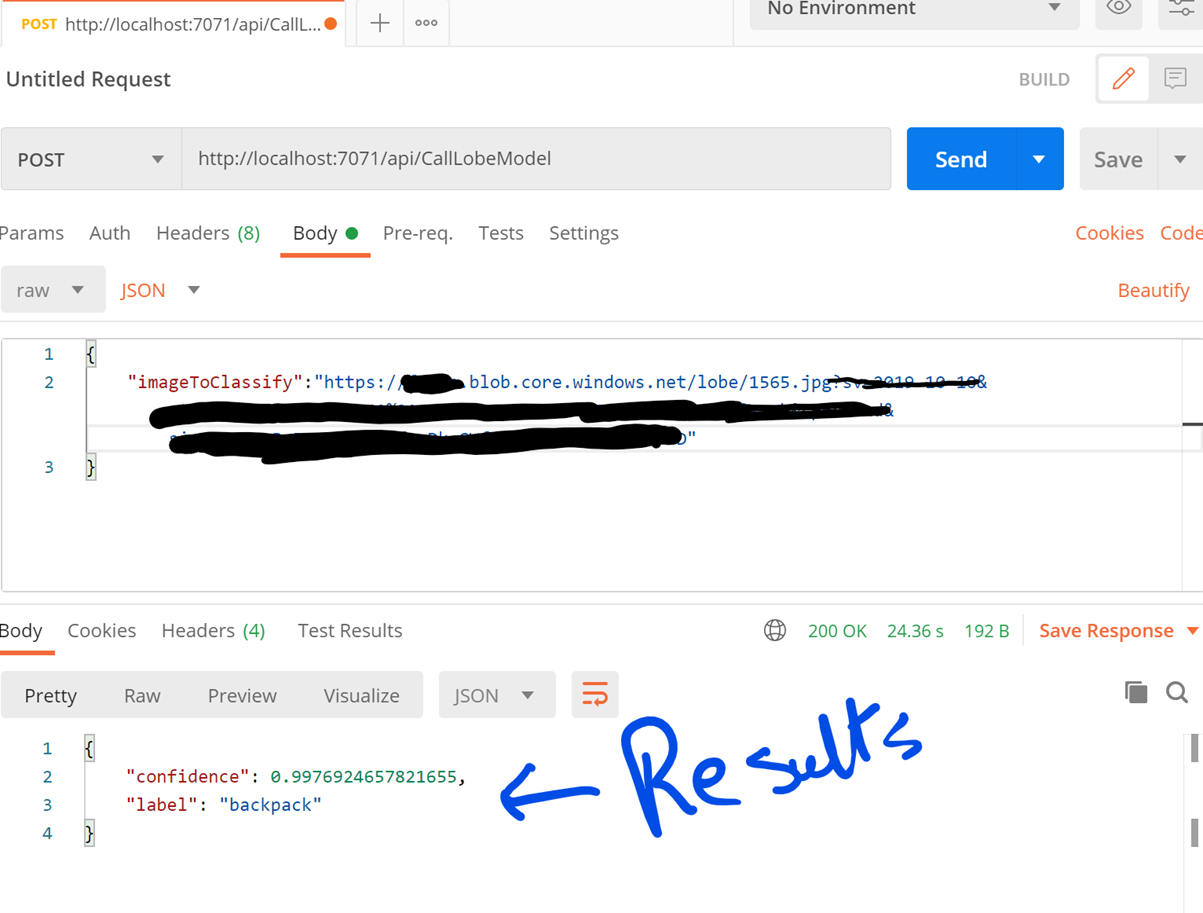
5) Test the function using Postman:
Summary
Although using Lobe is not a substitute for the usage of Cognitive Services, it is still a great tool for starter and local machine learning scenarios where scale is a big deal. However, you must note the following:
- Lobe is in public preview. There is no SLA, and in the future Lobe may change or be cancelled.
- At present, Lobe only supports image classification (more details on our website).
- Lobe is single-user only.
- Lobe data and training occurs on the user’s computer.
- Lobe does not provide easy access to cloud data, and cannot train in the cloud.